AI Powered Study Assistant
Ai powered study assistant - Discover how an AI-powered study assistant turns lectures into searchable transcripts, timestamped answers, and flashcards—and the

You're in the middle of a lecture, the slide deck is moving fast, and one definition slides by before you can write it down. Ten minutes later, you're scrubbing back through the recording for the third time, trying to find the exact moment your professor explained the difference between two terms that look identical in your notes.
That's the job an AI Powered Study Assistant is trying to solve. It's not just a chatbot with a nicer label. At its best, it's a system that takes your own class material, then lets you ask plain-English questions and get answers tied back to the recording, slides, notes, or textbook pages you uploaded.
Table of Contents
- What an AI Powered Study Assistant Does
- The Mechanic Behind Grounded Answers
- The Four Features That Matter Most
- How It Compares to ChatGPT, Tutors, and Your Own Notes
- The Honest Trade-Off Between Speed and Learning
- A Practical Privacy Checklist Before You Upload
- Putting It into Practice Across a Study Week
- Who Gets the Most Out of These Tools
What an AI Powered Study Assistant Does
A classmate says the professor defined a term in passing, and your notes only captured the first half of it. That is the moment a good AI Powered Study Assistant starts to feel useful, because it helps you recover the missing piece without making you sift through an entire recording or page of slides.

From hunting through recordings to asking one question
The basic workflow is straightforward. You upload your class material, recordings, slides, notes, or a textbook PDF, then ask a question in ordinary language. The assistant searches the material you provided and answers from that source, so you do not have to replay the whole lecture just to recover one explanation.
A tool like ClassLecture.ai is useful for this kind of workflow because it keeps the answer tied to your own class content. A generic chatbot tries to respond from broad model knowledge, while a lecture-grounded assistant stays inside the material you uploaded. When that grounding works well, the response sounds close to the wording your instructor used, rather than a polished but loose summary pulled from everywhere and nowhere.
A better way to picture it is a smart index for your course. You would not reread an entire textbook every time you need one definition, and you would not want to replay a long lecture just to find a single sentence you missed. The assistant turns that search into a question and a targeted answer.
Practical rule: if a tool cannot point back to the place where the answer came from, treat it as a convenience layer, not a study layer.
Generic AI chatbot vs lecture-grounded study assistant
| Dimension | Generic chatbot | Lecture-grounded assistant |
|---|---|---|
| Source of answers | Broad model knowledge | Your uploaded class material |
| Best use | General explanations | Course-specific clarification |
| Trust level | Variable | Higher when grounded in the lecture |
| Follow-up questions | Possible | Built for repeated study use |
| Review workflow | Abstract | Tied to your slides, notes, and timestamps |
The difference matters because studying is not the same as chatting. A student often needs the exact definition, the exact example, or the exact caution the instructor gave. Source-grounded answers are better for that job because they point back to the course material instead of offering a smooth answer that may drift away from what was taught.
The Mechanic Behind Grounded Answers

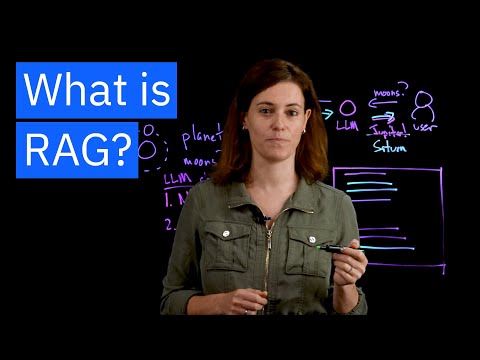
The phrase retrieval-augmented generation sounds technical, but the mechanic is easy to picture. Think of a library card catalogue, except the cards are chunks of your lecture, and the librarian is fast enough to pull the right card while you're still thinking of the question.
Step 1, the assistant indexes your material
First, the system breaks the lecture or document into searchable pieces and stores them in a way a machine can scan quickly. That matters because a one-hour lecture is too long to treat as a single blob of text.
Step 2, it retrieves the most relevant passages
When you ask a question, the assistant looks for the passages most likely to answer it. It is not guessing from memory in the way a generic bot might. It is searching your own uploaded material first.
Step 3, it conditions the response on those passages
The language model then uses the retrieved passages as its working context. In plain English, the answer gets anchored to the lecture, not to whatever the model happens to know from elsewhere.
Step 4, it surfaces the result as something you can verify
That's why timestamped citations matter. They let you click back to the part of the lecture where the answer came from, which is what makes the whole system study-friendly instead of just clever.
A grounded system also explains why summaries, flashcards, and quizzes can all come from the same engine. Once the material is indexed, the assistant can compress it, rephrase it, or turn it into practice prompts without starting over.
For a plain-language walkthrough of this workflow, the lecture summarizer guide is useful because it keeps the focus on study use, not technical jargon.
The Four Features That Matter Most
A student opens a recording the night before an exam and needs one thing fast, the exact part where a definition, example, or formula was explained. The helpful tools are the ones that turn a long lecture into something searchable, checkable, and easy to study from, because they all draw from the same indexed source material instead of acting like separate add-ons.
Transcription and searchable text
A lecture recording only becomes useful when the words can be searched. In the product context for lecture tools, a 1-hour lecture can be processed in about 5 minutes for time-to-first-answer after upload (Studocu project overview). That speed matters because the student can start reviewing while the class is still fresh.
The transcript is not the final product. It works like the index in the back of a textbook, it tells the assistant where to look so the rest of the system can respond with something useful. If the transcript is messy, every later feature becomes harder to trust.
Timestamped question answering
This is the part that changes everyday study habits. A student asks, “What did the professor mean by X?” and the assistant answers with a timestamp that points back to that exact moment in the lecture. The response is checkable, which matters when you want to confirm a detail instead of trusting a smooth-sounding reply.
That timestamp also changes the way students review. Instead of hearing a vague explanation and wondering where it came from, they can jump straight to the original wording, hear the tone, and compare the answer with their notes. For lecture-heavy classes, that is often the difference between a guess and a verified answer.
Summaries that stay close to the lecture
A generic summary tends to flatten the parts students need, especially examples, exceptions, and the professor's emphasis. A lecture-grounded summary should keep those details because they often show up in discussion sections and exams. If the summary reads like a random internet explainer, it has drifted away from the class material.
Summaries are not meant to replace the lecture. They are meant to compress it without stripping out the signals that help students remember what mattered in the room. A good one feels like a cleaned-up version of the lecture, not a different lesson.
Flashcards and practice prompts
Flashcards work best when they are built from the course's own wording. The assistant can turn key passages into question-and-answer pairs, which gives students a way to test recall instead of rereading the same page over and over. That matters because studying is partly about making retrieval harder on purpose, so the brain has to do the work of remembering.
Practice prompts serve a similar role. They help students move from recognition to recall, which is a bigger leap than it sounds. If a prompt comes from the lecture itself, the student practices the same wording, structure, and emphasis they will likely need later.
| Feature | What it generates | When the student uses it |
|---|---|---|
| Transcription | Searchable lecture text | Right after class |
| Timestamped Q&A | Answers linked to a moment in the recording | When a definition or example is unclear |
| Summary | Condensed lecture notes | Before a reading quiz or exam |
| Flashcards | Recall prompts from key points | During repeated review sessions |
How It Compares to ChatGPT, Tutors, and Your Own Notes
A lecture-grounded assistant is useful, but it is not a magic replacement for every other study method. The cleanest way to think about it is as one tool in a larger workflow, not the whole workflow.
What each option is actually good at
A generic chatbot is fast and flexible, which is helpful for broad explanations. But if you ask it about a detail from your specific lecture, the answer can drift because it isn't limited to your class material.
A human tutor is still better when you need back-and-forth reasoning. Tutors can notice confusion, push you with follow-up questions, and change the explanation when the first one doesn't land. An assistant can't really do that kind of live judgment.
Your own notes have a different advantage. They're yours, so they already reflect what felt important in the room. But notes are only as useful as your memory and organization, and most students don't have time to keep them perfectly clean.
Where the assistant fits
The assistant wins when the question is specific and source-based. It is strongest when you want to find, confirm, or restate what was already said in class. That makes it a strong companion to your notes, not a replacement for them.
It also fits better than a generic chatbot when the material is messy, long, or lecture-heavy. A student trying to review a week of recordings can ask targeted questions instead of rewatching everything.
Use it this way: ask the assistant to locate the answer, then use your notes or memory to explain it back in your own words.
That last step matters because the best study system is rarely the fastest one. The best system is the one that keeps you active, honest, and able to recall the material without help later.
The Honest Trade-Off Between Speed and Learning
An AI assistant can make studying feel smoother, and that's exactly where the danger lives. If the tool removes too much effort, students may finish more sessions while retaining less.
Recent academic work on AI course assistants found positive effects on GPA, self-efficacy, and intrinsic motivation, while other education research warns that AI reading assistants can encourage students to offload close reading instead of deepening comprehension (Open Praxis). Both ideas can be true at the same time. A tool can help a student feel more capable and still create a habit of skipping the hard part.
The trap is passive use
If a student asks for every answer and never tries to recover the idea alone, the assistant becomes a crutch. That kind of use feels efficient in the moment because the page moves quickly, but it weakens the memory work that studying depends on.
The better pattern is active support, not passive replacement. Use the assistant to find a definition, clarify a confusing example, or compare two lecture points. Then close the window and say the answer aloud without looking.
A simple rule that keeps the tool honest
Rule of thumb: answer with the assistant, then answer again from memory before moving on.
That one habit changes the role of the tool. It stops being a vending machine for information and becomes a checkpoint for retrieval practice.
The point isn't to avoid AI. The point is to avoid letting convenience erase effort entirely. If you keep the memory test in the loop, the assistant can save time without flattening your learning.

A Practical Privacy Checklist Before You Upload
Lecture recordings aren't just content, they're personal academic data. They can include your voice, your professor's voice, and sometimes other students speaking in class, so privacy deserves the same attention as accuracy.
What to check before the first upload
A useful checklist starts with encryption, because files should be protected both while moving and while stored. Next, look for a stated policy that uploads are not used to train models. If a company won't say that clearly, that's a red flag.
Then check whether the storage is account-isolated, not pooled into a shared bucket that other users can somehow access. After that, look for clear retention and deletion controls. You should know how long the platform keeps your material and how to remove it.
The last item is pricing clarity. If a free tier turns into a credit-card trap or hides how content is monetized, that's a bad sign for student use.
For a concrete example of how one provider describes this, ClassLecture.ai's privacy page is here: ClassLecture.ai privacy information.
| Question to ask | Why it matters | What good looks like |
|---|---|---|
| Is the upload encrypted in transit and at rest? | Protects the lecture file from interception or exposure | The platform states both clearly |
| Are uploads used to train models? | Determines whether your class content becomes model fuel | The platform says no, in plain language |
| Is storage isolated to my account? | Prevents other users from seeing your material | Only you can access your uploads |
| Can I delete my files? | Gives you control over retention | Deletion is visible and easy to use |
Red flags that should slow you down
Vague privacy pages are a problem. So are tools that talk about “improving the service” without saying whether your uploads are included. If the policy feels slippery, don't rush.
A student doesn't need perfect legal certainty, but they do need plain answers. If the platform can't explain how it handles academic recordings in everyday language, it probably isn't ready for them.
Putting It into Practice Across a Study Week
A lecture assistant works best when it sits inside a routine, not when it's opened only during panic before an exam. The easiest habit is to upload material the same day you get it.
A simple week with one class
On Monday night, upload the lecture recording. Ask one or two questions while the material is still fresh, because the exact phrasing will still be in your head. Then save the summary and turn the key points into flashcards before the week gets crowded.
By Wednesday, use the assistant to clarify the parts that showed up in your problem set or reading. That keeps the tool connected to actual assignments instead of turning it into a passive archive.
By Thursday and Friday, review the flashcards in short bursts. On Saturday, use timestamped Q&A to revisit anything that still feels shaky. On Sunday, close the laptop and try to explain the material without looking.
The same workflow extends to slides, notes, and textbook chapters if you upload them alongside the lecture. That makes the assistant more useful when the class material is split across formats, which happens all the time in real courses.
If you want a practical way to turn those uploads into study guides, the study guide workflow is a sensible reference point.
Who Gets the Most Out of These Tools
The biggest wins usually go to students who live in recorded lectures. That includes lecture-heavy undergraduates, graduate students preparing for qualifying exams, international students revisiting dense English explanations, and online learners whose instructor access mostly happens through recordings.
Students with lighter course loads often need less of this. So do learners who don't have much material to upload in the first place. If there's nothing to search, the assistant can't do much beyond generic help.
The tool also helps less when someone treats it like a substitute for doing the reading. That habit is attractive because it feels efficient, but it usually creates shallow familiarity instead of durable recall.
The single habit that decides whether the assistant improves learning or just speeds up completion is simple. Always close the loop with a memory test before moving on.
If you want a lecture-grounded workflow that turns recordings into searchable transcripts, timestamped answers, summaries, and flashcards, ClassLecture.ai is built for that job. It's a practical way to study from your own class material without losing the thread of where each answer came from. Take a look at ClassLecture.ai and see how it fits the way you already study.
The ClassLecture.ai Team
We build ClassLecture.ai, the AI study assistant that turns your recorded lectures into transcripts, summaries, flashcards, and answers cited to the exact timestamp — so you learn faster from your own professor's words.
Keep reading
7 Best AI Powered Study Materials for 2026
Transform your notes and lectures with the best AI powered study materials. Explore tools for auto-summaries, quizzes, flashcards, and interactive Q&A.
ReadThe 9 Best AI Powered Quiz Generator Tools for 2026
Find the best AI powered quiz generator for your class or training. We compare 9 tools for creating quizzes from text, lectures, and URLs. Start now.
ReadVideo Summarizer AI: How It Works and How to Use It
Learn what video summarizer AI is, how it turns long lectures into searchable notes, where it falls short, and best practices for using timestamps effectively.
Read