AI study tools built from your class
Turn Your Course Materials Into a Complete Study System. Study What Your Professor Actually Taught.
Record or upload lectures, notes, slides, and textbooks. Get cited answers, focused summaries, practice quizzes, and flashcards—all built from your own class.
Start free.
Biology 101
Searching lectures, slides, and notes
Mitosis creates two genetically similar cells for growth and repair. Meiosis creates four genetically varied cells with half the chromosome number for reproduction.
Keep studying this material
Sample content and source labels show the workflow; they are not a live answer or accuracy guarantee.
One class. Every study tool.
Spend your study time learning—not hunting through files
ClassLecture connects your lectures, notes, slides, and textbooks, then turns them into the study tool you need next.
Ask once. Check the source.
Search across your class and follow every cited answer back to the exact lecture moment or document page.
Create every study tool from the same material
Turn one lecture or document into a transcript, focused summary, practice quiz, study guide, or flashcard deck.
Find weak spots before the exam
Use scored practice quizzes and spaced-repetition flashcards to see what you know and what deserves another review.
Turn Class Lectures Into AI Study Materials
Record or upload your lecture, get an AI-powered transcript, and turn your class into study materials in minutes.
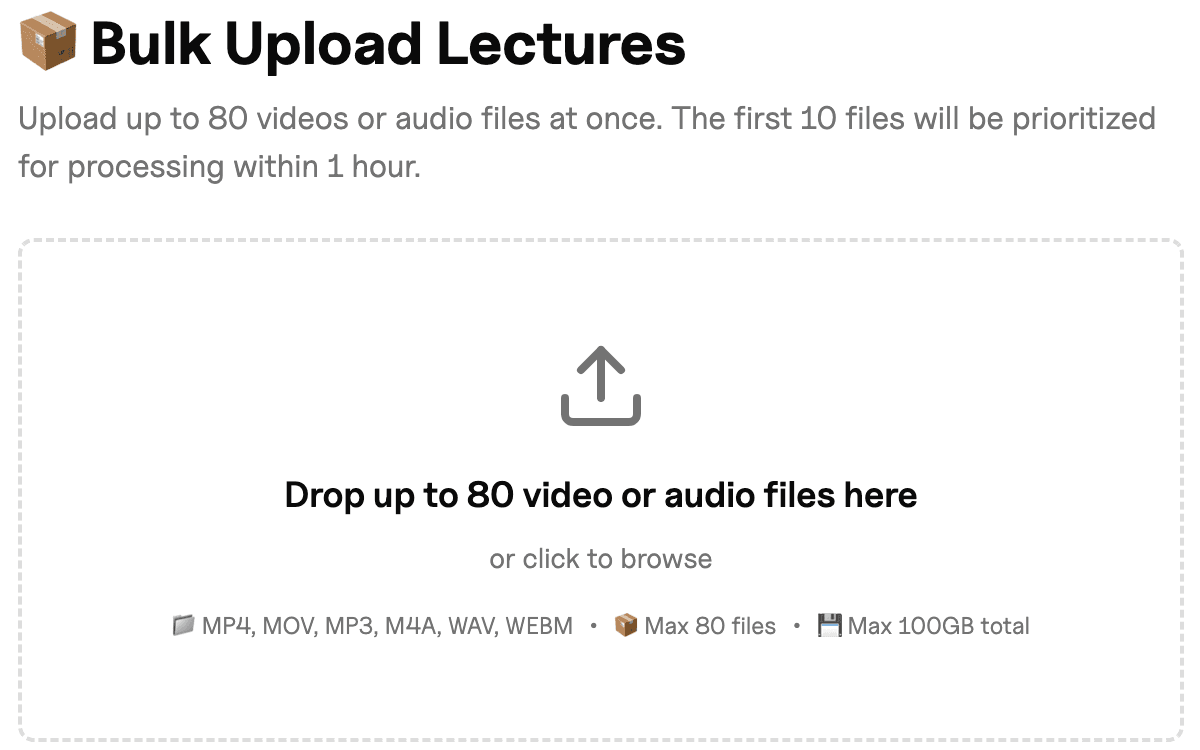
Record or upload your lecture
Record class directly in your browser or upload existing audio and video lecture recordings.
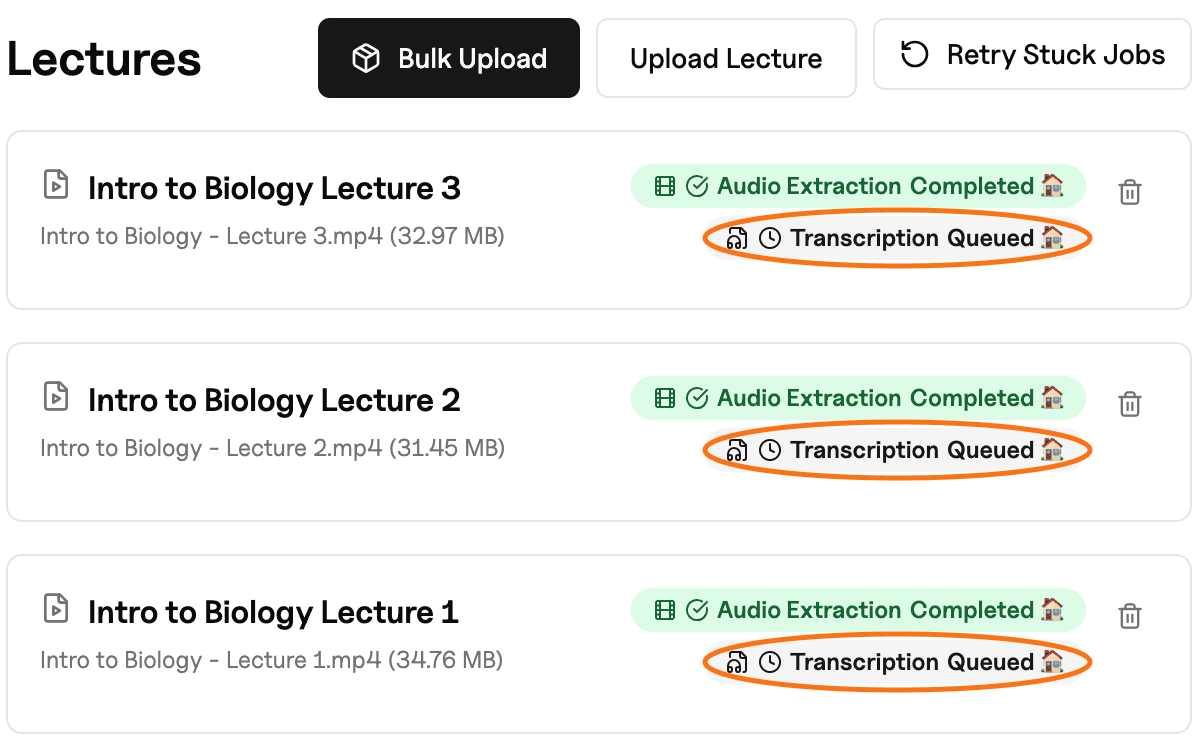
Get a searchable AI lecture transcript
Turn your lecture into a searchable, timestamped transcript in 5 to 10 minutes.
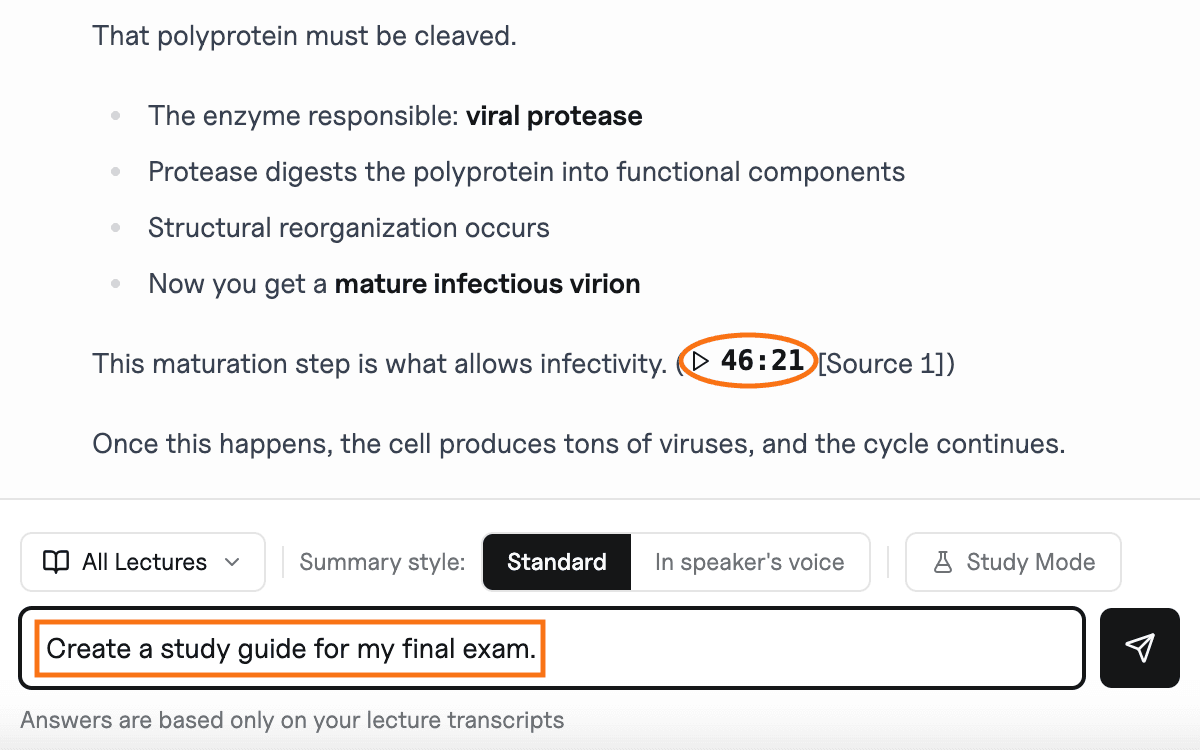
Study with your class materials
Get answers tied to exact lecture moments, then create personalized study guides and flashcards from your class.
AI Study Tools Built Around Your Classes
Turn your lectures, notes, and textbooks into searchable transcripts, AI study guides, summaries, flashcards, and course-specific answers.
Record In-Person Lectures From Your Browser
Use your microphone to capture a lecture, seminar, or study session from a supported laptop or phone, then keep the recording organized with the class.
Record Online Class Audio Without a Bot
Use desktop Chrome or Edge to choose a Zoom, Google Meet, or Microsoft Teams class source and save its audio without adding a meeting participant.
Research-Grade AI Lecture Transcripts With Timestamps
Turn every lecture into a research-grade, searchable transcript with timestamps. On clean audio, transcription typically reaches about 90-95% accuracy. Play the original audio and jump directly to the exact moment you want to review. You can save an optional YouTube, Zoom, or Google Drive link with a lecture so you can reopen the original video while you study. Transcription comes from audio you record or upload.
Get Course-Specific AI Answers
Ask questions about a specific class and get answers grounded in that course's lectures, notes, and materials. Follow cited sources back to the relevant lecture moment or notes page whenever you want to review the original material.
Create AI Lecture Summaries and Study Guides
Turn your transcribed lectures into focused AI summaries and study guides based on the class material you provide. Choose from additional summary options in chat to review lectures in the format that works best for you.
Study Your Lectures, Notes, and Textbooks Together
Add PDFs, Word documents, Markdown, EPUB files, and other class materials so you can search your lectures, notes, and textbooks together. Get cited answers with page references and open supporting documents directly in the app.
Build AI Flashcards With Spaced Repetition
Generate AI flashcards from your lecture recordings and class materials. Upload audio, video, or notes and ClassLecture.ai builds question-and-answer cards linked back to the exact lecture moment. Use spaced repetition to strengthen recall, identify gaps, and track exam readiness.
Create Practice Quizzes From Your Class
Turn a lecture or document into a scored multiple-choice quiz. Get immediate feedback after every answer and return to the supporting lecture timestamp or document page.
Answer Your Professor’s Study Guide
Upload an exam study guide with your lectures, slides, notes, and PDFs. Work through the questions using your course materials and review the sources behind each answer.
Keep Every Class and Term Organized
Organize lectures, notes, study materials, and AI conversations by class and term so everything stays easy to find. Favorite the courses you use most and keep each class's study materials together.
Explore Sample Courses Before You Sign Up
Explore Astronomy 101, Psychology 101, and English 101 to experience course-based AI answers and flashcards before creating an account. Try sample study tools first, then sign up free when you're ready to study with your own classes.
AI Study Tools for College and Graduate Students
Stay Ahead in Your Undergraduate Classes
Turn lectures and class notes into organized study materials that make it easier to review, prepare for exams, and keep up across multiple courses. Ideal for demanding subjects like pre-med, life sciences, engineering, computer science, business, and economics.
Get More From Graduate Lectures and Seminars
Capture detailed lectures and seminar discussions, find important concepts quickly, and return to the exact timestamp whenever you want to hear the original conversation again.
Turn Your Lecture Recordings Into Study Materials
Upload lecture recordings from your phone, Panopto, Zoom, or Google Meet, or record your next class directly in the browser. ClassLecture.ai turns your recordings into searchable transcripts and study-ready class materials.
How ClassLecture.ai Compares
Course-Specific AI Alongside ChatGPT and NotebookLM
ChatGPT and NotebookLM offer powerful general AI tools. ClassLecture.ai is built for studying your specific classes, with answers grounded in the lectures, notes, and course materials you choose — plus citations that take you back to the original source.
Go Beyond Transcription With ClassLecture.ai, Otter, and Notta
Otter and Notta make it easy to create transcripts. ClassLecture.ai takes lecture transcription further by turning your recordings into course-specific AI answers, timestamped references, study guides, summaries, and flashcards organized by class.
Personalized Lecture Flashcards Alongside Quizlet and Anki
Quizlet and Anki are popular tools for studying with flashcards. ClassLecture.ai can generate personalized flashcards directly from your lecture recordings, notes, and PDFs, helping you study the material your class actually covered and return to the original source for more context.
Your Study Materials Stay Private and in Your Control
Your Classes Stay Private
Your lectures, class notes, and AI chats stay connected to your account, giving you a private space to organize and study your course materials.
Your Study Data Stays Yours
Your lecture recordings and documents remain your study materials — they are not sold, shared, or used to train outside AI models.
Stay in Control of Your Content
You can delete individual lectures or entire classes in the app. To delete your account, email khalid@classlecture.ai and we will remove it.
Start free.
Hey — I built ClassLecture.ai to make studying from your class lectures faster and easier. Turn your lecture recordings into searchable transcripts, AI study guides, summaries, and flashcards so you can spend less time searching and more time learning. Try it free and see how much easier your next study session can be.
Frequently asked
Anything not covered here? Email khalid@classlecture.ai.