How to Write a Summary of a Meeting
Learn how to write an accurate summary of a meeting using transcripts and AI. Discover capture, editing, and automation tips with ClassLecture.ai.
You leave a meeting believing everyone understands the plan. The next morning, someone asks who owns the client update, another person remembers a different deadline, and the only written record is a dense paragraph of hurried notes. The problem usually isn't a lack of effort. It's that the meeting moved faster than one person could listen, participate, interpret, and document accurately.
A useful summary of a meeting isn't a transcript pasted into an email. It's a verified record of the context, decisions, open questions, commitments, owners, and deadlines that people need after the conversation ends. AI can reduce the manual workload, but it can't remove the need to check whether the source captured the discussion correctly.
Table of Contents
- Why Most Meeting Summaries Fail
- Capturing Clean Audio for Accurate Transcripts
- Editing and Verifying the AI Summary
- Structuring Action Items and Follow-Ups
- Automating the Workflow with ClassLecture.ai
- Navigating Privacy and Trust in Recordings
Why Most Meeting Summaries Fail
A meeting ends with “we'll follow up,” but the notes say little about who will follow up, what they'll deliver, or when the work is due. The note-taker may have captured several interesting comments while missing the one sentence that changed the plan. That failure is structural, not personal. A participant who's actively debating a proposal can't reliably produce a complete record at the same time.
The scale of the problem makes manual documentation even harder. A large-scale 2026 meeting-data analysis reported that average meeting duration fell from 51 minutes to 47 minutes, while meeting volume stayed roughly steady. Another summary estimated that employees spend about 392 hours per year in meetings, or roughly 10 full workweeks. See the meeting data and workplace analysis from Supernormal for the underlying figures.
That volume creates a documentation queue. Every additional meeting produces more decisions to remember, action items to assign, and unresolved points to preserve. A wall of chronological notes doesn't solve that problem because readers must reconstruct the meaning themselves.
Practical rule: A summary should help a person who missed the meeting understand what changed and what they now need to do.
The note-taking conflict
Traditional notes also confuse conversation with record-keeping. People often write down statements in the order they hear them, even though a useful recap should usually group information by topic, decision, and follow-up. The result is a document that may be accurate at the sentence level but unusable as an operational tool.
Formal minutes have a place in official or compliance-sensitive settings. For routine project meetings, team check-ins, and study sessions, a concise summary is more useful when it distinguishes discussion from agreement. That distinction is central to the difference between AI meeting notes and a durable meeting record.
Why transcript-first works better
A transcript-first workflow separates capture from interpretation. The recording or transcript preserves the underlying conversation, while the summary turns that source into a readable artifact. This lets the participant stay engaged and gives the reviewer a way to inspect the exact moment behind a decision, owner, or deadline.
AI should therefore handle the first pass, not the final authority. The scalable process is capture, transcribe, summarize, verify, and publish. Skipping the transcript leaves reviewers with no dependable way to investigate a suspicious sentence.
Capturing Clean Audio for Accurate Transcripts
A summary can't recover speech that the recording never captured. Before choosing a template or prompting an AI tool, improve the audio source. Background music, keyboard noise, distant speakers, room echo, and overlapping voices all create conditions in which a transcription engine has to guess.
In controlled conditions, leading transcription systems can reach about 93–97% accuracy, but real meetings often fall to 70–93% because of background noise, accents, and overlapping speakers, as described in this speech-to-text accuracy analysis. Those ranges aren't a promise for your meeting. They show why recording technique matters before summarization begins.
Set up the room
For an in-person meeting, place the microphone near the speakers rather than at the far end of the table. A directional microphone can reduce sound arriving from unwanted angles, but placement still matters. Keep it clear of laptops, paper, and objects that people may tap or move.
For virtual calls, capture the meeting audio at the source whenever the platform permits it. A browser-based recorder may need permission to capture the active tab or system audio in Chrome or Edge. Confirm that the recording includes the other participants, not just your own microphone.
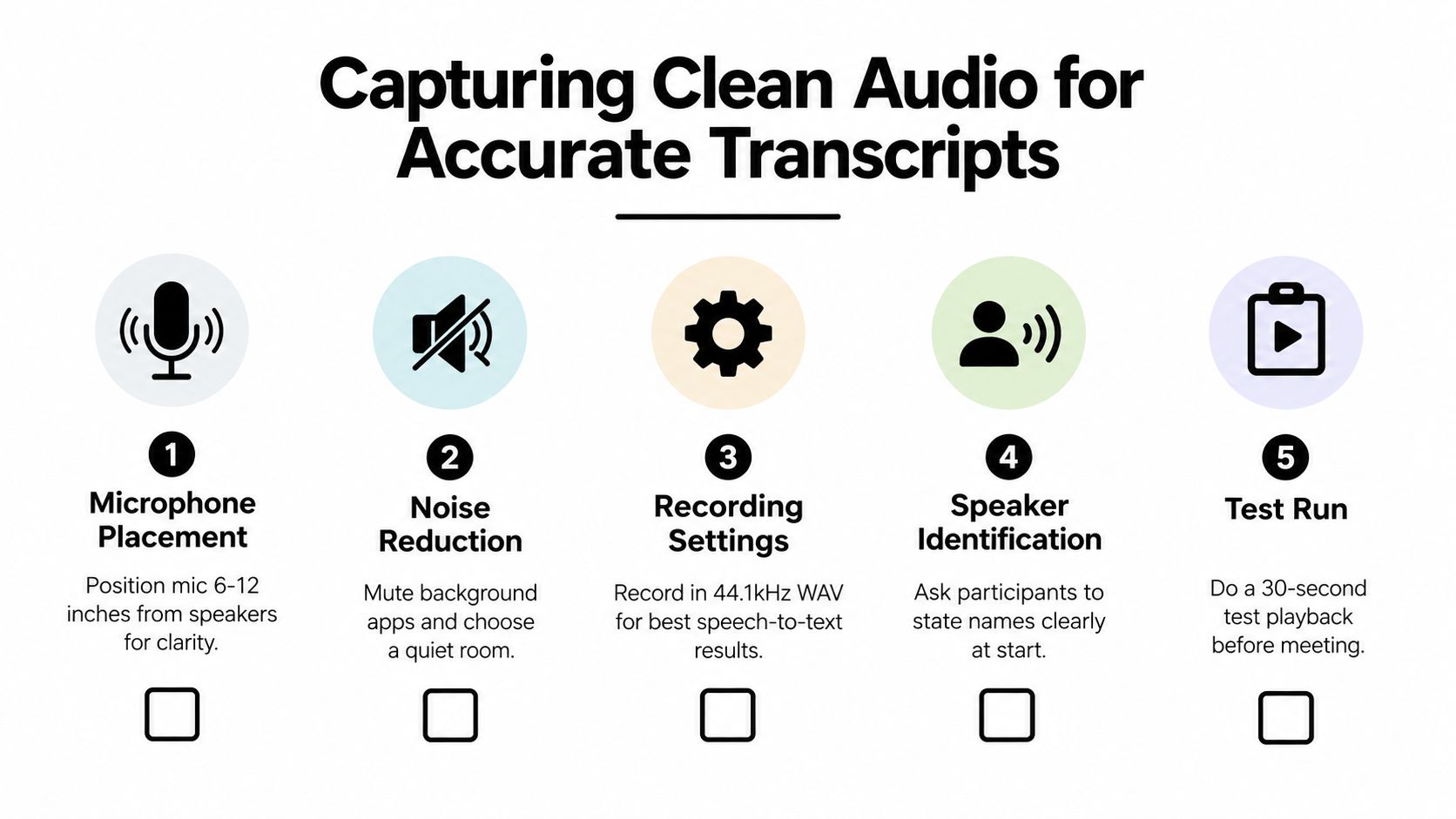
A short pre-meeting test catches problems that a polished summary cannot fix:
- Check the input: Confirm that the intended microphone is selected.
- Reduce interference: Close noisy applications and silence unnecessary notifications.
- Identify speakers: Ask participants to state their names clearly at the beginning.
- Test playback: Record a short sample and listen for echo, clipping, or missing system audio.
- Mark difficult conditions: Note expected interruptions, remote dial-ins, or room acoustics that may affect review.
Protect speaker separation
Multi-speaker meetings create a special problem. When two people talk at once, the system may merge their words, assign a statement to the wrong person, or omit the commitment entirely. Ask participants to avoid interrupting where possible, use names when handing over the conversation, and pause briefly before responding to a complex point.
If the discussion includes names, technical terms, product identifiers, or dates, say them clearly. A clean transcript makes later verification faster because reviewers can search for the relevant phrase instead of reconstructing it from damaged audio.
For practical microphone adjustments and room setup, use this guide on reducing background noise on a microphone.
Editing and Verifying the AI Summary
An AI-generated recap is a draft. Treating it as final is risky because summarization involves interpretation, not simple compression. The system must decide whether a comment was a decision, a suggestion, a question, or an unresolved objection.
Expert guidance recommends checking every named entity and deadline against transcript timestamps. Hallucinated or invented details have been reported in up to 37% of AI-generated meeting summaries in some evaluations, according to this analysis of AI note-taking accuracy and verification. That figure is a reason to design review into the workflow, not a reason to abandon automation.
Use a verification pass
Read the summary once for structure, then inspect each consequential statement against the source. Don't spend equal time on every sentence. Focus on information that can create operational or legal consequences.
- Decisions: Find the transcript passage where participants explicitly agreed. If the conversation ended with competing views, label the issue as unresolved.
- Owners: Confirm that the named person accepted responsibility. A person mentioning a task isn't automatically the task owner.
- Deadlines: Check the exact date or timing language. “Soon,” “next week,” and “before launch” aren't interchangeable.
- Entities: Verify customer names, project names, technical terms, and figures against the transcript or meeting materials.
- Qualifications: Preserve conditions such as “subject to approval,” “pending review,” or “we should consider.” Removing those phrases can turn a proposal into a false commitment.
A concise summary is valuable only when its confidence matches the evidence.
Preserve uncertainty
One of the most damaging errors is false certainty. A transcript may contain a tentative recommendation, but the summary can rewrite it as a completed decision. It may also convert a request for discussion into an assigned task.
Use explicit labels such as Confirmed decision, Proposed direction, Open question, and Needs owner. Include a timestamp beside contentious or high-impact items so a reader can review the source without searching the entire recording.
A reliable editor also checks omissions. Search the transcript for phrases such as “I'll,” “we need to,” “by,” “before,” and “pending.” Then compare those passages with the action-item section. AI is useful for surfacing candidates, but a human should decide whether the language represents an actual commitment.
Structuring Action Items and Follow-Ups
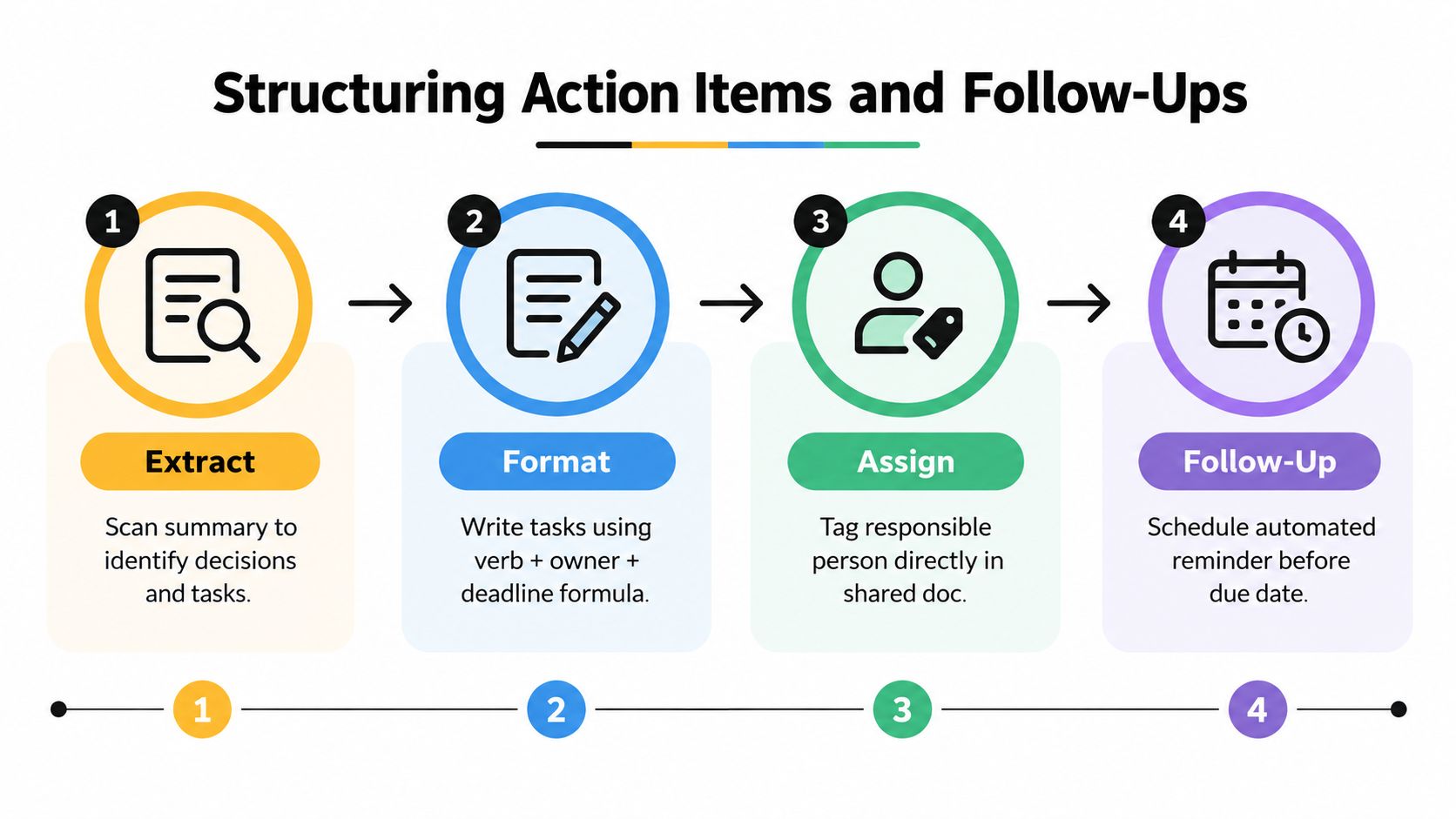
A summary becomes operational when a reader can scan it and immediately identify what happens next. The most dependable format is simple: verb, owner, deliverable, deadline, and status. If one of those fields is missing, the task may generate another meeting instead of progress.
Start by separating three kinds of information:
- Decisions: Statements the group accepted, including relevant conditions.
- Action items: Work a named person agreed to complete.
- Open questions: Issues that still need evidence, approval, or discussion.
Don't force every discussion point into a task. A summary that turns every idea into an assignment creates noise and makes genuine commitments harder to see.
Apply the commitment test
For each possible action item, ask:
- Did someone explicitly volunteer or accept ownership?
- Is there a concrete deliverable?
- Is the timing clear enough to verify?
- Does the task depend on another decision or approval?
- Where will the owner track completion?
If the answer to ownership or timing is unclear, don't invent it. Write Owner to confirm or Deadline to confirm, then list the question under follow-ups. That preserves the meeting's actual state instead of making the summary appear more complete than the conversation was.
A useful action-item line might look like this:
Revise the project brief, Priya, before the next review, pending approval of the positioning.
The precise wording will depend on the meeting, but the structure makes ambiguity visible.
Make follow-through easy
Put decisions before discussion details, then place action items in a compact table or bullet list. Use the same field order every time so readers know where to look.
| Action | Owner | Deadline | Status |
|---|---|---|---|
| Specific task beginning with a verb | Named person | Confirmed timing | Open, blocked, or complete |
Before publishing, compare the table with the transcript. After publishing, move each confirmed task into the team's project system or shared study plan. The summary should remain the source of context, while the task system handles reminders and progress.
For unresolved topics, add a follow-up question rather than a vague note. “Who will validate the estimate?” is actionable. “Discuss estimate later” isn't.
Automating the Workflow with ClassLecture.ai
A workable automated process begins with the meeting source, not the summary prompt. In ClassLecture.ai, the browser-based Record Meeting tool can capture tab or system audio from live Zoom, Google Meet, or Microsoft Teams sessions in Chrome or Edge, with optional microphone mixing. That setup addresses a common friction point, the need to record the conversation without manually managing separate audio files.
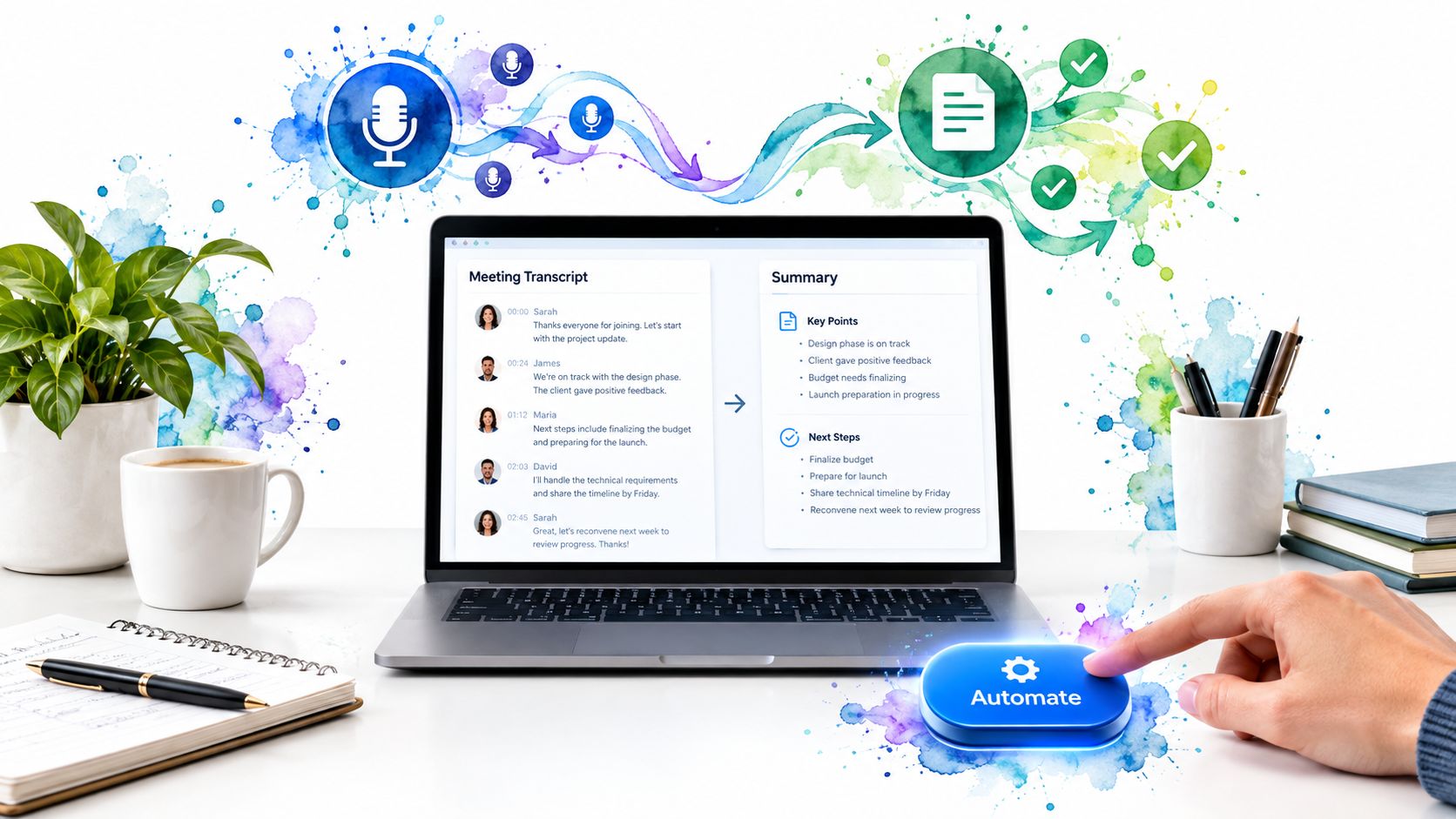
A practical session looks like this. Start the recording after confirming consent and the correct audio source. Once processing is complete, inspect the transcript before trusting the generated recap. Use the AI Summary modes to produce a structured overview, then compare decisions and action items with the corresponding transcript passages.
The platform's conversational Q&A can help locate specific details without replaying the entire meeting. Ask which decisions were confirmed, which tasks have named owners, or where a particular topic was discussed. The product is designed to answer from user-provided materials, and its source scope selector can limit responses to the transcript, uploaded notes and textbooks, or both.
Keep the human review focused
Automation should remove repetitive searching, not remove judgment. If the transcript contains crosstalk or unclear speaker attribution, treat the affected summary items as provisional. Use timestamps to investigate them, rewrite overconfident language, and mark unresolved issues plainly.
A concise operating sequence is:
- Record: Capture the correct tab, system audio, and microphone input.
- Inspect: Scan the transcript for missing speakers, garbled terms, and overlap.
- Summarize: Generate a structured recap using the appropriate summary mode.
- Question: Query the source for decisions, owners, deadlines, and unresolved topics.
- Verify: Check consequential claims against timestamps.
- Publish: Share only the corrected summary and transfer confirmed tasks.
See ClassLecture.ai for the recording, transcription, summary, and source-based Q&A workflow.
The right division of labor is clear. The tool handles capture, search, transcription, and a first draft. The meeting owner remains responsible for confirming what was agreed.
Navigating Privacy and Trust in Recordings
The strongest meeting-summary workflow can still fail if participants don't trust the recording process. Independent coverage identifies privacy and security as the main reason 50% of non-users avoid AI note-takers, as reported in this coverage of AI note-taking adoption barriers. Trust isn't a secondary feature. It determines whether people will speak openly and whether an organization can use the record responsibly.
Start with consent. Tell participants that the meeting will be recorded, explain what the transcript and summary will be used for, and identify who can access them. Recording and summarizing conversations may raise wiretap, confidentiality, employment, or compliance concerns that vary by jurisdiction, so high-stakes teams should obtain appropriate legal guidance rather than assume one consent practice works everywhere.
Limit the source and the audience
Not every conversation belongs in a permanent summary. Consider whether the meeting contains personal information, confidential client material, privileged advice, sensitive personnel discussion, or early-stage ideas that could be misunderstood outside the room. If the answer is yes, restrict capture, exclude sensitive segments where possible, or use a process approved for that information.
A privacy-aware workflow should include:
- Clear permission: Obtain consent before recording and document the agreed purpose.
- Narrow access: Share the summary only with people who need it.
- Source control: Keep the AI grounded in the intended transcript and approved materials.
- Human review: Remove unnecessary sensitive details before distribution.
- Retention discipline: Keep recordings and transcripts only as long as the purpose requires.
A user-owned content model also helps teams make deliberate choices about what enters the system. The summary should serve the participants, not become an uncontrolled archive of everything they said.
When you create your next summary of a meeting, begin by confirming consent and testing the audio, then let ClassLecture.ai produce a searchable transcript and structured draft that you can verify against timestamps. Visit ClassLecture.ai to record meetings, review source content, and turn confirmed decisions into a more reliable follow-up workflow.
The ClassLecture.ai Team
We build ClassLecture.ai, the AI study assistant that turns your recorded lectures into transcripts, summaries, flashcards, and answers cited to the exact timestamp — so you learn faster from your own professor's words.
Keep reading
What Is an Objective Summary and How to Write One
What Is an Objective Summary. Learn what an objective summary is, how it differs from subjective writing, and get step-by-step tips to write one that stays
ReadAP English Exam Study Guide: Read, Write, and Score Higher
A complete AP English exam study guide covering reading, writing, rubrics, practice prompts, and revision strategies to help you score higher in 2026.
ReadAI Meeting Notes Explained and How to Use Them
Learn what AI meeting notes are, how they work, and how to turn transcripts into searchable summaries, Q&A and flashcards with AI meeting notes.
Read