10 AI Flashcards Maker Tools for Students
Compare 10 ai flashcards maker tools for student workflows, source checking, imports, exports, spaced repetition, and lecture-based study.
The best AI flashcards maker isn't automatically the one that generates the most cards. A student revising from a recorded anatomy lecture needs different support from someone importing a textbook into Anki, searching community decks, or building a quick question bank from notes. The right choice depends on where your study material lives, how carefully you need to verify each answer, whether you want source citations, and which review system you'll use.
This comparison focuses on the workflow behind each tool, not just its feature list. I'm looking at lecture capture, document and video inputs, source traceability, card formats, spaced repetition, Anki export, community decks, rapid item generation, and the practical compromises that appear after the first enthusiastic study session. Medical and nursing learners, construction and trade students, and occupational-safety learners should be especially cautious with unsupported or inaccurate cards.
ClassLecture.ai is the reference point for a source-grounded workflow. It turns your lectures, recordings, notes, and textbooks into searchable study material with timestamp and page references. It can support revision for subjects such as nursing, medicine, construction, and occupational safety, but it isn't an official exam-preparation provider and doesn't guarantee exam coverage or results.
Table of Contents
- 1. ClassLecture.ai
- 2. Quizlet
- 3. RemNote
- 4. Knowt
- 5. StudySmarter AI
- 6. Mochi
- 7. Shiken
- 8. Quizgecko
- 9. Mindgrasp
- 10. MemoReps
- Top 10 AI Flashcard Makers, Feature Comparison
- Choose the Workflow You Will Actually Review
1. ClassLecture.ai
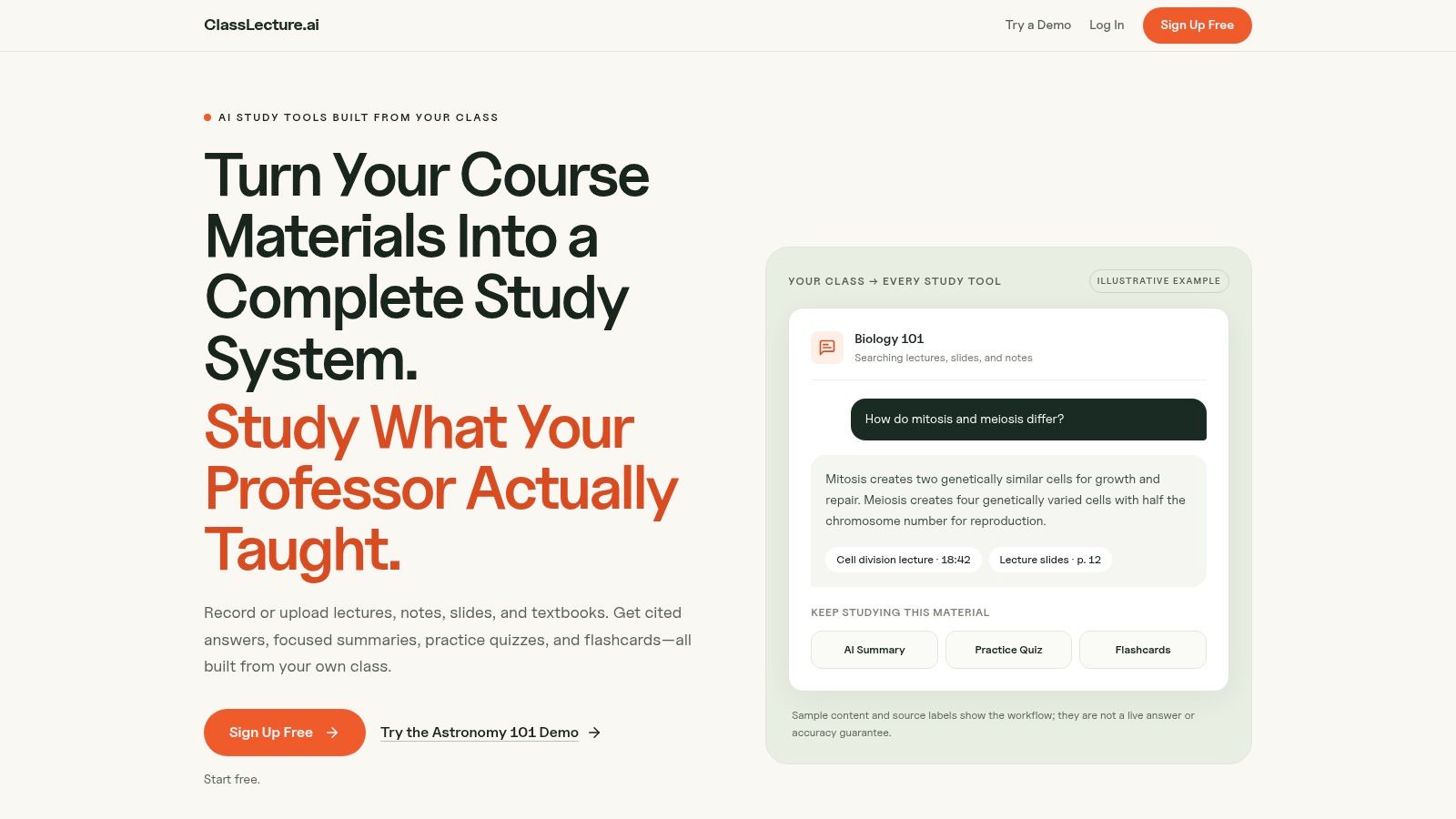
ClassLecture.ai is strongest when your real problem is scattered course material. Upload or record a lecture, add slides or a textbook, and work from the resulting transcript, notes, summaries, quizzes, and flashcards in the same class workspace. You can upload formats including MP3, MP4, M4A, WAV, MOV, and WEBM, connect external video sources such as YouTube, Zoom, Google Drive, or Panopto, or record directly in Chrome or Edge.
The important distinction is source traceability. When you ask a question or review a generated card, the answer can point back to the exact lecture timestamp or document page. That makes it easier to distinguish what your instructor covered from an AI-generated explanation that sounds plausible but goes beyond the source.
Best for source-grounded lecture review
The platform generates question-and-answer and fill-in-the-blank cards, then schedules reviews through FSRS, with Again, Hard, Good, and Easy ratings. Class-wide review brings due cards together across lectures and documents, while an exam-readiness widget gives you a planning signal rather than a claim of mastery.
That design matters because generation alone isn't enough. In a study of 101 first-year medical students, electronic flashcards were popular and well regarded, but usage wasn't statistically associated with final-exam scores, and review volume didn't significantly correlate with performance. The practical lesson is to measure usefulness, completion, delayed recall, and continued review, not just the number of cards created. The medical-education study supports treating AI-generated cards as a supplement to lecture review, not as guaranteed exam improvement.
Practical rule: For a clinically or technically important card, check the cited timestamp or page before you trust the wording.
ClassLecture.ai supports bulk upload of up to 80 audio or video files, can transcribe up to 30 hours of content, and offers sample courses before account creation. The free tier supports up to 3 hours of transcription per month, 10 questions per month, and up to 3 uploaded text files or 100 MB of text content. Those quotas are useful for testing the workflow, although heavier users should check current paid-plan details.
The limitations are clear. Transcription quality depends on the recording, and diagrams, handwriting, poor audio, or incomplete source material can reduce reliability. The platform is a study assistant, not a certified provider for NCLEX, USMLE, NEBOSH, construction, trade, real-estate, or accounting exams.
2. Quizlet
Quizlet works well when you want a familiar mobile study app and don't want to start every deck from scratch. Its AI tools, including Magic Notes, can turn uploaded class notes into flashcards, summaries, and practice tests, while the wider platform gives you access to community-created sets across many subjects.
That community layer is the main reason to choose Quizlet. A student preparing for an introductory biology quiz, language vocabulary test, or general history review may find a usable deck immediately, then adapt it to match the current course. Class sharing and multiple study modes make it approachable for students who are motivated by short, interactive sessions rather than a highly configurable review algorithm.
Where verification becomes essential
Community decks aren't automatically aligned with your lecturer's terminology, syllabus, or assessment standard. AI-generated explanations also need checking, particularly if the source notes are incomplete or if a card asks for a distinction that depends on course context. For nursing, medicine, construction, and occupational safety, compare important cards with your own lecture, textbook, or instructor-approved material.
Quizlet is a good fit if you value speed, discovery, and accessibility. It's less compelling if your priority is an audit trail from every answer to a precise source location or if you want deep control over a long-term scheduling system. Some AI and advanced features require a paid plan, and feature availability and limits can vary by region and over time.
If you're building your first deck, use a source-first process rather than accepting every generated item. This guide to making flashcards online is useful for separating extraction, editing, and review into distinct steps.
3. RemNote
RemNote is built for students who want notes, flashcards, and spaced repetition to live together. You can generate cards and quizzes from text, PDFs, PowerPoints, and YouTube links, then keep the resulting cards inside a structured knowledge base instead of exporting them to a separate review app.
Its depth shows up in the review workflow. You can use multiple card styles, an exam scheduler, image occlusion, AI explanations, and an AI Tutor Chat. That makes RemNote particularly suitable for students handling interconnected material, such as anatomy structures, pharmacology concepts, STEM definitions, or qualifying-exam notes where a simple term-definition deck quickly becomes too shallow.
Strong control, higher setup cost
The trade-off is learning curve. RemNote rewards users who are willing to structure notes, understand priorities, and configure their review habits. It may feel excessive if you only need 20 quick cards from a short reading and don't intend to maintain a long-term knowledge system.
AI usage also operates through an explicit monthly credit system, so heavy generation or tutoring can consume credits on lower tiers. Check the current plan before importing a large document or asking for repeated rewrites.
The strongest reason to choose RemNote is not merely that it makes cards. It gives you a deliberate environment for editing, scheduling, and maintaining them. A practical explanation of spaced-repetition flashcards can help you decide whether that depth matches your habits.
A controlled dental-education trial offers support for pairing cards with scheduled review rather than treating a generated deck as a static export. In that trial, 90 students were randomized equally between intervention and control groups, and the spaced-repetition group showed significantly higher knowledge retention at one month and three months, with p ≤ 0.001 at both time points. The dental-education trial supports the design pattern, but it doesn't prove that every AI-generated deck improves professional-exam outcomes.
4. Knowt
Knowt is a practical option for students who want an easy entry point, a broad free tier, and exam-oriented study flows. Its Kai assistant can generate cards from notes, documents, and videos, while dedicated flashcard modes, study plans, and set management keep the experience closer to a student planner than a specialist knowledge-management system.
The workflow suits a student who has several course packets and wants to turn them into manageable study sets around an exam date. Import and export tools make it easier to move existing material into the platform, and the interface is less intimidating than systems designed around elaborate note structures.
Useful for course pacing
Knowt's strength is adherence support. A study plan can give a student a reason to return after the novelty of automatic generation disappears. That matters because access alone doesn't guarantee consistent review. In a quasi-experiment involving 799 first-year nursing students across 19 Norwegian campuses, only about one-third of students assigned access to digital flashcards used them. Users performed better, with an effect size of d = 0.42 and nearly threefold higher odds of passing. The nursing-student study points to a behavioral constraint, not a simple access problem.
Don't respond by generating an enormous deck. Deduplicate cards, prioritize lecture objectives, cap daily reviews, and create a recovery plan for overdue items. Advanced AI features generally require an Ultra upgrade, and consumer pricing can change, so confirm current plan terms before committing.
5. StudySmarter AI
StudySmarter AI combines AI-generated study material with a large ecosystem of user-created flashcards. That makes it a natural choice for learners who want to search existing decks first, then generate or adapt cards from their own notes when the community material doesn't match the course.
The mobile-first experience supports study plans, progress tracking, collaborative work, and solo revision. For a student taking broad survey courses, the combination can reduce setup time. You might find a useful deck for a general topic, remove material your lecturer hasn't covered, and add cards generated from your own slides.
Community reach versus source control
The central trade-off is breadth versus verification. A shared deck can save time, but it may contain errors, outdated terminology, or content from a different course. AI-generated material can have the same problem if you don't compare it with the source. The risk is higher in subjects where a plausible mistake changes a clinical, technical, or safety decision.
StudySmarter AI's pricing and feature availability can vary by region and language, so check what your account includes. It fits students who want familiar mobile study modes and community discovery more than learners who need every card linked to a lecture timestamp or textbook page.
Use the platform as a drafting and review environment, not an authority. This overview of a free flashcard maker workflow reinforces the useful distinction between reducing card-creation effort and proving that the cards are correct.
6. Mochi
Mochi takes a quieter, more focused approach. It combines note authoring with spaced repetition and offers AI assistance for completing or rewriting cards, along with tools such as translation, dictionary lookup, transcription, text-to-speech, image search, and offline use.
That makes it attractive to learners who dislike crowded dashboards. You can write a concise prompt, refine a card, and review it without turning study into a game or a social feed. The offline-first approach is useful for commuting, unreliable connectivity, or students who want fewer distractions during review.
A good home for deliberate decks
Mochi suits people who already know how they want to phrase cards. It isn't the strongest choice if your main need is to ingest a semester of recordings, connect every answer to a timestamp, or browse a huge community library. Its AI limits are transparent, but using AI beyond the free quotas requires Pro, and its community ecosystem is smaller than Quizlet's.
The best results come from keeping cards narrow and editable. Instead of asking the tool to summarize an entire chapter into a giant deck, create cards around individual concepts, definitions, processes, and contrasts. Then test yourself before revealing the answer and adjust wording when a prompt allows multiple interpretations.
Mochi is a sensible choice for learners prioritizing clean review mechanics and offline access over all-in-one lecture capture. It also works well for a student who wants to remain the editor of the deck rather than accepting an automated batch unchanged.
7. Shiken
Shiken extends beyond flashcards into quizzes, roleplays, micro-lessons, and AI coaching. It can turn uploaded material into guided practice, which makes it more suitable for learners or instructors who want to build a complete learning experience rather than a private deck.
The creator side is a genuine differentiator. Educators and subject specialists can package material, distribute it, and use the community store, while students can work through coach-style characters and broader lesson flows. That could be useful for a trainer teaching a construction topic, a tutor supporting exam revision, or a creator who wants to combine recall questions with scenario practice.
More capability can mean more friction
Shiken may feel like more application than you need if your goal is just to convert a reading into cards and review them immediately. Creator and commercialization features add value only when you intend to package or share learning content.
For individual students, judge the platform by whether the extra modes improve your actual behavior. A roleplay can help apply a concept, but it doesn't replace source checking. A polished AI explanation can still be unsupported by the lecture or textbook you need to master.
Shiken is best for broader learning workflows, especially where practice, coaching, and distribution matter alongside flashcard generation. Students who want a minimal, personal review queue may prefer Mochi, RemNote, or an Anki-focused workflow.
8. Quizgecko
Quizgecko is designed for rapid conversion. Give it text, a document, or a link, and it can generate flashcards and quizzes in formats such as multiple choice, true or false, fill-in-the-blank, and question-and-answer. That makes it useful when you need a varied item bank quickly rather than a carefully curated long-term deck.
The format range is valuable for nursing, medical, law, and other content-heavy courses where recognition questions alone don't reveal whether you can produce the answer. A fill-in-the-blank card can test a term, while a multiple-choice question can check distinctions between similar concepts.
Fast generation needs a review gate
Quizgecko works best with clean, well-structured input. If your source is disorganized, incomplete, or full of context-dependent statements, the output may require substantial editing. The platform has a smaller ecosystem than major incumbents, so it isn't the obvious choice for community decks or long-term social study.
Use Quizgecko as an item-generation layer. Generate a first batch, delete duplicates, rewrite vague prompts, and compare every important answer with the source before studying it. Don't confuse variety with quality. Twenty different question formats can still test the same narrow section while omitting a critical lecture objective.
Its onboarding material is helpful for understanding what different card and question types are intended to test. The trial and organizational features may change, so review current access terms before planning a large course workflow.
9. Mindgrasp
Mindgrasp is aimed at students whose source material is spread across PDFs, slides, images, web links, audio, video, and YouTube. It turns those inputs into notes, study guides, quizzes, and flashcards, keeping the generated artifacts connected to the original uploads.
That makes it a strong fit for lecture-heavy courses. A student can work from a recorded class, a slide deck, and a linked reading without manually moving each source into separate tools. Source-linked outputs also create a useful verification habit, because you can return to the original material when a card seems too broad or unexpected.
Check the commercial details carefully
Mindgrasp's main advantage is multi-format ingestion, not a uniquely deep flashcard algorithm. If you already have clean notes and want advanced scheduling controls, RemNote or Mochi may suit you better. If you want to capture your own lecture and ask questions tied to exact timestamps, ClassLecture.ai offers a more focused capture-to-study workflow.
Mindgrasp typically doesn't offer a permanent free plan, and trials require signup. User feedback about billing and support is mixed, so confirm renewal terms and test the workflow before uploading a large archive.
For recorded nursing lectures, construction demonstrations, or occupational-safety sessions, source connection is particularly useful. Still, the tool can't establish that a card covers an official exam blueprint or that an answer is professionally sufficient. Treat each generated item as a draft that needs comparison with your course material and instructor guidance.
10. MemoReps
MemoReps is the most focused tool in this list. It converts PDFs into AI-generated flashcards, offers an in-app spaced-repetition mode, and exports cards to Anki format. If your preferred long-term review environment is Anki, MemoReps removes much of the manual drafting work without asking you to abandon that system.
The workflow is straightforward. Upload a document, inspect the generated cards, edit anything vague or unsupported, and export only the material you trust. Server-side processing means you don't need to configure API keys, which keeps setup simple for students who want to move from a textbook or course packet to an Anki deck quickly.
The trade-off is narrow specialization
MemoReps is best for PDF-to-Anki workflows, not for lecture capture, class organization, or broad multimodal study. Audio recordings, live meetings, and source-linked conversational Q&A aren't its central strengths. If your course material is mostly a PDF and you already understand Anki's review habits, that narrowness is an advantage.
Don't import a large batch without checking it first. AI can omit qualifications, merge separate ideas, or phrase a card so broadly that several answers seem correct. Edit clinically or technically important cards against the PDF page, preserve the source context in your notes, and keep the imported deck manageable.
The optional in-app review mode lets you delay export while you clean the deck. That is often the better sequence. Review quality before file portability, because a perfectly formatted Anki deck is still a poor study resource if its cards are inaccurate or badly worded.
Top 10 AI Flashcard Makers, Feature Comparison
| Product | Core features ✨ | UX & Accuracy ★ | Pricing / Value 💰 | Target audience 👥 | Unique selling point |
|---|---|---|---|---|---|
| 🏆 ClassLecture.ai | ✨ Upload/record audio‑video, timestamped transcripts, conversational Q&A, auto summaries, FSRS flashcards, bulk upload | ★★★★☆ (≈90–95% on clean audio) | 💰 Free tier: 3h transcribe/mo, 10 Qs/mo, 3 files/100MB; paid plans (unspecified) | 👥 Undergrad/grad, medical/nursing, construction, safety, professional learners | End‑to‑end capture→study pipeline with source‑cited answers and bulk semester support |
| Quizlet | ✨ Magic Notes AI, community study sets, mobile apps, tests | ★★★★ | 💰 Freemium; advanced AI/features often paid | 👥 General students, teachers, classrooms | Massive community library + familiar mobile workflows |
| RemNote | ✨ Notes‑first SRS, AI Cards from PDFs/PPTs, exam scheduler, image occlusion | ★★★★ | 💰 Freemium + explicit AI credit system | 👥 Exam‑driven learners (medical, STEM) | Deep SRS control and knowledge structuring for long‑term retention |
| Knowt | ✨ Kai AI flashcards, flashcard mode, exam‑paced study plans | ★★★ | 💰 Generous free tier; Ultra for advanced AI | 👥 High‑school/AP students, course paced learners | Easy on‑ramp and exam‑paced plans for coursework |
| StudySmarter AI | ✨ Auto flashcards/quizzes, community decks, mobile study plans | ★★★ | 💰 Freemium; regional pricing varies | 👥 Mobile‑first learners, collaborative study groups | Blends community content with AI generation in a mobile app |
| Mochi | ✨ Offline‑first SRS, AI card creation, TTS, translation tools | ★★★★ | 💰 Affordable Pro with generous AI quotas | 👥 Offline users, focused self‑learners | Clean SRS UX + transparent AI/token quotas |
| Shiken | ✨ AI flashcards/quizzes, AI coach characters, creator store | ★★★ | 💰 Freemium → Premium for creators | 👥 Students + content creators/instructors | Creator ecosystem for packaging & monetizing study content |
| Quizgecko | ✨ Fast conversion to quizzes/flashcards, multiple Q‑types, exports | ★★★ | 💰 Trial + org features | 👥 Rapid creators, nursing/medical/law item banks | Quick, structured quiz generation from text/URLs |
| Mindgrasp | ✨ Multi‑modal ingestion (PDF/video/audio), source‑linked outputs | ★★★ | 💰 Trial; typically no permanent free plan | 👥 Lecture/video‑heavy courses, researchers | Keeps generated artifacts tied to original sources for verification |
| MemoReps | ✨ PDF→Anki AI pipeline, Anki export, optional in‑app SRS | ★★★ | 💰 Focused paid features / export options | 👥 Anki users and heavy PDF readers | Purpose‑built PDF-to‑Anki workflow with server‑side processing |
Choose the Workflow You Will Actually Review
Choose ClassLecture.ai if your starting point is your own lectures, recordings, notes, or textbooks and you want flashcards linked to timestamps or document pages. Its capture-to-study workflow combines transcription, source-grounded Q&A, summaries, quizzes, FSRS scheduling, and class-wide due-card review. That combination is particularly practical when several lecture-heavy courses have left you with fragmented material.
Choose RemNote or Mochi when the central requirement is deeper control over spaced repetition and long-term card maintenance. RemNote offers a more extensive study system with structured notes, exam planning, image occlusion, and AI tutoring. Mochi is more restrained and suits learners who want clean authoring, offline use, and light AI assistance without a large ecosystem.
MemoReps is the direct choice for a PDF-to-Anki pipeline. It makes sense when Anki is already part of your routine and you want AI to draft cards from long documents. Quizlet, Knowt, and StudySmarter AI are better suited to students who value accessible mobile modes, shared material, and community decks. Quizgecko is the practical pick for rapid question and item generation, especially when you want several formats from one source. Mindgrasp fits multi-format lecture inputs, while Shiken makes more sense for broader learning or creator workflows that include coaching, lessons, and distribution.
Don't judge an AI flashcards maker by its first generated deck. Judge it by what happens after generation, when you need to verify, edit, schedule, and revisit the material.
A manageable deck with clear evidence and a sustainable review schedule is more useful than an enormous deck you stop opening.
Use this implementation process:
- Start with authoritative course material: Use your lecturer's recording, assigned textbook, official slides, or instructor-approved notes as the source.
- Generate a manageable first deck: Begin with the objectives and concepts most likely to matter, rather than importing every sentence.
- Verify important cards: Check every clinically, technically, or safety-relevant answer against its timestamp, page, or original document.
- Rewrite vague prompts: Turn broad statements into specific recall questions with one defensible answer.
- Remove duplicates and unsupported additions: Delete cards that repeat another item or introduce information absent from your source.
- Schedule review: Use FSRS or another spaced-repetition system instead of generating cards and returning to passive rereading.
- Measure more than card volume: Track whether you complete reviews, retain information later, and can explain the concept without the card in front of you.
Evidence supports a careful position. Electronic flashcards can feel helpful without showing a clear association with final-exam performance, while a defined spaced-repetition intervention can support delayed retention in a specific dental-education setting. Neither finding proves that every AI-generated card set improves professional-exam outcomes. Your review habits, source quality, card wording, and verification process still matter.
AI-generated cards are drafts. None of these tools should be treated as an official exam provider, a guarantee of coverage or a pass, or a substitute for professional guidance. For medical, nursing, construction, and occupational-safety study, source checking isn't an optional polish step. It is part of using the tool responsibly.
ClassLecture.ai turns your lectures, recordings, notes, and textbooks into cited transcripts, Q&A, study guides, quizzes, and FSRS-scheduled flashcards. If you want an AI flashcards maker built around your own course sources rather than an unverified generic deck, visit ClassLecture.ai and try a lecture or sample course.
The ClassLecture.ai Team
We build ClassLecture.ai, the AI study assistant that turns your recorded lectures into transcripts, summaries, flashcards, and answers cited to the exact timestamp — so you learn faster from your own professor's words.
Keep reading
7 Cranial Nerves Flashcards Resources for Better Recall
Explore 7 cranial nerves flashcards resources, from lecture-based decks and mnemonics to spaced repetition, diagrams, and custom sets in ClassLecture.ai.
ReadSpaced Repetition Flashcards: A Complete Guide for 2026
Master any subject with spaced repetition flashcards. Learn the science-backed strategy to improve memory and ace your exams in 2026.
Read10 Flashcard Maker Free Tools for Smarter Study
Compare 10 flashcard maker free tools for lectures, notes, imports, exports, auto-generation, and spaced repetition, including ClassLecture.ai.
Read