10 Flashcard Maker Free Tools for Smarter Study
Compare 10 flashcard maker free tools for lectures, notes, imports, exports, auto-generation, and spaced repetition, including ClassLecture.ai.
A free flashcard tool isn't automatically a useful study system. Some platforms are excellent at turning a lecture recording into review material, while others are better for manually building cards, importing an existing deck, organizing notes, studying offline, browsing public libraries, or reinforcing recall with games. Treating them as interchangeable is how learners end up with attractive decks that don't match the way they study.
This comparison focuses on the job each tool performs. It also looks at where free limits matter, whether the tool supports meaningful review scheduling, and how you can check generated cards against the original source. ClassLecture.ai is the reference point for learners who want to work from their own lectures, textbooks, notes, or meetings, but the best flashcard maker free option depends on your starting material and preferred workflow.
Table of Contents
- 1. ClassLecture.ai Is an AI Study Assistant for Lectures
- 2. Anki Gives Power Users Maximum Control
- 3. Quizlet Makes Public Decks and Quick Creation Easy
- 4. Brainscape Keeps Review Structured and Straightforward
- 5. RemNote Connects Notes Directly to Flashcards
- 6. Mochi Prioritizes Offline Cards and Local Control
- 7. Vaia Combines Flashcards With Broader Study Tools
- 8. Cram.com Keeps Browser-Based Practice Simple
- 9. StudyStack Turns Card Sets Into Games
- 10. Zorbi Speeds Up Web and Notion Capture
- Top 10 Free Flashcard Makers, Comparison
- Choose the Free Tool That Matches Your Study Material
1. ClassLecture.ai Is an AI Study Assistant for Lectures
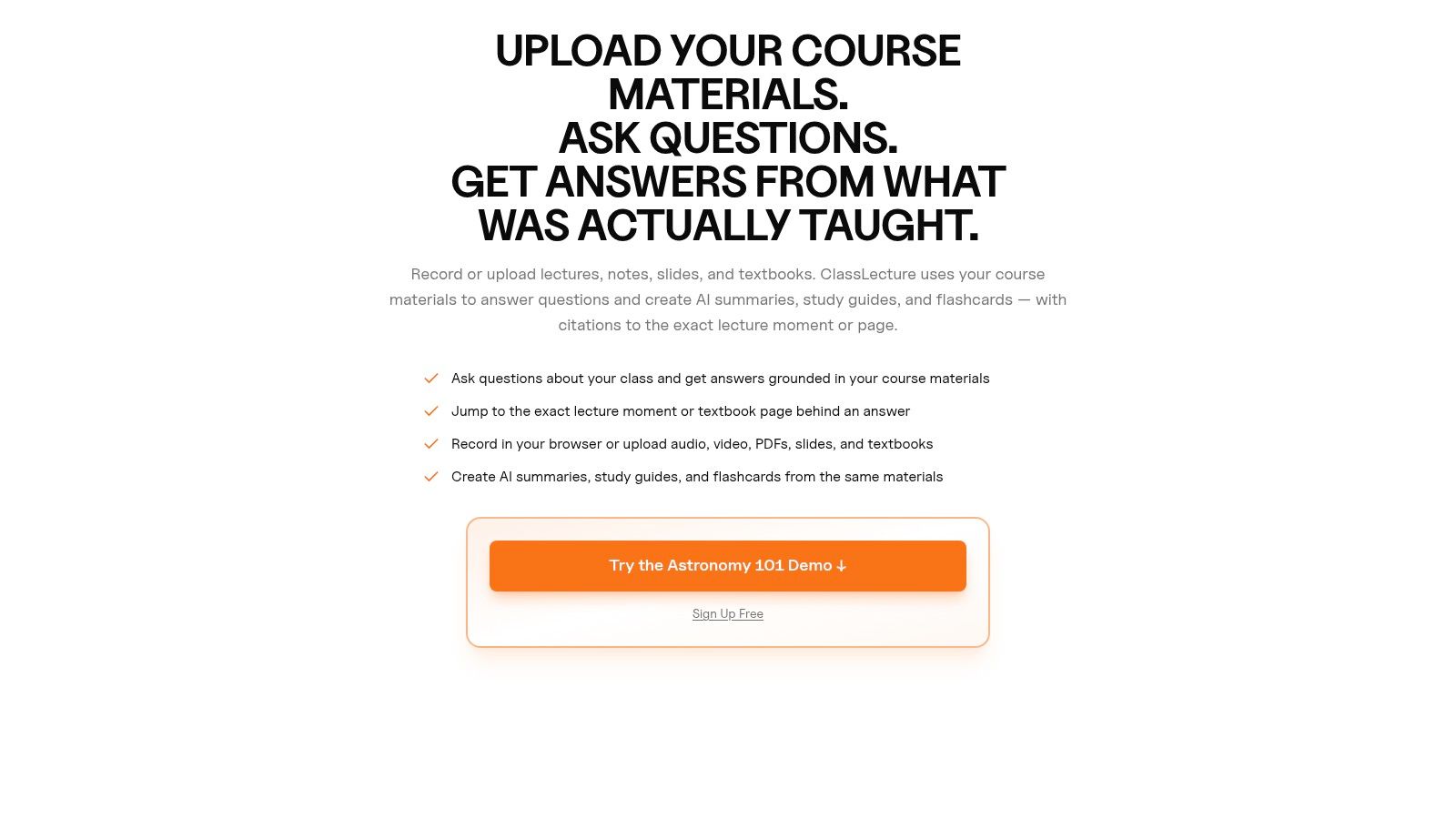
ClassLecture.ai is built for the point where most students lose time, turning personal course material into something they can easily review. You can upload or record lectures, meetings, textbooks, notes, and research papers, then work from transcripts, summaries, conversational Q&A, and flashcards in the same class workspace.
The important distinction is source context. Instead of starting with a generic topic or a blank card, you can generate study material from your own recording or document. The platform supports audio and video formats including MP3, MP4, M4A, WAV, MOV, and WEBM, along with document formats such as PDF, DOCX, TXT, Markdown, EPUB, and others. It can also attach external video URLs from services such as YouTube, Zoom, Google Drive, and Panopto.
Best workflow for personal course material
The built-in flashcard maker supports question-and-answer and fill-in-the-blank formats, with FSRS spaced-repetition scheduling and review ratings such as Again, Hard, Good, and Easy. Its Q&A mode can point back to cited timestamps in recordings or page references in uploaded documents, giving you a practical way to investigate a card before trusting it.
The free plan includes up to 3 hours of transcription per month, 3 flashcard decks, 3 AI summaries, 10 Q&A questions, and document uploads, with no credit card required. Those limits are useful for testing the workflow, but they may feel restrictive if you're processing a full semester of recordings.
Practical rule: Treat every generated card as a draft until you've checked it against the lecture transcript, textbook page, or original notes.
ClassLecture.ai is especially useful for lecture-heavy medical, nursing, construction, occupational safety, real estate, and accounting courses, where a small wording change can alter the meaning. The workflow is explained further in this guide to using flashcards from study notes. Its weakness is the same as any AI transcription workflow: poor audio, unclear speakers, diagrams, handwriting, or ambiguous source material can reduce reliability. It isn't a substitute for checking official course or professional materials.
2. Anki Gives Power Users Maximum Control
Anki is the choice for learners who want to control nearly every part of the card and scheduling workflow. Its desktop software and Android ecosystem make it accessible without a subscription for many users, while the iOS app is a separate paid purchase.
Anki works best when you already know how you want to study. You can build cloze cards, image-occlusion cards, custom templates, media-rich prompts, tagged collections, and highly specific deck structures. Its open ecosystem also supports community add-ons and shared decks, although quality varies sharply between resources.
Where Anki earns its reputation
The strength is flexibility, not immediate simplicity. A medical student can create cards around an anatomy image, a language learner can build sentence-based prompts, and an exam candidate can adjust card templates and scheduling behavior. The trade-off is that new users may spend too much time configuring the system instead of reviewing.
Anki also suits learners who want a durable, portable library rather than a tightly managed vendor workflow. You can study across desktop and mobile environments, import existing material, and use community resources when they meet your standards.
The interface is utilitarian, and the learning curve is real. If you're moving from notes to cards for the first time, start with a small deck and learn the basic review controls before installing add-ons. This overview of a study flashcards app helps explain why Anki-style scheduling is different from just flipping through a shuffled list.
Best for: advanced customization, shared-deck imports, medicine, languages, and learners willing to configure their system.
Free-plan trade-off: desktop and Android access are strong, but iOS users need to account for the separate app purchase.
3. Quizlet Makes Public Decks and Quick Creation Easy
Quizlet is designed for speed. You can create a set quickly, study it across web and mobile apps, and search public sets when you need a starting point for a common subject. That makes it approachable for students who don't want to learn a complex card system before reviewing.
Its largest practical advantage is the public library and polished onboarding. You may find terminology decks for a course, language vocabulary, or introductory subject material within minutes. Collaborative study also feels more natural here than in many power-user tools.
Fast access has a verification cost
Public cards are not automatically aligned with your lecturer's definitions, textbook, syllabus, or regional terminology. A deck that looks complete can still omit an instructor's preferred distinction or contain a copied error. Use public sets as a discovery aid, then compare important cards with your own material.
Quizlet's free tier supports basic creation and study, while ads remain part of the free experience and some advanced modes are included with Quizlet Plus. That makes the platform attractive for short review bursts, but less compelling if you need fine control over long-term scheduling or a distraction-free workflow.
The best use case is a learner who wants to build a basic deck quickly, find existing material, and study from multiple devices. For a more deliberate creation process, follow a workflow for making flashcards online, especially when converting notes into specific questions rather than copying definitions.
Best for: beginners, public libraries, collaborative studying, and quick browser or mobile access.
Free-plan trade-off: basic cards are easy to create, but ads and paid advanced modes can limit the free experience.
4. Brainscape Keeps Review Structured and Straightforward
Brainscape focuses on confidence-based repetition. Instead of presenting itself as a broad notes database or an extensive customization environment, it gives learners a clean place to create, organize, share, and review cards across classes and subjects.
That narrower focus is useful for students who want a less intimidating alternative to Anki. You can create and study your own decks on the free plan without a stated card cap in the supplied product information, then use the confidence rating workflow to signal how well you knew each answer.
Good for consistent classroom review
Brainscape is a sensible fit when a teacher, tutor, or study group needs shared decks with a straightforward structure. It doesn't demand that every learner understand templates, add-ons, or complex scheduling settings before starting.
The limitation is depth. Learners who depend on advanced card types, extensive power-user customization, or a large add-on ecosystem may find Anki more capable. Brainscape's analytics and publisher content also extend into paid features, so check what you need before designing your entire study process around them.
For a student reviewing nursing terminology, safety concepts, or a test-prep vocabulary list, the clean workflow can be more valuable than endless options. It won't turn a poor source into a reliable deck, though. Review the card wording against your lecture or textbook and rewrite prompts that test recognition instead of recall.
Best for: straightforward confidence-based review, educators, classes, and test-prep learners.
Free-plan trade-off: personal deck creation and study are accessible, while some analytics and publisher content require Pro.
5. RemNote Connects Notes Directly to Flashcards
RemNote is for learners who don't want their notes and flashcards to become separate systems. You write or organize notes, then create cards from the same knowledge base using question prompts, cloze-style cards, and related concepts.
That connection matters for dense courses. A card about a pharmacology mechanism, construction standard, or accounting principle can remain attached to the surrounding explanation instead of floating in an isolated deck. When a prompt is unclear, you can return to the note context rather than search through several unrelated files.
Strong for note-linked learning
The free plan includes unlimited notes and flashcards with synchronization, which makes the core workflow broad enough for regular study. Spaced repetition and custom filters help you separate due review from broader knowledge organization.
RemNote can feel deep because it combines outlining, references, card creation, scheduling, and knowledge management. Learners who only want ten simple front-and-back cards may find it heavier than necessary. AI features and some advanced options are reserved for paid plans, so don't choose it expecting every automation feature to be free.
Its best use is a textbook-first or lecture-notes-first workflow. Write a concise explanation, turn the key relationship into a question, and keep the answer short enough to retrieve. If the card needs a paragraph to make sense, the underlying note probably needs attention before the card enters your review queue.
Best for: students who build a connected knowledge base and generate cards while taking notes.
Free-plan trade-off: core notes, cards, and sync are generous, but the interface takes time to learn and some advanced features are paid.
6. Mochi Prioritizes Offline Cards and Local Control
Mochi serves learners who want notes and flashcards available without depending on a continuous internet connection. Its free core supports unlimited offline use and unlimited cards, with Markdown editing and templates for people who prefer a more text-oriented workflow.
This is a different job from lecture-to-card generation. Mochi won't be the natural first choice if you want to upload a recording and receive a transcript with source-linked questions. It is more useful after you've already extracted the important material and want a portable, local-first place to study it.
Useful when connectivity is the constraint
Offline access can matter during travel, on unreliable networks, or in settings where you don't want every study session to depend on cloud services. The local-first approach also appeals to learners who want more control over where their notes live.
The free plan's trade-offs appear around cloud sync, publishing, and expanded AI functionality. Pro adds those capabilities, so a learner using several devices should check whether local-only study is sufficient before committing to Mochi.
Markdown and templates make it flexible without the configuration burden of a larger platform. You can build consistent prompts for vocabulary, definitions, procedures, or short explanations, then use spaced repetition to revisit them. Keep source references in the card or note, especially when studying material where wording matters.
Best for: offline study, Markdown users, local-first note keeping, and unlimited personal card creation.
Free-plan trade-off: offline cards are strong, but cloud sync, publishing, and many AI features require Pro.
7. Vaia Combines Flashcards With Broader Study Tools
Vaia is a broad learning app rather than a flashcard-only environment. It combines user-created flashcards with summaries, quizzes, public study sets, web access, and mobile apps. That makes it suitable for learners who switch between formats instead of studying every topic through cards alone.
The public library is useful when you need a starting point for a familiar course or broad subject. You can also create your own decks, which is the safer option when your lecturer emphasizes specific examples, terminology, or exam boundaries.
A practical choice for mixed-format study
Vaia's algorithmic study scheduling gives the platform more structure than a simple card viewer. The multi-tool approach can help a student move from a summary to a quiz and then into retrieval practice, although the broader interface may feel less focused than a dedicated flashcard system.
Optional AI helpers and in-app purchases mean the free experience has boundaries. Check the current feature access before assuming that every generation or study mode is included. Product details can change over time.
For public materials, verify the deck's date, author, and alignment with your syllabus. For AI-assisted material, compare each important answer with the original textbook or lecture. A polished interface can make unsupported content feel more authoritative than it is.
Best for: broad student audiences, public sets, summaries, quizzes, and multi-device study.
Free-plan trade-off: free access is broad, but advanced AI helpers and some features may involve payment.
8. Cram.com Keeps Browser-Based Practice Simple
Cram.com is a straightforward web-based flashcard site for learners who want to create, browse, study, and share sets without building a complex knowledge-management system. Its public library covers many subjects, making it useful when you need a quick starting point.
The platform's strength is low friction. You can access cards in a browser, create basic sets, and use simple study modes without spending much time learning the interface. Printing options also make it practical for learners who want a physical version of a deck.
Better for quick review than advanced scheduling
Cram.com doesn't offer the same depth of modern spaced-repetition controls or analytics as Anki, and the experience is more web-centric. Mobile quality and convenience may vary depending on how you prefer to study.
Use it for definitions, vocabulary, short lists, or an upcoming review session where convenience matters more than detailed long-term scheduling. If you need durable retention across a long course, export or recreate important material in a system with the scheduling controls you plan to use.
Public decks still require checking. Compare terms with the syllabus, confirm formulas against course material, and remove cards that test trivia unrelated to your assessment. A free tool saves money, not the responsibility to validate the content.
Best for: simple browser access, public decks, basic sharing, and printable review material.
Free-plan trade-off: creation and study are accessible, but advanced scheduling and analytics are limited.
9. StudyStack Turns Card Sets Into Games
StudyStack is built around repetition with variety. Create a flashcard set, then use it to generate activities such as matching, crosswords, and hangman alongside standard card review. That gives learners another way to revisit terms when conventional flipping becomes repetitive.
The platform's game approach works best for factual material. Vocabulary, terminology, names, and short definitions can fit naturally into these activities. Games can also provide a useful low-pressure warm-up before you attempt direct recall.
Engagement isn't the same as mastery
A game may help you recognize a term without proving that you can produce the answer unaided. Use the entertaining modes as reinforcement, then return to conventional retrieval where you answer before revealing the back.
StudyStack has a classic interface and fewer advanced spaced-repetition controls than newer platforms. Its web-first design may also be less convenient for learners who expect a polished mobile experience.
The free workflow is valuable when you need immediate practice with a class list or a public set. It is less suitable as the only system for complex, long-term review. Add source labels to your cards and revise vague prompts, particularly when a game-generated activity encourages guessing from partial clues.
Best for: game-based repetition, vocabulary, public sets, and learners who need variety.
Free-plan trade-off: the core practice model is accessible, but the interface and mobile support feel less modern.
10. Zorbi Speeds Up Web and Notion Capture
Zorbi targets learners who already keep material in Notion or collect useful information while browsing. Its Chrome extension and Notion integration let you turn notes and web pages into cards without moving manually between several applications.
That capture workflow is the main reason to choose it. If your study material lives in a Notion course database, a web research page, or a collection of saved references, Zorbi can reduce the distance between finding information and creating a review prompt. It also supports imports from Anki, Quizlet, and CSV, along with images, audio, and text-to-speech.
Good for fast individual workflows
The beginner-friendly interface makes spaced-repetition study easier to start than a heavily configured power-user system. Multimedia support is helpful for language learners and for cards where hearing or seeing the material matters.
Zorbi's ecosystem is smaller than Anki's or Quizlet's, and some sharing, import, and power features require Pro. That makes it a good fit for an individual learner who wants fast capture, but less obviously suited to a large collaborative course operation.
Don't convert every interesting web page into a card. First identify the exact claim you need to retrieve, preserve the source link, and rewrite the prompt so it tests one idea. For high-stakes study, open the original page or note during verification instead of relying on an automatically captured excerpt.
Best for: Notion users, browser capture, imports, multimedia cards, and fast personal workflows.
Free-plan trade-off: the starting plan is capable, but larger imports, collaboration, and some advanced features may require Pro.
Top 10 Free Flashcard Makers, Comparison
| Product | Core features | UX / Quality (★) | Price / Value (💰) | Target audience (👥) | Unique selling points (✨) |
|---|---|---|---|---|---|
| ClassLecture.ai, AI Study Assistant for Lectures 🏆 | Transcripts, multi-style AI summaries, conversational Q&A, flashcards, bulk upload, meeting/record tools | ★★★★ (transcripts + context-aware chat) | 💰 Free: 3h trans/mo, 10 Q&A, 3 decks; paid for higher limits | 👥 Students & pros (med/nursing, trades, safety, accounting) | ✨ Works over your own lectures; timestamped citations; end-to-end capture→study |
| Anki | Powerful SRS, add-ons, rich media, cross-platform | ★★★★★ (advanced SRS & flexibility) | 💰 Free (desktop/Android); AnkiMobile paid on iOS | 👥 Power users, med students, rigorous exam prep | ✨ Deep customization, large add-on ecosystem |
| Quizlet | Fast set creation, huge public library, mobile apps | ★★★★ (polished UX) | 💰 Free basic; Plus unlocks advanced modes & ad-free | 👥 General students, group learners, quick review | ✨ Massive shared deck marketplace; collaborative tools |
| Brainscape | Confidence-based repetition, web & mobile, class org | ★★★ (structured SRS) | 💰 Free core; Pro for analytics & publisher content | 👥 Test-prep students & educators | ✨ Teacher-friendly class organization and confidence scoring |
| RemNote | Integrated notes + auto card generation, FSRS, sync | ★★★★ (notes→cards workflow) | 💰 Free core; paid tiers for AI & advanced features | 👥 Learners building knowledge bases, advanced students | ✨ Seamless note-to-flashcard pipeline with concept linking |
| Mochi | Offline-first flashcards & Markdown notes, SRS | ★★★ (local-first, reliable offline) | 💰 Free offline/unlimited; Pro for cloud sync & AI | 👥 Offline-first users, privacy-conscious learners | ✨ True local-first model with Markdown support |
| Vaia (StudySmarter) | Flashcards, summaries, quizzes, algorithmic scheduler | ★★★ (multi-tool study app) | 💰 Free start; in-app purchases / AI paid | 👥 University & broad exam prep audiences | ✨ Large content library + multi-mode study workflow |
| Cram.com | Simple web flashcards, huge public deck library | ★★★ (straightforward web UX) | 💰 Free basic; optional premium features | 👥 Quick browser-based study & casual users | ✨ Vast collection of community-created sets |
| StudyStack | Flashcards + auto-generated study games (crosswords, hangman) | ★★ (basic UI, game-focused) | 💰 Free; optional Pro | 👥 K–12 learners & memorization drills | ✨ Auto-generated game modes from card sets |
| Zorbi | SRS with quick capture, Notion & Chrome integrations, TTS | ★★★ (fast capture & import) | 💰 Free start; Pro for higher limits & collaboration | 👥 Notion users, web-to-card power users | ✨ Chrome & Notion capture + text-to-speech support |
Choose the Free Tool That Matches Your Study Material
There isn't one universal winner among free flashcard tools because the starting point changes the decision. If you have a recorded lecture, textbook, meeting, or folder of notes and want cards connected to that material, ClassLecture.ai is the most direct fit. It combines transcription, source-aware Q&A, summaries, flashcards, class organization, and FSRS review in one workflow. Its free limits are clear, so test a representative lecture before deciding whether the plan fits your workload.
Choose Anki when customization matters more than onboarding. It remains the strongest option for learners who want detailed card templates, add-ons, media, shared decks, and scheduling control. Choose RemNote when your notes are the center of your system and you want cards to remain attached to explanations and concepts.
Mochi is the practical choice for offline-first study and local control. Quizlet and Vaia make more sense when public libraries, polished access, and broad study modes matter. Brainscape suits learners who want a clean confidence-based review workflow without the complexity of a power-user environment. Zorbi is useful for quick capture from Notion and the web, while Cram.com and StudyStack remain serviceable options for simple browser-based practice and game-supported repetition.
Research supports treating scheduling as more than a cosmetic feature. In a study of 26,258 family physicians or residents, spaced repetition outperformed no spaced repetition at quarter 6, with scores of 58.03% versus 43.20%, and improved knowledge transfer at quarter 10, with scores of 58.33% versus 52.39%. The study reports both differences as statistically significant, with effect sizes of Cohen d = 0.62 and Cohen d = 0.26 respectively (ERIC full text). That doesn't mean every algorithm or deck will work equally well, but it does make review scheduling a more important selection criterion than decorative game modes.
A safer workflow for generated and imported cards
Start with the material, not the app. Inspect the lecture transcript, textbook section, meeting recording, or notes before generating a deck. Then create or import a small set and perform a verification pass.
- Check the source: Compare every important answer with the original page, timestamp, slide, or approved course reference.
- Edit ambiguity: Split cards that contain several ideas, remove unsupported conclusions, and rewrite prompts that can have multiple correct answers.
- Preserve context: Add a chapter, lecture, or source label so you can investigate a card later.
- Use retrieval first: Answer before revealing the back, then rate the result so the scheduler can place the card appropriately.
- Keep complementary methods: Use cards for recall, but use worked problems, summaries, diagrams, and practice tests when the subject demands application.
Flashcards are mainstream in higher education, but they're rarely students' only study method. In the classic study of 177 college students, 40.1% reported using flashcards as part of their routine, while 6.2% ranked them as their primary strategy. Rereading was named by 83.6%, and practice problems by 42.9% (summary of the study). The practical lesson is to make the flashcard system support your wider study process rather than replace understanding, problem solving, or source reading.
If your cards begin with personal lectures, notes, or documents, try a short ClassLecture.ai workflow first. Upload one representative source, inspect the transcript, generate a limited deck, and verify the cards before building a larger review library.
ClassLecture.ai turns your own lectures, textbooks, notes, recordings, and meetings into transcripts, summaries, source-linked Q&A, and spaced-repetition flashcards. Visit ClassLecture.ai to test whether its lecture-to-review workflow fits the way you study.
The ClassLecture.ai Team
We build ClassLecture.ai, the AI study assistant that turns your recorded lectures into transcripts, summaries, flashcards, and answers cited to the exact timestamp — so you learn faster from your own professor's words.
Keep reading
How to Study Flashcards the Smart Way
Learn how to study flashcards with spaced repetition, active recall, and better card design. A practical guide to faster, longer-lasting learning.
Read10 Trig Identities Flashcards Resources for 2026
Compare 10 trig identities flashcards resources, including interactive decks, printable aids, spaced repetition, study tips, and sample cards.
ReadFlashcards for Study Notes That Actually Stick
Learn how to turn class notes and recordings into flashcards for study notes that boost recall with manual and AI workflows, spacing, and review tips.
Read