How to Take Lecture Notes That Actually Stick (2026)
Learn how to take lecture notes using proven methods, digital tools, and review strategies that turn passive listening into long-term retention.

You're halfway through a lecture, typing quickly while the professor moves to the next slide. Your document looks impressively full, but you already know the uncomfortable truth: by exam week, those paragraphs may feel strangely unfamiliar. The problem usually isn't a lack of effort. It's that lecture notes are often treated as a finished record instead of raw material for retrieval.
Effective note-taking has two jobs. During class, your notes help you listen, select, and organize. After class, they should help you ask questions, recall answers, identify uncertainty, and review material at expanding intervals. That shift, from transcription to learning workflow, is what makes notes stick.
Table of Contents
- The Note-Taking Trap Most Students Fall Into
- Pre-Class Preparation For Better Capture
- Handwritten Versus Digital Note Systems
- Converting Raw Notes Into Active Recall Tools
- Weekly Review Routines For Long-Term Retention
- When Your Notes Feel Incomplete Or Overwhelming
The Note-Taking Trap Most Students Fall Into
Detailed notes can create a convincing sense of progress. You recognize the headings, remember seeing the diagram, and follow along easily when you reread the page. That comfort feels like learning, but it can disappear as soon as the exam asks you to produce an explanation without the notes in front of you.
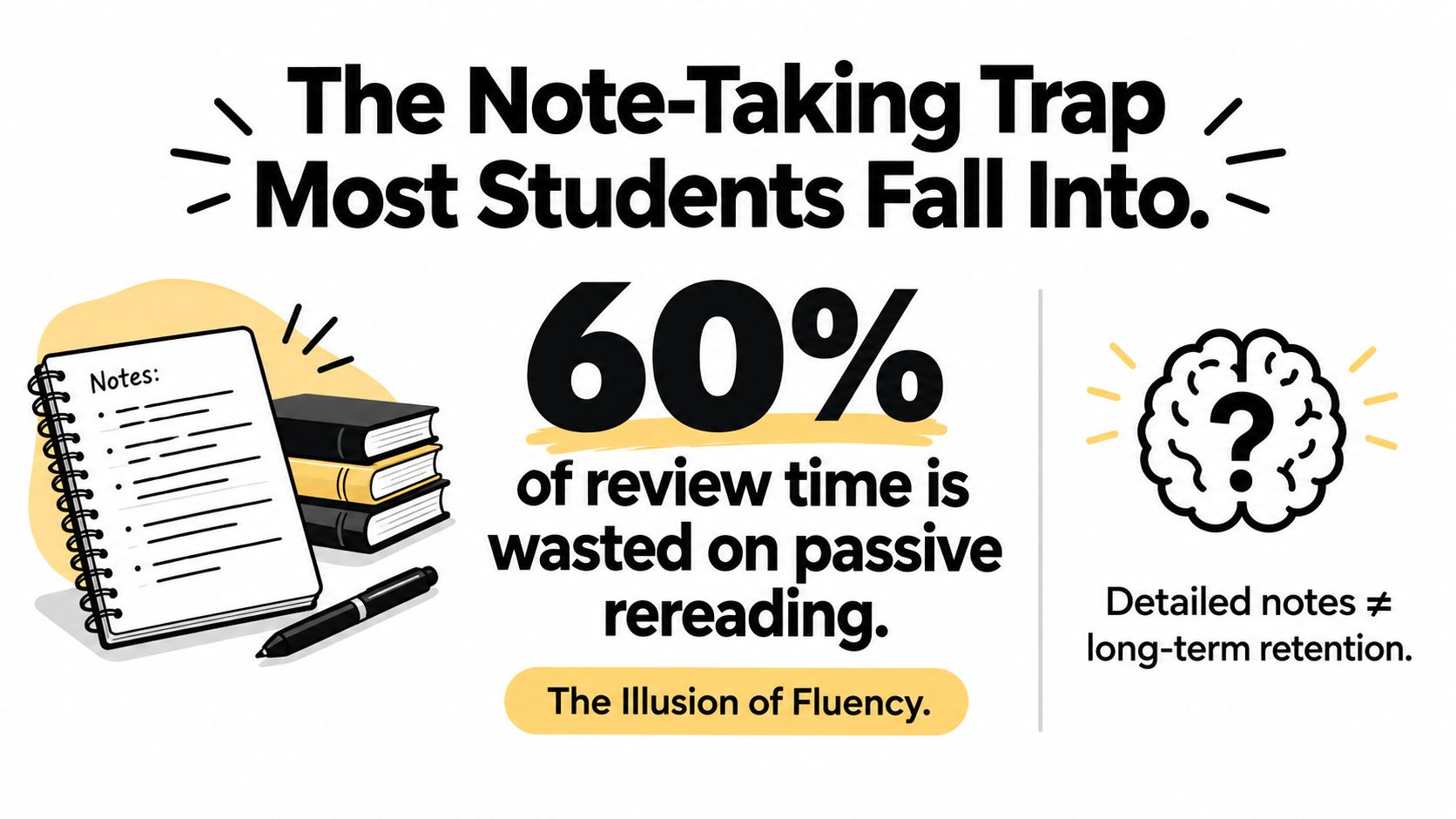
The distinction matters because note capture and note review do different jobs. Capture preserves selected information and your immediate reactions to it. Review tests whether you can reconstruct the ideas later. A major research summary in the ERIC record on note-taking and lecture retention found that taking and reviewing notes produced the strongest retention, while listening without review produced the weakest performance. Across 25 dependent variables, the reported average effect size was 0.34, indicating a measurable overall benefit for note-taking as an academic practice.
Why rereading feels easier than recall
Passive rereading gives you the answer before your memory has had to search for it. That recognition is useful for orientation, but it doesn't prove that you can retrieve the concept under pressure. Rewatching a recording can create the same problem. You follow the lecturer's sequence again, nod at familiar explanations, and avoid the harder task of answering from memory.
Practical rule: If your study session contains no moment where you hide the answer and try to produce it, you're reviewing exposure more than retrieval.
Research summarized by the University of Michigan Center for Research on Learning and Teaching reports that students who take notes perform better on immediate and delayed tests, and that reviewing lecture notes significantly improves recall. The same review also describes a gap between what lecturers present and what students initially capture. In some first-year samples, students recorded only about 11% of lecture points, compared with roughly 40% of important points in a typical lecture, according to that source.
The lesson isn't that you must write faster or fill every margin. It's that your notes need a second pass. A useful page should make the important ideas visible, expose what you missed, and give you prompts for later self-testing.
Treat notes as an intermediate artifact
Your notes are not the lecture. They're a working representation that should become more useful after class. You might begin with telegraphic phrases, arrows, a definition, and a question mark beside an unclear example. Later, you can turn those fragments into a structured explanation, a flashcard, or a question that requires comparison and application.
That approach also protects you from a common mistake: spending so much attention on formatting that you stop listening. A beautiful transcript can still be a weak study tool if it contains no priorities, questions, or retrieval prompts.
Pre-Class Preparation For Better Capture
Students who open a lecture with some context don't have to treat every sentence as equally important. They can recognize whether a new point defines a term, applies a principle, challenges an earlier idea, or supplies an example. That makes selective note-taking possible before the lecture becomes overwhelming.
Use this short preparation routine:
-
Skim the available material. Read the assigned pages, scan the slides, or review the previous lecture's summary. Don't try to master the topic before class. Build a map of the vocabulary and major headings.
-
Write three questions. Phrase them as things the lecture might answer. “What is classical conditioning?” is a start. “How is classical conditioning different from operant conditioning?” and “What would count as an example outside a laboratory?” create better listening targets.
-
Choose a capture format. A fast technical lecture may require a loose page with abbreviations, diagrams, and space for formulas. A discussion-led seminar may work better with a question column and room to connect speakers' claims to readings.
-
Prepare the file or page. Add the course, date, lecture title, and source material before class. If the lecture is recorded, decide where the recording, transcript, slides, and follow-up questions will live. Guidance on how to record lectures can help you design that capture step before the session starts.
A concrete example from Psychology 101
Suppose the next class introduces classical conditioning. Before the lecture, write the terms stimulus, response, reinforcement, and association in a margin. Add your three questions, then leave space beneath each one.
During class, you won't need to copy every sentence about the topic. You can record the professor's definition, a worked example, a contrast with another form of learning, and any qualification that changes how the example should be interpreted. If the professor says a particular distinction is frequently misunderstood, flag it with a symbol and turn it into a question immediately after class.
Match preparation to assessment
Your questions should reflect what you'll eventually need to do. For a fact-heavy exam, mark names, terms, dates, classifications, and exceptions. For an essay or problem-solving assessment, prioritize causal links, comparisons, worked examples, and the reasoning behind each conclusion.
Preparation also reduces blank-page anxiety. You're not arriving with a demand to record everything. You're arriving with a provisional structure that the lecturer can confirm, complicate, or replace.
Handwritten Versus Digital Note Systems
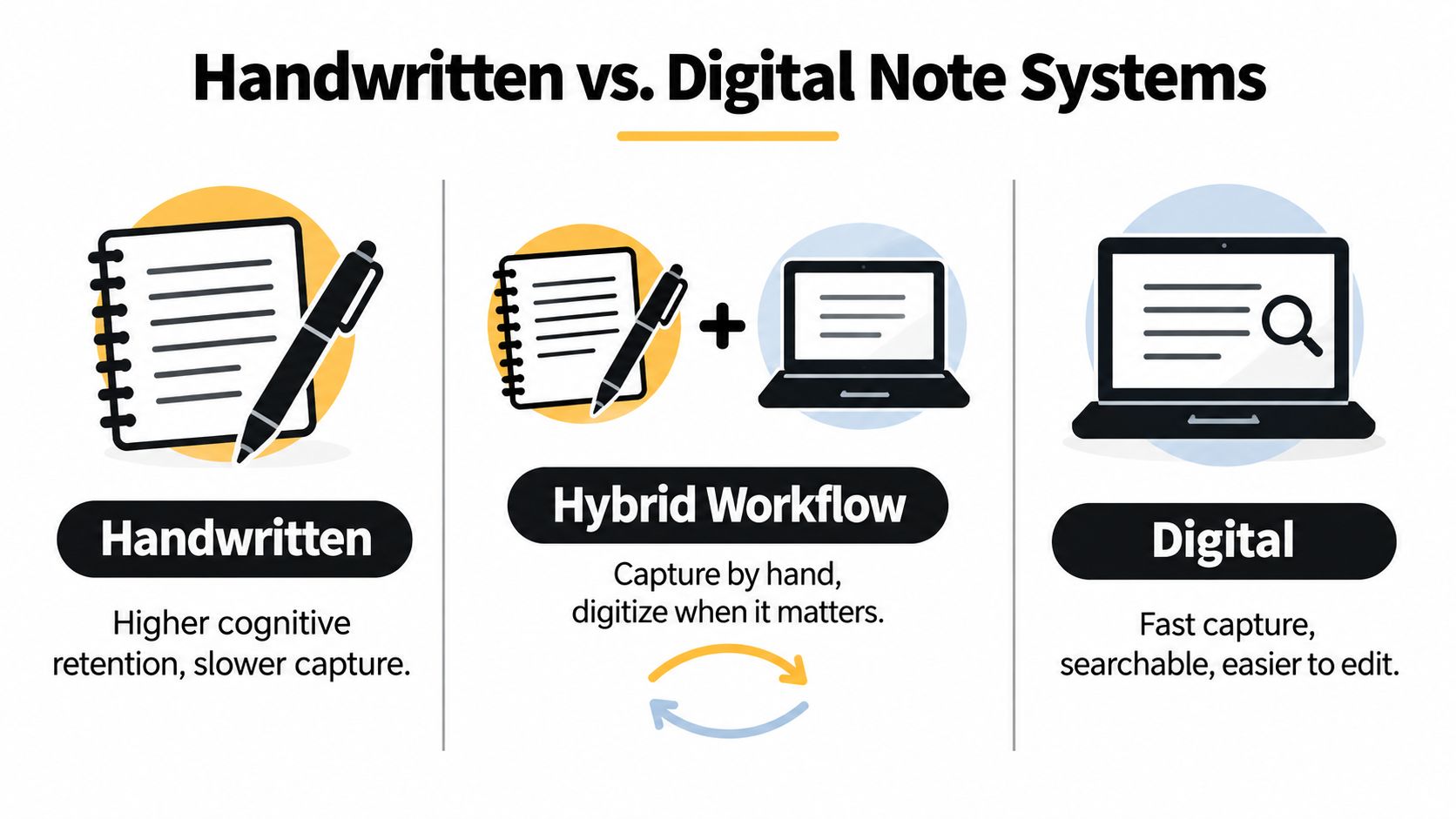
There isn't one universally superior format. The right system depends on lecture pace, course demands, distraction risk, and what you do with the notes afterward. Handwriting can encourage slower selection and visual organization. Digital notes can support rapid capture, search, editing, transcript access, and links between materials.
Handwriting favors selection
Writing by hand usually forces compression. You can't reproduce every sentence at speaking speed, so you're more likely to abbreviate, paraphrase, draw relationships, and leave gaps for later clarification. That can be valuable when the lecture asks you to interpret an argument rather than collect a large volume of technical detail.
The trade-off is obvious. Handwriting is slower, difficult to search, and inconvenient when the lecturer moves through dense diagrams or a rapid sequence of terminology. A tablet with a stylus can preserve handwriting while adding organization and annotation, but it still depends on a reliable filing and review habit.
Digital capture favors speed and retrieval
A laptop works well when the course includes many definitions, procedures, or technical details that must be captured quickly. Search lets you find a term later, and editing makes it easier to reorganize a lecture once you understand its structure. Digital notes can also sit beside slides, readings, links, and a transcript.
The risk is divided attention. Notifications, open tabs, and the temptation to copy slides verbatim can turn a laptop into a transcription machine. Disable distractions, use full-screen mode, and keep a short notation system for uncertainty. For example, use “Q?” for a question, “EX” for an example, and “LINK” when the lecturer connects the point to another topic.
The hybrid workflow
A hybrid system separates fast capture from careful consolidation. You might annotate slides by hand during class, then use a transcript to locate an explanation you couldn't capture. Or you might type sparse notes while recording, then create a one-page handwritten retrieval sheet after reviewing the transcript.
For a fast-talking professor in a dense STEM course, digital capture plus slides and transcript search may prevent important steps from disappearing. You can later rewrite the derivation, identify the assumptions, and turn each step into a self-test prompt. For a discussion-based humanities class, handwritten notes may better preserve the movement of the argument, your reactions, and connections between speakers. A transcript can then help you verify wording or revisit a passage without replacing your interpretation.
Recent work on digital note-taking describes a range that includes laptops, tablets, and stylus-based input rather than a simple handwriting-versus-typing choice. The 2024 study of digital notetaking reports laptops as the most common device in its research context, followed by tablets and stylus inputs.
Choose the system that lets you listen during capture and retrieve during review. If a method is fast but leaves you distracted, change the environment. If it produces thoughtful notes but misses essential details, add a recording or transcript workflow where permitted by your institution and lecturer.
Converting Raw Notes Into Active Recall Tools
A page full of accurate sentences can still fail you on an exam. The useful post-lecture task is to convert selected material into prompts that make you produce an answer, explain a relationship, or apply an idea without looking at the source.

Start with a short consolidation pass while the lecture remains fresh:
- Write a one- or two-sentence summary in your own words.
- Circle terms you recognize but cannot explain.
- Turn major points into questions.
- Add an example, contrast, or application for each difficult idea.
- Mark claims that need confirmation from the reading, transcript, or office hours.
This turns raw notes into an intermediate artifact. They no longer serve only as a record of what the lecturer said. They become a set of cues for retrieval, with the transcript or slides available for checking details when needed.
Use the Cornell structure as a retrieval frame
Walter Pauk developed the Cornell note-taking system while he was a Cornell University education professor in the 1950s, and later published it in How to Study in College. Cornell's learning resources on Cornell Notes describe a three-part page with a notes column, cue column, and summary section.
Use the notes area for explanations, evidence, worked examples, and qualifications. After class, convert the important material into short prompts in the cue column. Cover the notes, answer from the cues, and check the original wording only after committing to an answer. Finish with a summary of the lecture's central argument and its connection to earlier material.
Cornell-style guidance also recommends reciting answers from cue words and reviewing previous notes on a weekly cadence. The point is to make the page testable, not to reproduce a particular visual layout.
Build questions that require more than recognition
Weak prompt: “What is classical conditioning?”
Stronger prompts require you to produce, distinguish, or apply:
- “Define classical conditioning in your own words.”
- “What changes when the neutral stimulus becomes associated with the unconditioned stimulus?”
- “How would you distinguish this process from operant conditioning in a new example?”
- “What evidence would show that the association has been learned?”
A transcript can support question writing without replacing recall. A Psychology 101 student might upload a permitted recording, search the transcript for the lecturer's explanation of acquisition and extinction, and create fill-in-the-blank cards for the core terms. The student should then answer those cards without reopening the transcript. Use the transcript to verify mistakes, restore missing context, and correct wording, rather than to provide the answer during every review.
For workflows that turn lecture content into review prompts, flashcards for study notes can provide a useful starting point. Keep each card focused, correct ambiguous wording, and delete prompts that test trivial details instead of course understanding.
Add spaced retrieval
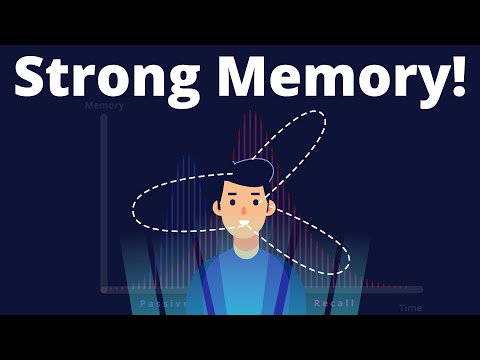
One review session can show that you understand a topic today. Later retrieval shows whether you can still produce it when the lecture is no longer fresh. Schedule difficult cards again after a short interval, then lengthen the gaps as your answers become reliable. Rate difficulty accurately. Marking every card as easy conceals the topics that need more work.
The workflow is selective capture, quick question writing, unaided retrieval, precise correction, and scheduled revisiting. Keep the transcript as a reference layer, not as a permanent substitute for answering.
Weekly Review Routines For Long-Term Retention
A lecture ends, but forgetting starts quickly if the notes remain untouched. Build review into the week instead of relying on a long weekend session. The notes are an intermediate artifact for retrieval: they should help you produce an answer, reveal a gap, and direct the next review.
Build a repeatable weekly loop
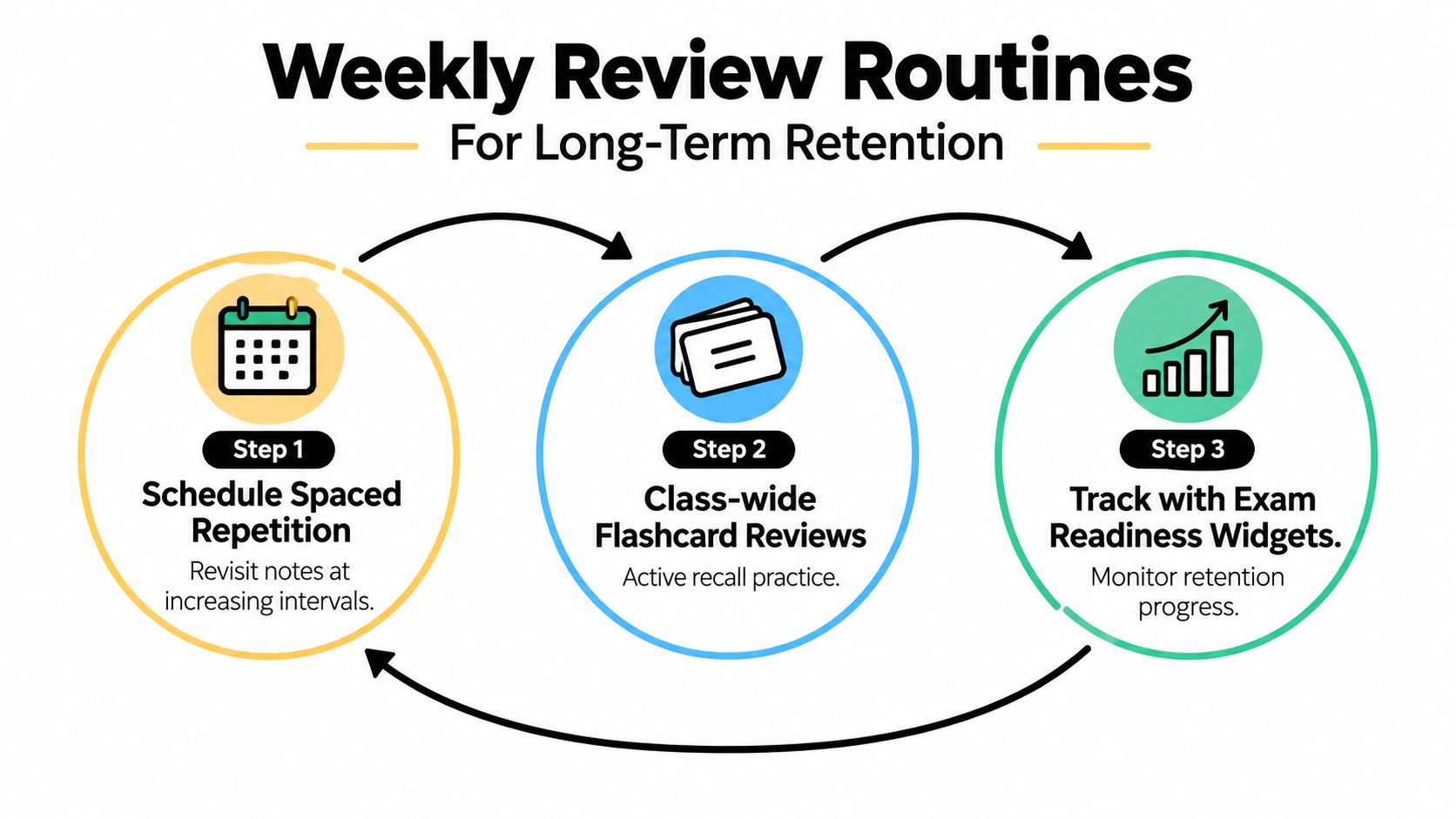
Use three layers:
-
Schedule spaced repetition. After each lecture, create a small set of prompts and assign the first review. Bring difficult material back soon, while reliable material can wait longer. The interval should reflect your performance, not a fixed schedule applied to every card.
-
Review the class as a whole. Mix due prompts from recent and earlier lectures, readings, and course documents. This forces you to switch topics and identify connections instead of recognizing only the newest material.
-
Track readiness by course. Record concepts you can explain, prompts you repeatedly miss, and questions still awaiting resolution. A readiness indicator has value only when it reflects unaided retrieval, not the number of pages formatted or highlighted.
A 10-minute weekly review benchmark is a practical minimum, not a promise that every topic will become effortless. Treat it as a floor. If a mixed review exposes repeated misses, extend the session and repair those gaps rather than assuming a short review alone will produce strong recall. Prompt review has been associated with a reported increase in long-term recall from about 20% to over 70%, as described in the Utah State University note-taking resource.
A realistic course-week pattern
A student managing several lecture-heavy courses might use this rhythm:
- After each lecture: Write a brief summary, create cues, and mark uncertainties while the structure is still fresh.
- Midweek: Answer due prompts from recent lectures without opening the notes. Check only after committing to an answer.
- Later in the week: Complete a mixed review across the course, then return to readings, slides, or a transcript for missed concepts.
- At the weekend: Spend at least 10 minutes reviewing earlier notes for each course, following the documented weekly workflow.
- Before an assessment: Study missed prompts and unresolved questions first. Rereading every page gives broad exposure but often hides what you still cannot retrieve.
Consistency matters more than decorative organization. A plain document with accurate questions and honest difficulty ratings will support learning better than a polished notebook that never tests you.
For a broader routine, how to study smarter, not harder connects study time with retrieval instead of passive exposure.
When Your Notes Feel Incomplete Or Overwhelming
Sparse notes aren't automatically bad. Omission is part of listening, provided you can later recover the missing context and identify what deserves attention. Verbatim transcription can preserve wording, but it often leaves too little mental capacity for deciding why the point matters.
Use different priorities for different courses:
- Fact-heavy courses: Capture definitions, classifications, formulas, exceptions, dates, and the examples that distinguish similar terms.
- Concept-heavy courses: Record claims, assumptions, causal links, contrasts, and the lecturer's reasoning.
- Fast-paced lectures: Use abbreviations and placeholders such as “check example” or “define later.” If a recording is available, return to the precise moment rather than abandoning listening during class.
Flag uncertainty immediately. A question mark beside a phrase is more useful than pretending the point is clear. After class, consult the slide, reading, transcript, or instructor, then turn the resolved issue into a question so the correction enters your review system.
AI summaries can help fill structural gaps, but they shouldn't decide what you understand. Compare the summary with the original lecture, verify terms and examples, and test yourself without looking at either version.
When a lecture feels too dense, do this:
- Capture the main headings and repeated ideas.
- Mark definitions, examples, and points of confusion.
- Leave placeholders instead of stopping to transcribe.
- Review the recording or transcript soon afterward.
- Convert the repaired notes into retrieval questions.
Your notes don't need to be perfect at the moment of capture. They need to become accurate, searchable, and useful for recall.
ClassLecture.ai lets you upload or record lectures, review searchable transcripts, create summaries and study guides, ask questions about your own course materials, and generate flashcards for spaced review. Visit ClassLecture.ai to turn your next lecture into a review workflow rather than a document you only reread before the exam.
The ClassLecture.ai Team
We build ClassLecture.ai, the AI study assistant that turns your recorded lectures into transcripts, summaries, flashcards, and answers cited to the exact timestamp — so you learn faster from your own professor's words.
Keep reading
10 Functional Group Flashcards for Organic Chemistry
Compare 10 functional group flashcards and study aids for organic chemistry, with active-recall tips and ways to connect cards to lecture notes.
Read10 Flashcards for Psychology: Best Study Resources
Compare 10 flashcards for psychology resources, from Quizlet and Anki to lecture-based tools, with reviews, limitations, and study strategies.
ReadHow to Transcribe a Lecture: A Practical 2026 Workflow
Learn how to transcribe a lecture quickly and accurately in 2026, from recording tips and AI tools to timestamping and editing for better study notes.
Read