7 APUSH Review Flashcards and Study Resources
Find the best APUSH review flashcards, compare seven study resources, and learn how to vet, import, and recreate decks in ClassLecture.ai.

The biggest public deck isn't automatically the best choice for APUSH review. A large download can still leave you unable to explain why an event happened, what changed afterward, or how a document supports an argument. Effective APUSH review flashcards should match your class sequence, separate people from policies and consequences, and force repeated retrieval instead of passive rereading.
That matters in a course taken at significant scale. 516,738 students took the AP U.S. History exam in 2025, and 73.7% earned a score of 3 or higher, according to College Board's APUSH score distribution. This roundup compares seven resources by study decision: ready-made breadth, curation, long-term spacing, teacher-created period review, importing, browser practice, and lightweight classroom use. It also shows how to check every imported deck against your syllabus, lecture transcript, textbook, or notes, then recreate stronger cards in ClassLecture.ai from your own course material.
Table of Contents
- 1. Quizlet
- 2. Brainscape
- 3. Anki and shared APUSH decks
- 4. APUSHReview.com by Adam Norris
- 5. Knowt
- 6. Cram.com
- 7. StudyStack
- Top 7 APUSH Flashcard Tools
- Turn Any Deck Into an Active Review System
1. Quizlet
When you need an APUSH deck tonight, Quizlet's public library can get you studying within seconds. Search by period, chapter, vocabulary, people, events, or themes, then choose a set that matches the unit on your syllabus. Its web and mobile apps make those decks easy to revisit, and a teacher-shared set lets you start without learning a new system.
Quizlet also includes traditional flashcards, Learn, Test, and Match. Use those modes as a progression from recognition to retrieval, rather than treating a familiar definition as proof that you know the material. The platform is useful for speed, but its public catalog requires active checking.
Best use for a real APUSH workflow
Use Quizlet for rapid coverage. Find a broad period or thematic deck first, then audit it against your lecture, notes, textbook, and syllabus before relying on it. Delete unsupported details, merge duplicate definitions, and rewrite vague prompts around significance, causation, comparison, or continuity and change.
A practical sequence:
- Start with breadth: Choose a set that covers the vocabulary and developments your class is studying.
- Test before revealing: Answer aloud before viewing the definition, especially for people, policies, and events that look familiar.
- Add analytical prompts: Pair “What was the policy?” with “Why did it emerge, and what changed afterward?”
- Verify the source: Check disputed claims against your textbook, lecture, or official course materials.
Quizlet's open catalog varies in accuracy, emphasis, and alignment with your teacher's sequence. A popular set may omit a lecture-specific example, include an unsupported detail, or reduce a complex development to a definition. Some features may require a paid plan, and Quizlet cannot determine whether a card reflects your classroom's interpretation.
Practical rule: Treat every public Quizlet set as a draft. Keep only cards that match your course sources.
If no existing deck fits, use a free flashcard maker workflow to turn your APUSH lectures, notes, or textbook material into editable prompts. Then compare the generated cards with your course materials and import only the useful ones. That gives you Quizlet's speed without surrendering control over coverage or accuracy.
2. Brainscape
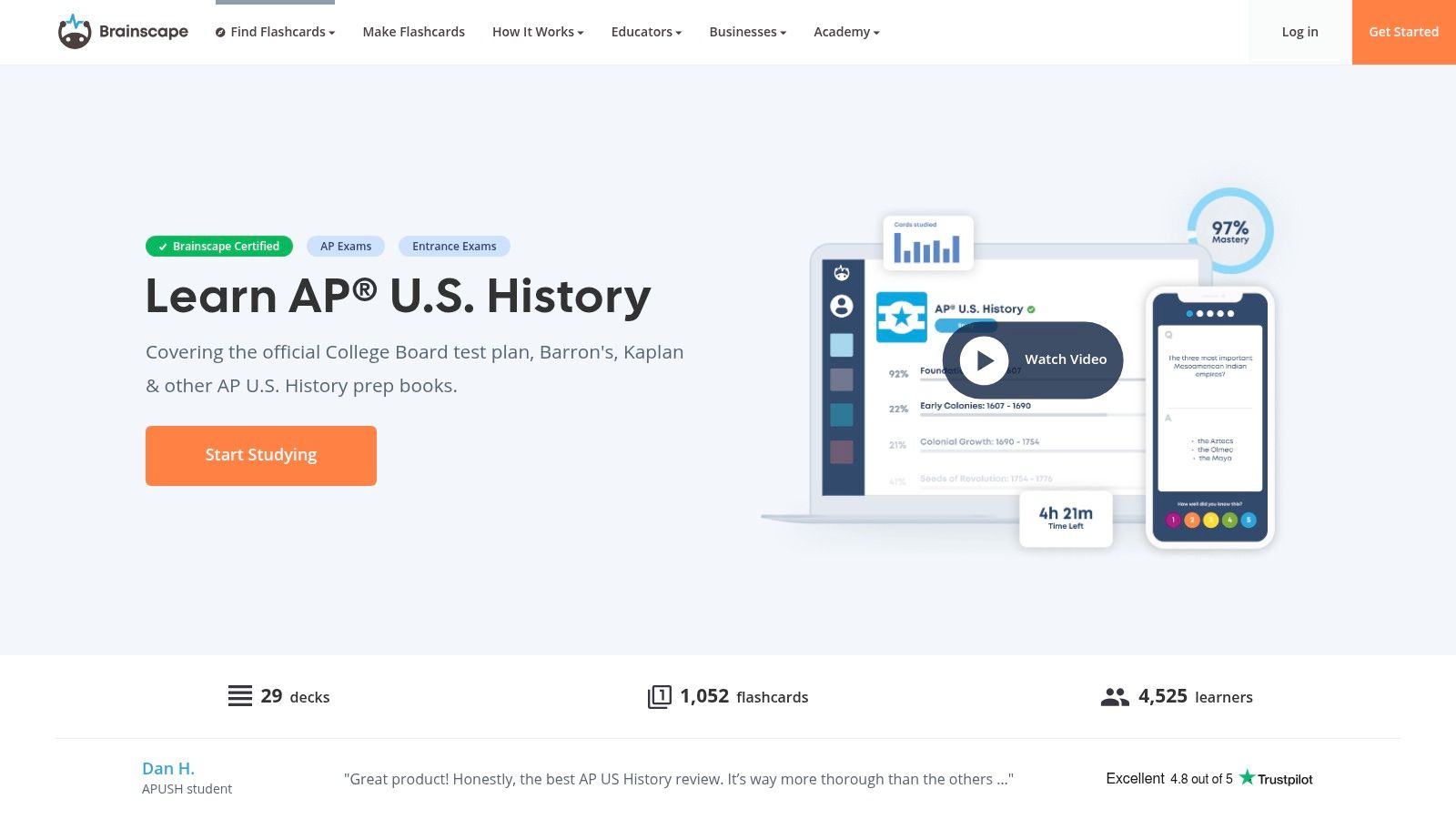
Students who need a defined review routine across the semester will get more from Brainscape than from a random search result filled with unrelated public decks. Its AP U.S. History collections provide an organized route through exam content, while the confidence-based repetition system uses your ratings to decide when cards return.
That scheduling helps correct a common study mistake: spending time on cards that already feel familiar while neglecting repeated misses. Brainscape's web and mobile apps keep progress together, making it practical for regular review between APUSH classes.
Where curation helps
Use Brainscape when you want a prepared starting point instead of evaluating dozens of community decks before studying. Its consistent organization can help you establish a timeline of U.S. history and maintain a repeatable weekly routine.
Curation does not replace source checking. Compare cards with your lectures, notes, textbook, and assigned documents. A well-organized deck may omit an example your teacher emphasized, use unfamiliar wording, or reduce a complicated development to simple factual recall. Add prompts that connect events to their context, compare developments across periods, and explain continuity and change.
Build or revise cards from your own APUSH materials in ClassLecture.ai when the prepared collection leaves gaps. Review each generated prompt against the original lecture, notes, or textbook before adding it. Keep cards that test independent recall and discard claims you cannot verify.
Rate cards. Answer before revealing the definition, then choose the confidence level that reflects your unaided response, not how obvious the answer appears afterward.
Brainscape trades customization for guidance. It is easier to start than Anki, but less flexible for detailed deck design. Some stronger features require a paid Pro plan, so check the current plan details before committing. Explore Brainscape's AP U.S. History cards
3. Anki and shared APUSH decks
Shared decks can save setup time, but Anki earns its place through long-term spaced repetition and detailed control. It supports scheduling systems such as SM2 and FSRS, while its deck ecosystem lets you import APUSH material, then edit, tag, and reorganize it around your course.
Choose Anki if you will maintain a review habit over time. Its learning curve is steeper than Quizlet or Brainscape, yet the trade-off is useful control over factual recall, causal chains, period tags, and recurring themes. Anki is free on desktop and Android, with synchronization through AnkiWeb. The iOS app is a separate paid option, so check the current app details before choosing it.
Build a deck that earns its place
A shared deck is a draft, not a verified curriculum. It may contain outdated wording, errors, excessive detail, or prompts that reward recognition instead of independent recall. Open a sample, check each claim against your textbook and lecture notes, and edit aggressively before placing cards in your daily queue.
ClassLecture.ai can help you recreate or improve useful sets from your APUSH lectures, notes, and textbooks when a shared deck misses material. Verify every generated prompt against the original source, retain cards that test recall, and discard claims you cannot confirm.
Use tags that support the way APUSH questions work:
- Historical period: Keep chronology visible while still allowing mixed review.
- Theme: Group politics, labor, race, reform, foreign policy, and other recurring ideas.
- Reasoning skill: Mark cards for causation, comparison, contextualization, or continuity and change.
- Evidence use: Identify facts that could support a short answer, DBQ, or LEQ.
Research summarized in an open-access synthesis of retrieval practice supports distributed retrieval over blocked practice. The synthesis reports that distributed retrieval improved retention, while learners in a blocked-practice condition lost an average of 8% of the material after two weeks. It also reports higher test performance for interleaved retrieval, with effect sizes of d = 0.40 in one stage and d = 0.91 in another.
Those findings support Anki's review model only when you answer before revealing the card. For guidance on building a sustainable spaced repetition flashcard system, use the scheduler to revisit weak material, then practice source analysis and timed writing separately.
4. APUSHReview.com by Adam Norris
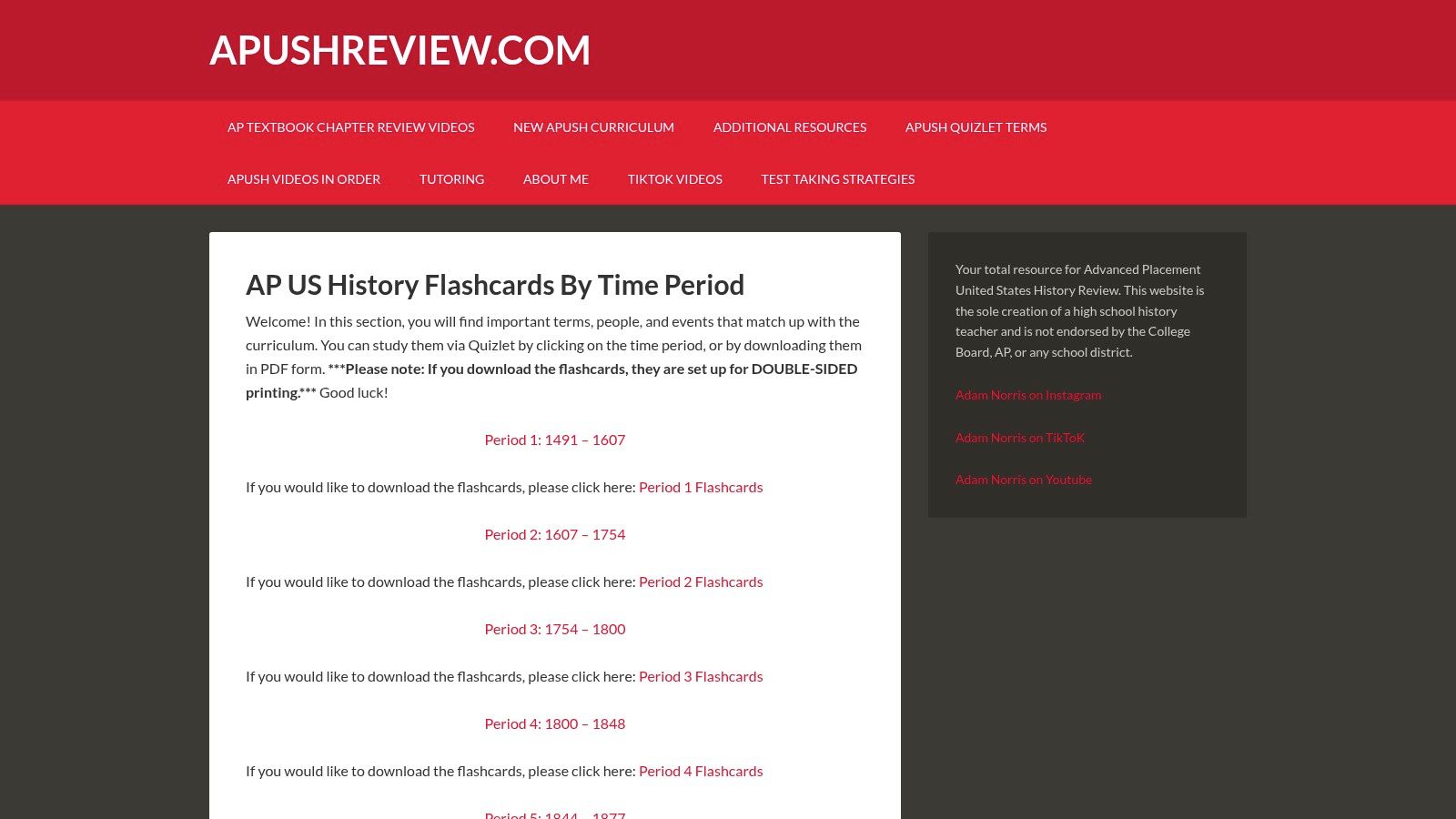
A curated period sequence can serve APUSH students better than a massive anonymous library. APUSHReview.com by Adam Norris provides teacher-created period review, with flashcards organized by APUSH time period, Quizlet study links, and downloadable PDFs. Choose it when you want historical coverage arranged for the course rather than a deck assembled from unknown contributors.
That structure fits a classroom workflow. After your teacher finishes a period, open the matching set for focused preparation instead of searching scattered terms. The wider site also offers review sheets and videos, so you can clarify a topic before reducing it to flashcards. Use the period sequence as a map, then verify important wording against your syllabus, textbook, and class notes.
Use period cards as a foundation
The PDFs work well for offline reference and annotation. The Quizlet links provide interactive practice, but APUSHReview.com does not manage spaced-repetition intervals. Set your own return schedule, or transfer only the cards you need into a system that does.
Start with the relevant period cards and flag terms you cannot explain. Then build stronger prompts from your lectures, notes, and textbook. After reviewing an amendment card, ask which problem it addressed, who supported or opposed it, and how it changed the relationship between citizens and government. The 27 Amendments flashcard resource supports foundational recall, while ClassLecture.ai can help you recreate or revise cards from your own course materials. Check every generated prompt against the original source before adding it.
A period list tells you what happened. Your added cards should explain why it mattered.
Teacher curation reduces noise, but it does not guarantee a perfect match for your class. Check definitions, dates, and emphasis before treating a card as exam-ready. Pick this resource for clear chronology and guided coverage, then customize it for your teacher's priorities.
Visit APUSHReview.com's period flashcards
5. Knowt
Knowt solves the friction of moving a useful Quizlet deck into a new study environment without rebuilding it manually. The platform supports one-click Quizlet imports, Flashcards Mode, and an AP hub with student-created guides and flashcards. That makes it a practical choice for students who already have a promising deck and need a faster way to work with it.
Importing saves time when a classmate or teacher shares Quizlet materials. Knowt's straightforward know/don't know flow also helps isolate cards that need another pass. The interface suits students who want accessible study tools without configuring a large number of settings.
Import carefully, then improve
An imported deck keeps its original weaknesses. A poor definition or course mismatch moves into Knowt with the rest of the cards. Check important claims against your textbook, transcript, and teacher materials before relying on the set. ClassLecture.ai can help recreate or revise cards from your APUSH lectures, notes, and textbooks, but compare each generated prompt with the source before saving it.
Turn the verified deck into layers:
- Recall cards: Identify a person, event, law, movement, or development.
- Explanation cards: Describe causes, consequences, and historical significance.
- Evidence cards: Explain how a fact could support an argument or answer a source-based prompt.
- Comparison cards: Connect the topic to a different period, group, or policy.
Use the cards to prepare for APUSH writing. Duke's retrieval-practice guidance recommends building cards from notes, slides, and textbooks, attempting recall before checking answers, receiving feedback, and revisiting content across multiple sessions. Vary retrieval formats and pair cards with practice questions so recognition does not become your only study habit.
Choose Knowt when importing is your priority. Students seeking complete control over custom scheduling should use a more configurable system, while Knowt works well for adapting an existing set quickly. Pricing and plan details can change, so check current options before upgrading.
6. Cram.com
Need a quick APUSH review on a shared computer or in a browser? Cram.com opens directly, with public decks covering U.S. history vocabulary, units, and chapter tests. It avoids app installation and complex scheduling, making it useful when you have a short study window.
Use a deck for rapid recall, then mark the terms you missed. Check those terms against your textbook, lecture notes, syllabus, or official APUSH materials before treating the answers as reliable. Cram's public catalog includes older student-created sets, so terminology may be dated, context may be thin, and errors can remain unnoticed.
Use Cram for quick coverage, then verify
Cram fits the first pass of an APUSH workflow. Open a period or chapter deck, answer before revealing the definition, and record weak topics in a separate list. Afterward, turn verified material from your lectures, notes, and textbook into a cleaner set in ClassLecture.ai. Compare each generated card with the source before saving it, especially for dates, causes, consequences, and historical significance.
A focused browser session can also expose gaps in a larger deck. If a set repeatedly tests names without explaining why an event mattered, supplement it with cards that ask for causation, comparison, or evidence for an argument. That change makes the review more useful for APUSH writing.
Cram offers basic study modes and account features for saving progress. Its scheduling and customization remain lighter than Anki's, and it lacks Brainscape's structured repetition. Choose it for immediate drilling, not for managing long-term review across every APUSH period.
Cram works best when the student must supply the quality control. Use its catalog to locate terms and practice recall, then keep only claims you have checked. Visit Cram.com
7. StudyStack
StudyStack is the practical browser-based option when you want flashcards, matching games, and shareable sets without setting up a dedicated spaced-repetition system. Its U.S. History resources include teacher- and student-created decks, plus sharing and privacy controls that suit classroom groups.
Use it for a quick period review, a shared class activity, or short browser practice across devices. Setup is light, so students can start immediately. The trade-off is limited progress tracking and less control over long-term scheduling than Anki or Brainscape.
Use it for quick practice and classroom sharing
StudyStack's interface feels dated, and its reporting tools are basic. Deck quality varies, so check wording against your syllabus, lecture notes, textbook, or official APUSH materials before memorizing an answer. An update date can show that a set has been maintained, but it does not confirm that every historical claim is accurate.
Build verification into the session. Open a set, answer each card before revealing it, and mark terms that seem vague or questionable. Then recreate the useful material in ClassLecture.ai from your own APUSH lectures, notes, and textbook. Compare each generated card with the original source, especially for chronology, causation, consequences, and historical significance.
Keep the review active after the game ends. Close the set and explain one causal relationship, compare developments from different periods, or identify evidence for a source-based response. This converts recognition from matching activities into recall and writing preparation.
StudyStack suits students who value immediate access, sharing, and lightweight practice. Keep a verified master deck elsewhere if you need detailed progress tracking or a structured review schedule. Visit StudyStack's U.S. History resources
Top 7 APUSH Flashcard Tools
| Tool | Implementation complexity 🔄 | Resource requirements ⚡ | Expected outcomes ⭐📊 | Ideal use cases 💡 | Key advantages |
|---|---|---|---|---|---|
| Quizlet | Low, ready-made sets, minimal setup 🔄 | Low for basics; Quizlet Plus for full features ⚡ | Fast coverage of units; accuracy varies ⭐⭐⭐ 📊 | Quickly find & review unit/vocab decks before class or tests 💡 | Huge public catalog, multiple study modes, simple UI |
| Brainscape | Medium, curated structure, learning curve for CBR 🔄 | Moderate, web/mobile; Pro unlocks best tools ⚡ | Consistent, steady retention with scheduled review ⭐⭐⭐⭐ 📊 | Structured APUSH study and steady daily practice 💡 | Curated decks aligned to exam content; confidence-based scheduling |
| Anki (AnkiWeb/shared APUSH decks) | High, powerful but steeper learning curve 🔄 | Low cost on desktop/Android; AnkiMobile paid on iOS ⚡ | Best long-term retention with proven SRS ⭐⭐⭐⭐⭐ 📊 | Semester-long study, heavy customization, long-term memorization 💡 | Gold-standard SRS, extensive customization and desktop tools |
| APUSHReview.com (Adam Norris) | Low, teacher-curated PDFs and Quizlet links 🔄 | Very low, free downloads and links ⚡ | Reliable period-aligned terms; less interactivity ⭐⭐⭐ 📊 | Classroom pairing, teacher-led review and unit prep 💡 | Teacher-vetted content indexed by period; downloadable resources |
| Knowt | Low, one-click Quizlet import; simple workflows 🔄 | Low; some paid plans possible; dependent on imported content ⚡ | Quick reuse of quality sets; retention depends on content ⭐⭐⭐ 📊 | Students who want to reuse Quizlet content with minimal rebuilding 💡 | One-click import, clean student-friendly interface |
| Cram.com | Low, simple browser-based review 🔄 | Very low, free to browse and study ⚡ | Fast, no-friction review; variable accuracy ⭐⭐ 📊 | Quick browser review or revisiting legacy/older sets 💡 | Large legacy catalog, immediate access with no setup |
| StudyStack | Low, simple UI with practice games 🔄 | Low, ad-supported free or low-cost ad-free upgrade ⚡ | Engaging practice via games; quality varies ⭐⭐⭐ 📊 | Classroom game-based review or low-cost ad-free teacher plans 💡 | Multiple game modes, affordable ad-free option for classrooms |
Turn Any Deck Into an Active Review System
Choose the resource according to the problem you need to solve. Pick Quizlet or Knowt for fast access to ready-made material, Brainscape for guided curation, Anki for long-term spaced repetition, APUSHReview.com for teacher-created period review, Cram for quick browser practice, and StudyStack for lightweight shared activities. Don't run seven platforms at once. Select one main system and use the others only when they fill a specific gap.
Audit a sample of every deck before you trust it. Compare cards with your syllabus, lecture transcript, textbook, and notes. Look for missing context, inaccurate dates or definitions, vague answers, and prompts that test recognition instead of recall. Rewrite cards so they ask for cause and effect, comparison, historical significance, continuity and change, or evidence use.
The exam requires more than remembering isolated terms. Official AP Central APUSH materials explain that short-answer questions can include source material, while the DBQ and LEQ require historically defensible arguments. Your flashcards should prepare the factual foundation for that work, but you still need document analysis, source interpretation, and timed writing practice.
ClassLecture.ai can help you build cards from the material your teacher uses. Upload or record an APUSH lecture, add notes or a textbook, review the transcript, and ask source-focused questions about the content. You can generate or edit question-and-answer and fill-in-the-blank cards, then use cited timestamps or document page references to verify the wording before studying it.
Organize uploads by class, course code, term, and period so you can trace each card back to its source. Use the source-scope controls to work from transcripts, notes and textbooks, or both together. Generated cards still require student review, and platform features or pricing may change, so confirm current details before relying on a specific workflow.
Finally, answer every card before revealing the back. Mark partial recall as a gap, return to weak cards through scheduled review, and mix older periods with current material instead of rereading one familiar deck. Flashcards build retrieval fluency. Your APUSH score depends on whether you can use that retrieved knowledge to interpret evidence and construct an argument.
ClassLecture.ai turns your APUSH lectures, notes, textbooks, and recordings into searchable transcripts, source-cited Q&A, study guides, and editable flashcards with spaced-repetition review. Upload your course materials and use ClassLecture.ai to build a verifiable review system around the history your teacher covered.
The ClassLecture.ai Team
We build ClassLecture.ai, the AI study assistant that turns your recorded lectures into transcripts, summaries, flashcards, and answers cited to the exact timestamp — so you learn faster from your own professor's words.
Keep reading
How to Record a Meeting for Better Study Notes
Learn how to record a meeting with clear audio, handle consent, and turn live sessions into interactive study guides and flashcards using ClassLecture.ai.
ReadHow to Write a Summary of a Meeting
Learn how to write an accurate summary of a meeting using transcripts and AI. Discover capture, editing, and automation tips with ClassLecture.ai.
Read10 Software for Recording Lectures in 2026
Compare 10 software for recording lectures, from OBS and Otter.ai to ClassLecture.ai, with use cases, limitations, and study workflow tips.
Read