8 Different Types of Notes Taking: Which Fits You
Explore 8 different types of notes taking, from Cornell to mind mapping, with tips on when to use each and how to turn lectures into flashcards.
Most note-taking advice starts in the wrong place. It asks how to capture a lecture: pen or keyboard, lined paper or a blank tablet, Cornell template or freeform page. Then it hands you a layout and sends you into a lecture hall.
The question that predicts your exam performance is different. Three weeks later, when you sit down to review, does that page turn into questions you can answer out loud, or does it turn into rereading?
I judge every method on this list by how easily its notes convert into active-recall material: cue questions, flashcards, a summary you can cover and reconstruct, a self-quiz built from your own lecture. A format that captures beautifully but reviews passively is a storage system, not a study system. A scrappy page of headings that turns into twenty questions in ten minutes beats a color-coded spread you admire and never interrogate.
Below are eight types of notes taking, each with the lecture it suits, the trade-off you accept, and the specific move that turns the notes into review material after class. Where the evidence is messy, I say so rather than pretending one method wins everywhere.
Table of Contents
- 1. Cornell Note-Taking System
- 2. Outline Method
- 3. Mind Mapping
- 4. Charting Method
- 5. Sentence Method
- 6. Concept Mapping
- 7. Boxing Method
- 8. Linear (Freeform) Note-Taking
- 8 Note-Taking Methods Compared
- Pick One Method, Then Build the Review System Around It
1. Cornell Note-Taking System
Cornell gives each page a built-in route from lecture notes to review questions. Its value depends on using all three sections, not just drawing the lines.
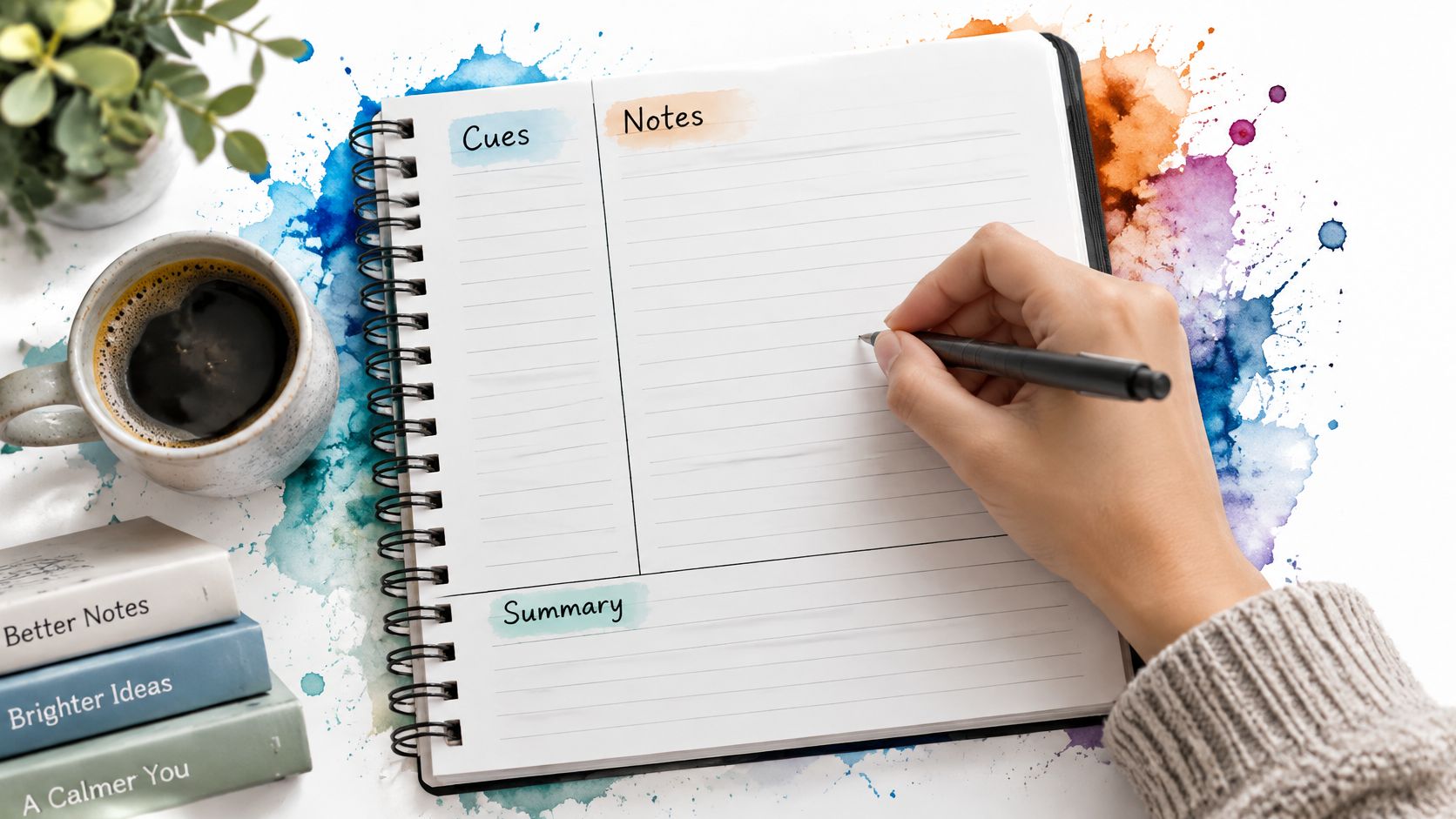
Divide the sheet into three zones: a wide note area on the right, a narrow cue column on the left, and a summary strip across the bottom. During class, capture details in the right column. Afterward, turn key ideas into questions or prompts in the left column, then write a brief synthesis at the bottom. Cornell's history traces a key milestone to 1958, when Walter Pauk launched Cornell's High School Reading Improvement Program for juniors and seniors (Cornell SCE history).
How the page becomes a quiz
A psychology student might record theory names and study findings in the note area, then write a cue question such as “What did this study find, and in which condition did it fail?” A nursing student could cover the notes column and use the bottom summary to recall the main points of a pharmacology lecture.
Practical rule: Leave the summary strip blank during class. Writing it afterward forces you to identify the lecture's main ideas and connect them.
- Write the summary soon after class: Use it to state the lecture's main point and connect supporting details.
- Answer cue questions from memory: Cover the notes column, say or write an answer, then check the source notes.
- Mark gaps for later review: If you have a recording, note where an explanation was unclear so you can return to that moment.
- Compare your page with a transcript: An AI lecture summarizer workflow can create structured notes from a transcript to compare with your own, helping you spot topics your page may have missed.
Cornell adds a short post-lecture step to every page. Skip it, and the cue column stays empty while the notes remain ordinary notes. The format supports active recall only when you write prompts and use them to test yourself.
2. Outline Method
An outline mirrors the shape of most lectures, which is why it's the default format for students who never consciously chose a format.
Main topics sit at the left margin, subtopics indent beneath them, and evidence, definitions, and examples nest one level deeper. Slides give you free top-level headings, so the structure often writes itself.
The format is popular for good reasons. A survey of student note-taking habits reports that 96% of students take notes during lectures and 88% consider note-taking necessary for academic success, with students commonly using rephrasing, bullet points, outline structures, and the Cornell system (note-taking survey). Organization and paraphrasing are treated as core dimensions of note quality, not storage details.
Where outlines fall apart
Outlines assume the speaker moves from general to specific and never doubles back. Plenty don't. A lecturer who opens with a case study, wanders into a tangent, then returns to the framework leaves you cramming material into the wrong level or writing it twice.
A business student outlining a marketing lecture gets a clean hierarchy: "Consumer Behavior" at the top, one subpoint per factor, an example under each. A history student mapping causes and effects gets the same benefit, provided the lecturer presents them in order.
- Steal slide titles as top-level headings: they're the structure the lecturer already built, and copying them costs seconds.
- Leave a blank line between major topics: details you pick up later need somewhere to land without a rewrite.
- Rewrite one level as prose after class: a three-sentence summary of a single branch exposes whether you understood it or just copied it.
- Convert branches into cards: one card per subpoint, question on the front, the lecturer's own example on the back.
The failure mode is a beautiful outline that never gets compressed. If every line stays at the same level of abstraction, review means rereading, and rereading feels productive while doing very little.
3. Mind Mapping
Mind maps are the most often drawn and least often reviewed format on this list, and that gap is the whole story.

You start with the topic in the center, branch outward into related concepts, and use color and connecting lines to show how the pieces relate. It suits non-linear thinking, essay planning, and the moment before an exam when you need to see a whole course at once.
The problem isn't the format. A survey of 584 students found that learners used organizational strategies and took notes consistently, yet often produced transcript-style notes and reviewed them passively or only immediately before assessments (ERIC record). Structure on the page doesn't guarantee processing in the head.
Make the map answerable
A graduate student mapping a literature review puts the research question in the center and lets themes branch outward, which is a planning job. A biology student mapping cell structures and functions before a midterm is doing a different job: compression.
A branch label you can't turn into a question is decoration. "Mitochondria" is not a question. "Why does the inner membrane fold?" is.
- Keep labels to one or two words: long sentences on branches kill the visual advantage that made you draw a map.
- Redraw from memory: blank page, same central topic, five minutes. The branches you can't reproduce are your study list.
- Split the scale: one map per lecture for detail, one master map for the course, and never mix the two.
- Use the map as an index, not a source: pull the detail back from your recording or transcript, because a branch label alone won't survive an applied exam question.
4. Charting Method
Typing gets you more words, and more words are exactly the problem. In a three-study experiment, laptop users recorded roughly 548.73 words against 143.89 for longhand and showed greater verbatim overlap with the lecture, which the researchers linked to weaker performance on conceptual questions (Mueller and Oppenheimer replication materials).
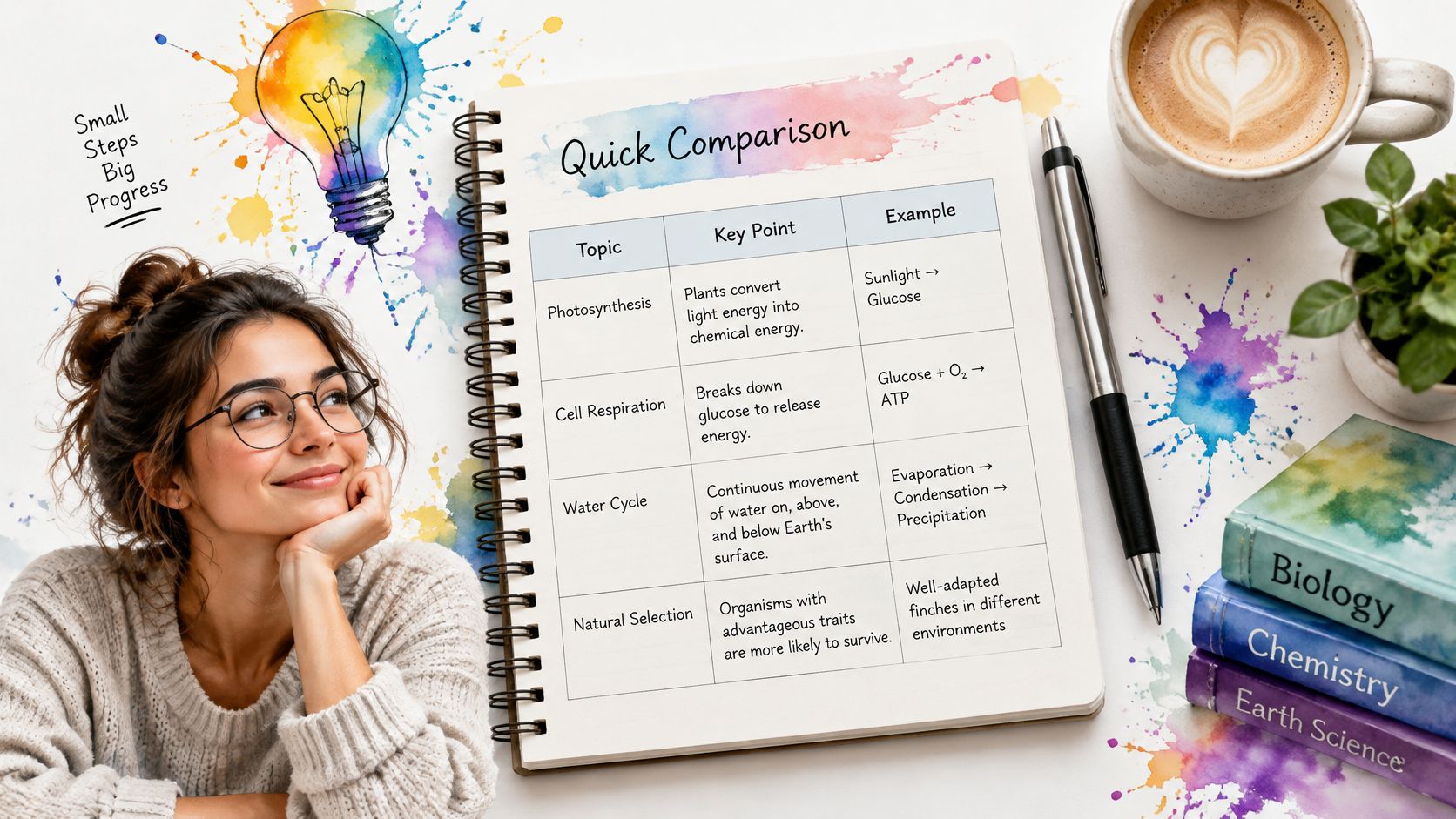
Charting imposes a word budget. You set columns before class, label them by the category the lecture compares, and give each item one row. A cell that's getting crowded is a signal, not a success.
Nursing students get the clearest return here: drug class, mechanism, common uses, adverse effects, nursing considerations, one row per class. Law students do the same with cases: facts, issue, holding, reasoning. Both are comparison problems where a paragraph hides the pattern and a row exposes it.
Practical rule: if you can't name the columns before the lecture starts, you probably have the wrong method for that session.
- Pull headings from the syllabus or first slide: the comparison categories are usually announced before the content arrives.
- Keep a questions column: anything you didn't follow goes there and gets resolved against the recording, not left ambiguous.
- Build one card per row: a chart row is already a flashcard, question on one side, the row's content on the other.
- Check the finished chart against the transcript: columns tempt you to fill cells with plausible guesses, and a wrong cell is worse than a blank one.
The limit is content that doesn't compare. If a lecture builds a single argument across forty minutes, a table fragments it.
5. Sentence Method
The sentence method is simple to start and easy to review poorly. Give each new idea its own numbered line, written as a complete sentence. It suits fast lectures, dictated definitions, and lessons delivered as a stream of separate facts. Numbering gives each line a stable reference, but the key test is whether you can turn it into a question and recall the answer without looking.
A 2024 meta-analysis of 24 studies covering 3,005 college students found a reliable performance advantage for handwritten notes over typed notes, even though typed notes contained more words and ideas. Reviewing notes appeared to widen that advantage (meta-analysis on handwriting and typed notes). The better choice still depends on whether you can keep up: if handwriting makes you miss key sentences, type the notes and edit them afterward.
From numbered lines to a self-test
A chemistry student can turn lines about reactions into questions before the next class. A language learner can record each vocabulary word alongside an example sentence, then cover the definitions and test recall. In both cases, the numbered lines become useful study prompts only after they are phrased as questions.
- Number every line: the index makes it easy to find a point and turn it into a question or flashcard.
- Abbreviate selectively: use shorthand only when you will recognize it later.
- Group related lines under headings: headings break up long runs of sentences and make related facts easier to review together.
- Revisit unclear lines: check the recording or course materials before turning a half-heard point into a study prompt.
The method captures individual facts quickly, but it does little to show how those facts connect. After class, add questions that test causes, contrasts, or sequences, rather than relying only on sentence-by-sentence recall.
6. Concept Mapping
A concept map looks like a mind map and does a different job. The difference is the arrows: every link carries a short label such as "causes," "leads to," or "is an example of," so each pair of boxes forms a readable proposition. Joseph Novak and colleagues at Cornell developed the approach around that linking rule, and it's the rule that makes the format work.
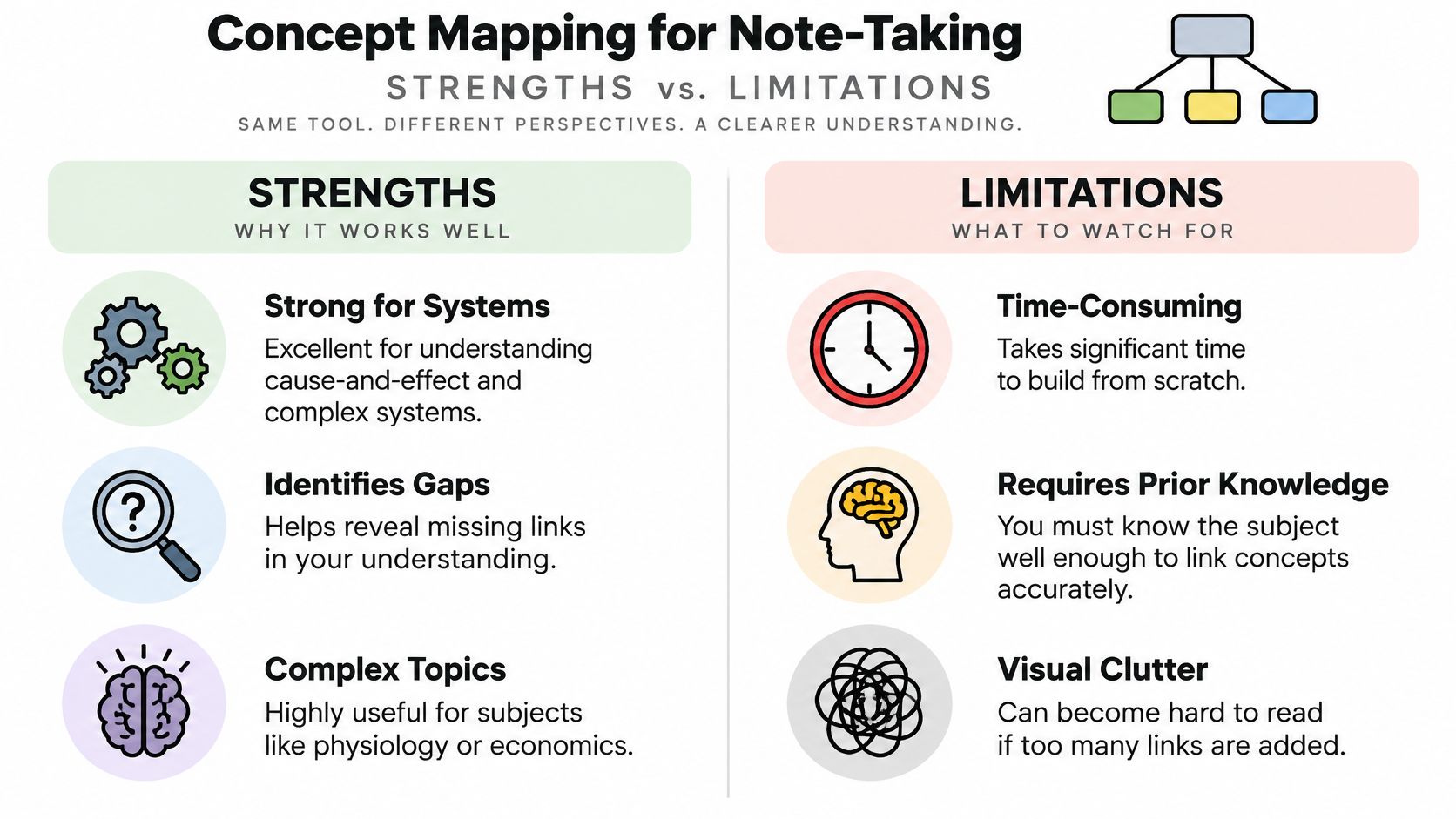
It suits subjects where the relationships carry the marks. A medical student mapping organ systems against their hormonal controls, or an economics student linking supply, demand, price, and equilibrium, is practicing exactly the reasoning an applied question tests.
Build it after the lecture, not during
Trying to construct a concept map live is a mistake. You can't label links while a lecturer is still introducing the concepts the links depend on.
- Start with five to ten core concepts: more than that and you're mapping vocabulary instead of understanding.
- Label every arrow with a verb phrase: an unlabeled arrow is an assumption you haven't tested.
- Rebuild it from the transcript: compare your map to the lecture and correct the links, since a wrong link is harder to spot than a missing box.
- Generate questions from links: "How does X affect Y?" for every arrow is a ready-made question bank.
Here's a walkthrough of the format in practice:

The cost is time. A good concept map takes fifteen to twenty minutes per topic, which is why it belongs to the review session rather than the lecture itself.
7. Boxing Method
Boxing is a container strategy, not a page layout. You draw a box around each topic and its supporting details, then connect boxes with arrows where a relationship exists.
The value is separation. A lecture that moves between four theories in fifty minutes leaves a linear page looking like one continuous argument, while four boxes make the boundaries visible. Arrows then carry the relationships that a bullet list flattens.
A sociology student boxes each theory and draws arrows between the ones that respond to each other. A computer science student uses one box per algorithm, with inputs, steps, and complexity inside, which keeps the lecture's examples from drifting into the wrong algorithm's box.
Practical rule: draw an arrow only when you can write the relationship in the margin. "Related" is not a relationship.
- Leave margin space around every box: late details need room, and a cramped box forces a rewrite.
- Color by function, not by mood: one color for definitions, one for examples, one for exceptions.
- Turn each box into a card cluster: one card for the definition, one for the worked example, one for the exception.
- Write questions on the box edge: the moment a box is finished, note the question it should be able to answer, which is the same move the flashcard question formats guide describes for converting notes into prompts.
Boxing fails when the lecture is sequential. Steps in a procedure belong in order, and boxes invite you to shuffle them.
8. Linear (Freeform) Note-Taking
Freeform notes trade structure for speed. Write continuously during fast lectures, seminars, or discussions, then organize the page in a second pass. If you skip that pass, the notes may be hard to search and turn into useful review material.
A study of 65 college students found that laptop users recorded more of a talk verbatim and did worse on conceptual questions than students taking notes by hand, while factual-question results were similar (Mueller and Oppenheimer, Psychological Science). Later replications have not found a consistent longhand advantage, so treat the original finding as a warning about transcription rather than a verdict on devices. The practical risk is copying words without processing their meaning.
How to rescue freeform notes
A seminar student can write continuously through discussion, then add headings that evening and turn each section into a summary. An online student can capture notes while watching a recorded lecture, then use the transcript to check unclear terms and fill gaps.
- Add headings within 24 hours: organize the material while the lecture's structure is still familiar.
- Mark uncertainty with a question mark: turn each mark into a specific question to answer during review.
- Use symbols for relationships: an arrow can show cause, a crossed arrow can mark contrast, and “eg” can introduce an example.
- Convert notes into review prompts: make questions from key ideas, then use the answers to check understanding. The guide to taking lecture notes explains how to move from capturing information to reviewing it.
For paper notes, CITYSHEEP writing notebooks offer a simple format for continuous writing, with space to add headings and questions afterward.
8 Note-Taking Methods Compared
| Method | Best For | Main Strength | Main Drawback | Review Ease |
|---|---|---|---|---|
| Cornell Note-Taking System | Lectures and readings that benefit from self-testing | Built-in cues and summaries support active recall | Cue and summary sections take extra time | Easy to review with cues and summaries |
| Outline Method | Structured lectures and hierarchical topics | Clearly shows relationships between main ideas and details | Can miss cross-topic connections | Easy to turn into a study guide |
| Mind Mapping | Brainstorming and seeing how ideas connect | Makes big-picture connections visible | Can become cluttered with too many branches | Useful for visual review and recall |
| Charting Method | Comparing items, cases, or categories | Makes side-by-side comparison easy | Less suited to content without clear categories | Easy to scan and compare |
| Sentence Method | Fast lectures with many separate facts | Quick to learn and organize one idea per line | Long pages can be hard to skim | Easy to review in sequence |
| Concept Mapping | Complex topics with interconnected concepts | Highlights relationships and gaps in understanding | Takes time and subject knowledge to build | Useful for reviewing connections |
| Boxing Method | Separating topics and related details visually | Makes sections easy to locate | Boxes may run out of space | Easy to review specific sections |
| Linear (Freeform) Note-Taking | Fast or unstructured lectures and discussions | Flexible and quick to start | Notes may be hard to review without later organization | Requires organizing notes afterward |
Pick One Method, Then Build the Review System Around It
The decision rule is simpler than the comparison shopping suggests. Match the method to the lecture's structure, then check that the notes can feed a review loop.
A comparison-heavy lecture (drug classes, case law, property types, safety thresholds) wants charting. A framework lecture with nested detail wants an outline. A relationship-heavy topic wants concept mapping. A discussion section wants freeform capture plus a same-day organizing pass. Cornell works almost anywhere because the cue column forces the review step regardless of what the lecture did.
Once the format is chosen, the work is what happens after class. Every method on this list improves when the notes get converted into three things: a short summary you can reconstruct from memory, a set of questions written in your own words, and repeated retrieval over days rather than one long reread.
That conversion is where capture and study should separate. A transcript-first workflow handles the messy part: record or upload the lecture in a browser, get a searchable timestamped transcript, then use it as the source of truth to patch gaps in your handwritten page, confirm a half-heard definition, or build flashcards from material you sat through. ClassLecture.ai runs that workflow, and our own approach is to record a lecture or upload the file, get a timestamped transcript, then ask questions and generate summaries, study guides, and flashcards from the lecture content itself. Each lecture stays a searchable transcript you can play back at the exact moment you need, so a missed sentence costs thirty seconds instead of a ruined page.
That matters most in courses where you're examined on distinctions rather than wording: which drug is contraindicated, which step comes before which, which exception overrides the rule. A page of verbatim sentences won't carry that. A page of labeled questions will.
If you want to see the framing other students use, browse popular study note frameworks and compare them against what you already do. Then pick one method, give it two weeks, and measure it by how many questions it produced. That's the only benchmark that tracks how you'll be tested.
ClassLecture.ai turns your own lectures into study material: record a lecture in your browser or upload the audio or video file, then work from a timeline. From there you can generate summaries and study guides, build flashcards, and practice on an FSRS spaced-repetition schedule so the notes you took in September are still retrievable in December. Try it on your next lecture at ClassLecture.ai.
The ClassLecture.ai Team
We build ClassLecture.ai, the AI study assistant that turns your recorded lectures into transcripts, summaries, flashcards, and answers cited to the exact timestamp — so you learn faster from your own professor's words.
Keep reading
Thematic Map AP Human Geography: Types and Examples
Learn thematic map AP Human Geography types—choropleth, dot density, proportional symbol, isoline, cartograms—with clear examples and FRQ-ready tips.
Read10 Best AI Note Taking Apps for Students in 2026
Compare 10 ai note taking apps for students by features, pricing considerations, study workflows, and best-use cases in 2026.
ReadHow to Take Lecture Notes That Actually Stick (2026)
Learn how to take lecture notes using proven methods, digital tools, and review strategies that turn passive listening into long-term retention.
Read