What Is an Audio Transcription? How It Works for Lectures
What is an audio transcription? Learn how speech becomes searchable text, why accuracy varies, and how to turn lectures into study-ready transcripts.
Audio transcription is converting spoken audio into written text, either by a person or by automatic speech recognition, usually with timestamps and optional speaker labels. On clean, close-microphone speech, current English state-of-the-art systems average around a 5% word error rate, though real recordings can perform worse.
That number captures the promise and the problem. A transcript can make an hour of lecture searchable in seconds, and it can also turn a mumbled formula into a confident wrong answer. So why do most definitions stop at speech to text and skip the two things that decide whether the result is usable: whether you can check a line against the audio, and whether you had permission to record the room at all?
A transcript is a draft with a playback button, not a verdict. Treat it that way and it becomes one of the most useful study records you own.
Table of Contents
- What Audio Transcription Means in Plain Terms
- Human and Automatic Transcription Compared
- How Speech Becomes Searchable Text
- Timestamps and Speaker Labels Explained
- What Changes Transcript Accuracy
- Turning Lecture Recordings Into Study Transcripts
What Audio Transcription Means in Plain Terms
Take a 50-minute biology lecture on cellular respiration. You record it, send the file to a transcription tool, and get back paragraphs: "glycolysis happens in the cytoplasm," "the Krebs cycle runs twice per glucose," a line about ATP synthase that you half-copied. The audio is the source. The text is the transcript.
Think of a court stenographer's record. The stenographer doesn't replace the trial. The record gives lawyers a way to search, quote, and check what was said. Film subtitles do the same for dialogue. A transcript stands in for speech, and its job is to make the speech easier to scan, search, and revisit.
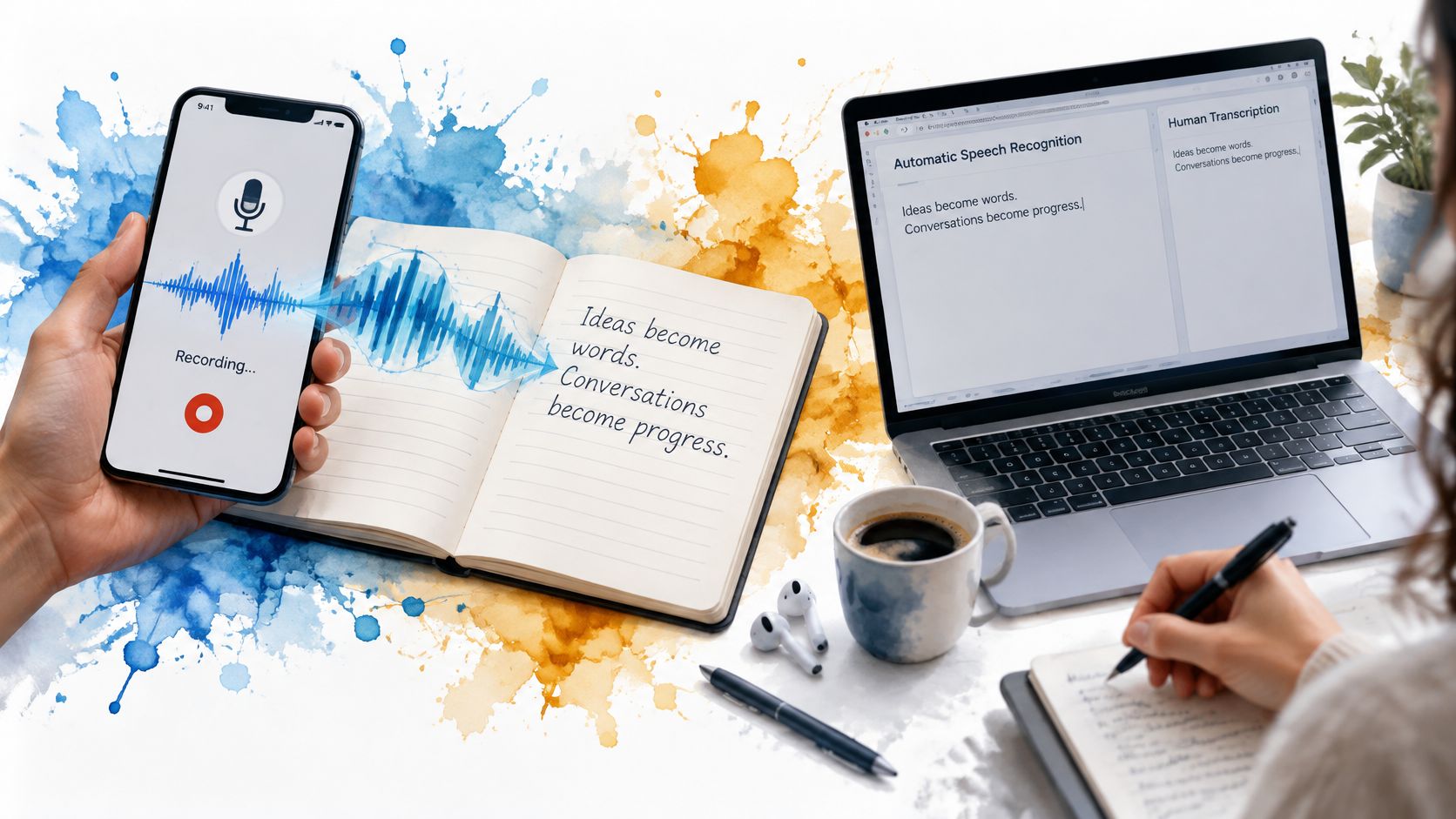
The setup is ordinary: a microphone captures sound, software turns it into text, and you keep a notebook open for the parts the software misses.
That stand-in quality is why accuracy is measured against a human reference version of the same audio. A transcript is useful when a reader can trust most lines and verify the rest. The label "automatic" doesn't mean the machine understands the subject. IBM's 1961 Shoebox recognized spoken digits and six arithmetic command words, and IBM later described it as recognizing 16 words, a tiny vocabulary by any modern standard. IBM's history of voice recognition traces the shift from that constrained demo to broad-vocabulary systems, which is the right way to read today's tools: pattern matching over sound, not comprehension of your professor's argument.
What is an audio transcription? The plain answer is a text version of recorded speech, built from audio you can replay. A transcript is written text that stands in for speech, and its usefulness depends on how closely it matches what was said. That replay button is the part most definitions forget.
Human and Automatic Transcription Compared
Use the table as a decision aid, not a ranking.
| Factor | Human transcriber | Automatic speech recognition |
|---|---|---|
| Accuracy on clean audio | Very high when the transcriber checks their work | High on clean, close-miked speech |
| Accuracy on noisy or overlapping audio | Holds up well with careful listening | Drops noticeably without clean audio |
| Speed | Usually hours for a long recording | Usually minutes for an hour of audio |
| Cost | Charged for human time, per minute or hour | Low per hour, often included in study software |
| Specialist terms | Handled well by someone who knows the subject | Often misheard unless a custom vocabulary is set |
| Best use | Records that must be certified for official use | Studying, search, drafts and quick reference |
The clean-audio row is where vendor claims come from. A 2024 comparison published in Frontiers in Communication measured 0% word error rate for Descript on one good-quality WAV or MP3 file and 4% for both Sonix and Amazon Transcribe. That's a strong result for one test, not a promise for a lecture hall with a heating vent and a latecomer scraping a chair.
Human transcribers earn their fee on context. A good one catches a speaker's change of direction, spells a visiting lecturer's name correctly, and notes that a joke was a joke. Automatic speech recognition returns a draft fast and cheap, then struggles when two students answer at once or a professor says "titration" through a mask.
Three questions that settle the choice
- How much accuracy does this material need? Background reading can tolerate rough text. A formula sheet, a drug name or a safety term cannot.
- How soon do you need the text? Automatic returns in minutes. A human transcriber usually takes hours for a long recording.
- Whose voices are on the file? If classmates are identifiable, access control matters before speed.
If you're comparing services, the guide to the best transcription software explains what to test before you commit.
How Speech Becomes Searchable Text
Transcription software doesn't listen the way you do. It turns a waveform into a sequence of probable words, then gives you tools to find them again. A one-hour lecture is typically transcribed in about five minutes, so the wait is short. The review is where your time goes.
At the center are four moves. The surrounding steps make them reliable.
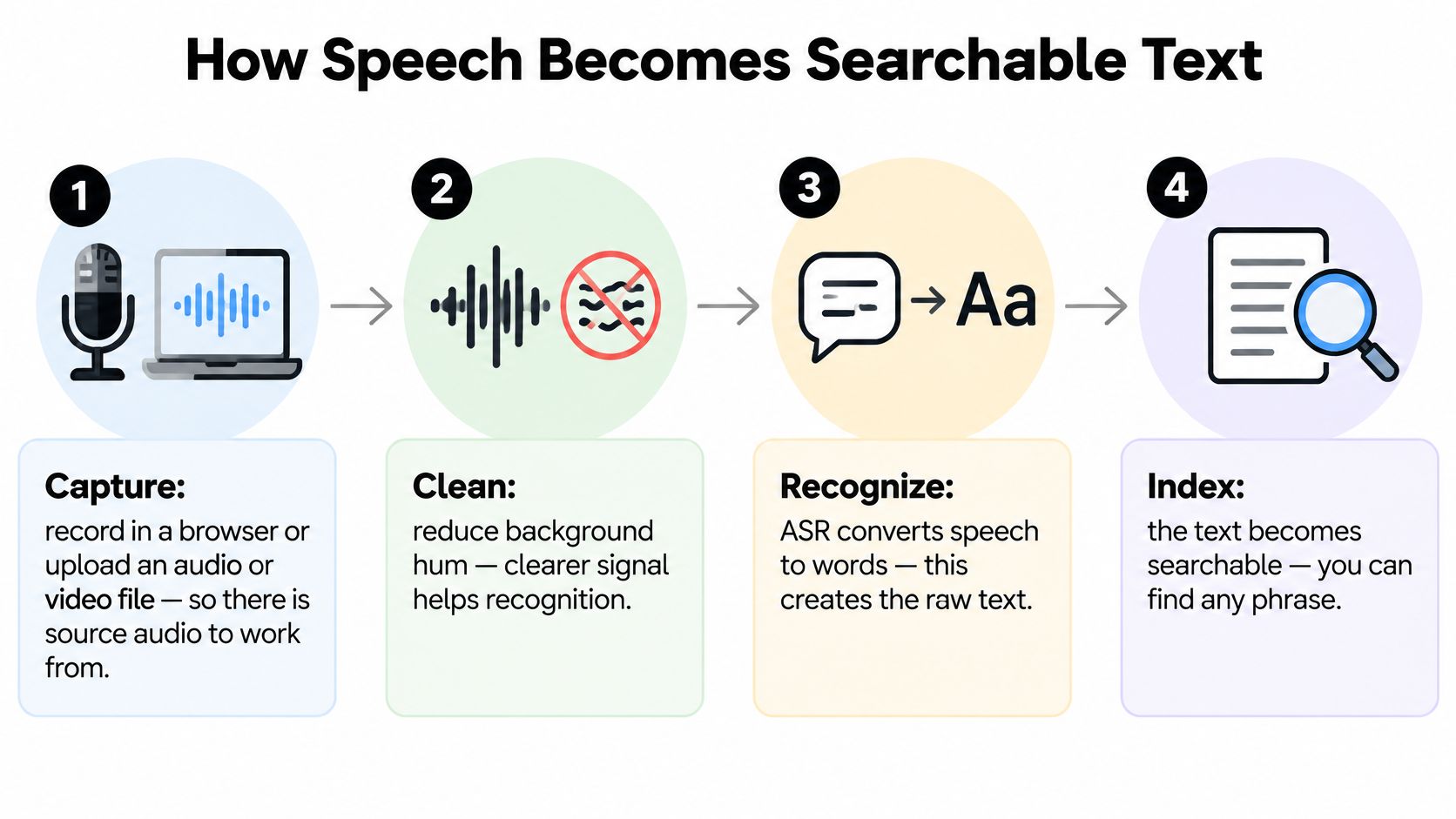
- Capture. Record in a laptop or phone browser, or upload an audio or video file, so there's source audio to work from.
- Clean. Reduce background hum and split the file into short segments. A clearer signal and smaller chunks give the recognizer less to misread.
- Recognize. The speech model turns sound patterns into likely words. Most errors enter at this stage when the audio is poor, because the model is guessing at syllables.
- Choose. A language model picks the most likely word in context and adds punctuation. It can fix "their" versus "there," but it can also smooth over a term it doesn't know.
- Stamp. Each segment gets a timestamp, so a line can link back to the exact moment in the recording.
- Label. Where the tool supports speaker diarization, labels show who spoke, which helps in seminars and group meetings.
- Review. You scan the output and check uncertain passages against the audio. This step is yours, not the software's.
The steps are generic. If you're working with a podcast or a long interview rather than a lecture, the Saturalabs guide for podcasters covers the same audio-to-text conversion from a creator's angle, including file preparation and cleanup.
Most errors enter at step 3. Distance, noise and overlapping speech blur the signal before the language model gets a chance. No language model can recover a word the microphone never caught.
Timestamps and Speaker Labels Explained
A timestamp is a bookmark with a clock on it. It ties a line of text to one moment in the recording, so a claim about a formula can be checked in seconds instead of scrubbing through an hour of video. Most transcripts put the clock at the start of each segment, like this:
00:42:15 Dr. Lee: The kinetic energy formula uses mass and velocity squared, so check the exponent against the slide.
The line shows two different pieces of information. The clock says when. The speaker label says who. The label usually comes from speaker diarization, which groups voices by acoustic pattern. It is a guess built from pitch, pacing and pauses, not a name badge.
Where labels go wrong
Labels fail in predictable places. Two people talk over each other and the voices merge. A guest joins late and the tool assigns her the wrong name. A quiet student asks one question and disappears from the labels entirely. Wording errors and label errors are separate problems, so check them separately.
Errors in wording don't land evenly either. A sociolinguistic analysis of automatic transcription errors reports recurring failures with dialect-specific pronunciation, local vocabulary and non-standard grammar, with phonological variation accounting for most errors. A line can look fluent and still replace a drug name or a construction term with a common word. That's the false confidence problem: readable text feels verified even when it isn't.
Treat the file as an editable, reviewable representation of the lecture, not a definitive record.
Practical habits. Name each speaker once at the top of the file. Check labels on questions and answers, because turn-taking changes most often there. Copy the timestamp into your notes beside every key claim, so the note points back to the source moment.
What Changes Transcript Accuracy
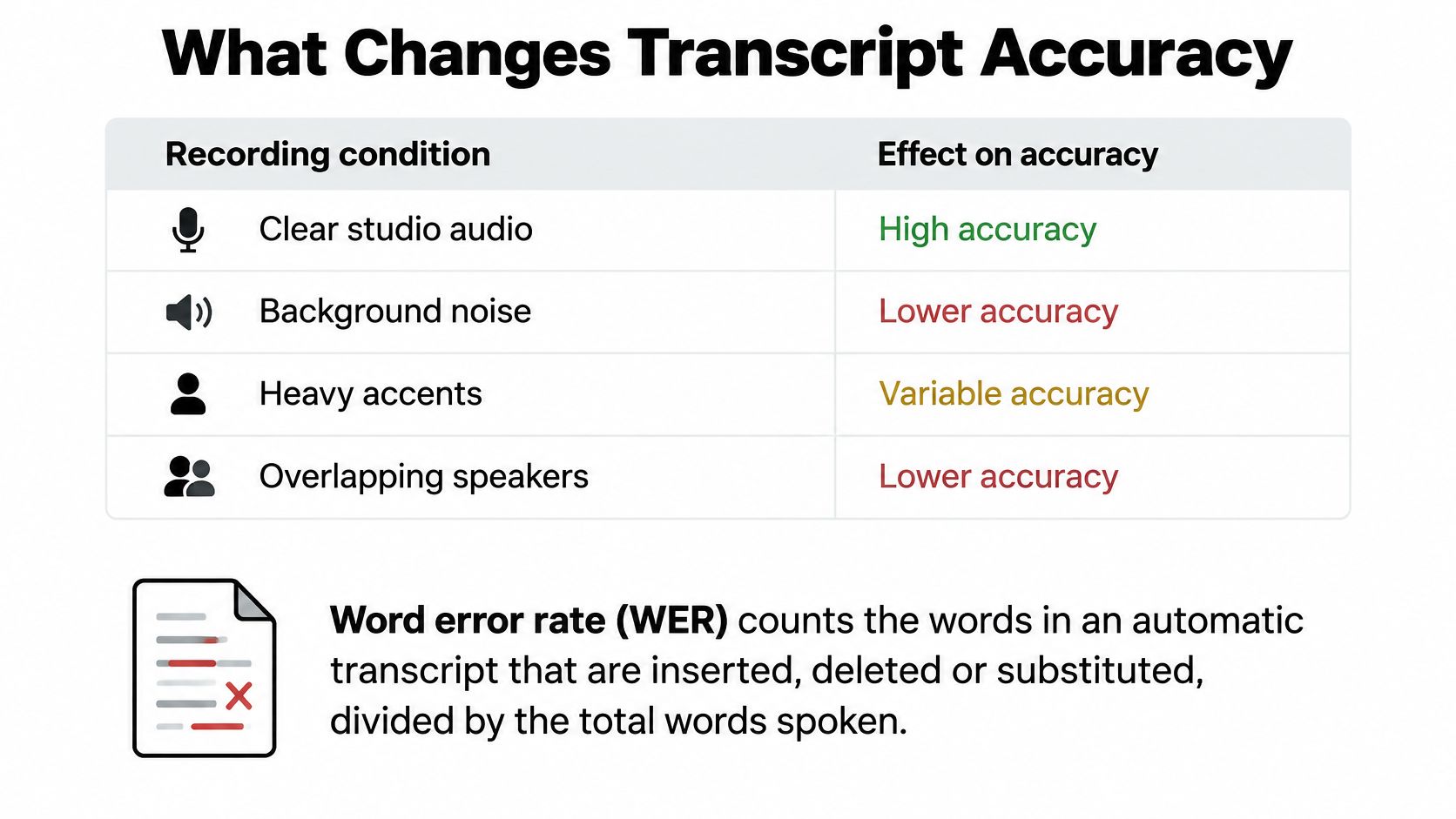
Word error rate is a simple ratio with a strict definition. It counts the words in an automatic transcript that are inserted, deleted or substituted compared with a human-made reference, then divides by the words in that reference. A lower number means a closer match. The measure became standard through NIST-backed evaluations summarized in Communications of the ACM, which reported about 20% error for close-microphone lectures and approximately 50% for lectures recorded with a distant microphone.
That split is the whole story. A clip-on microphone in a quiet room gives the recognizer a clean signal. A phone on a desk at the back of a hall gives it reverberation, coughs, a fan, and a speaker who turns toward the board.
| Condition | Effect on accuracy | What to do |
|---|---|---|
| Close microphone in a quiet room | Lowest error rates in historical lecture tests | Use a clip-on or headset microphone |
| Distant microphone in a large hall | Highest error rates in the same tests | Move closer or sit near the front |
| Background noise such as fans or traffic | Drops words and names | Record in the quietest seat available |
| Several speakers talking over each other | Overlapping words are merged or missed | Use one microphone per speaker or record separately |
| Accents, dialects or local slang | Non-standard phrasing is misheard | Check those passages against the audio |
| Technical terms, formulas, drug or code names | Specialist words get replaced with common ones | Add a glossary and verify key terms |
Distance and noise are signal problems. Accents and jargon are vocabulary problems. A model trained mostly on broadcast English will mishear a regional vowel or a construction abbreviation even when the audio is clean. A glossary helps only if the tool supports custom vocabulary, and your review catches the rest.
Rule of thumb: Improve the recording before you blame the transcript. A better microphone and a front-row seat beat any cleanup setting.
Fix the first three rows before you record. Fix the last three by checking the transcript against the audio. For hardware, the guide to a lecture recording microphone covers clip-on versus laptop mic without the audiophile detour.
Turning Lecture Recordings Into Study Transcripts
The workflow starts before the microphone. It ends after you've checked the text and decided how long to keep it. Here's the sequence in one view.
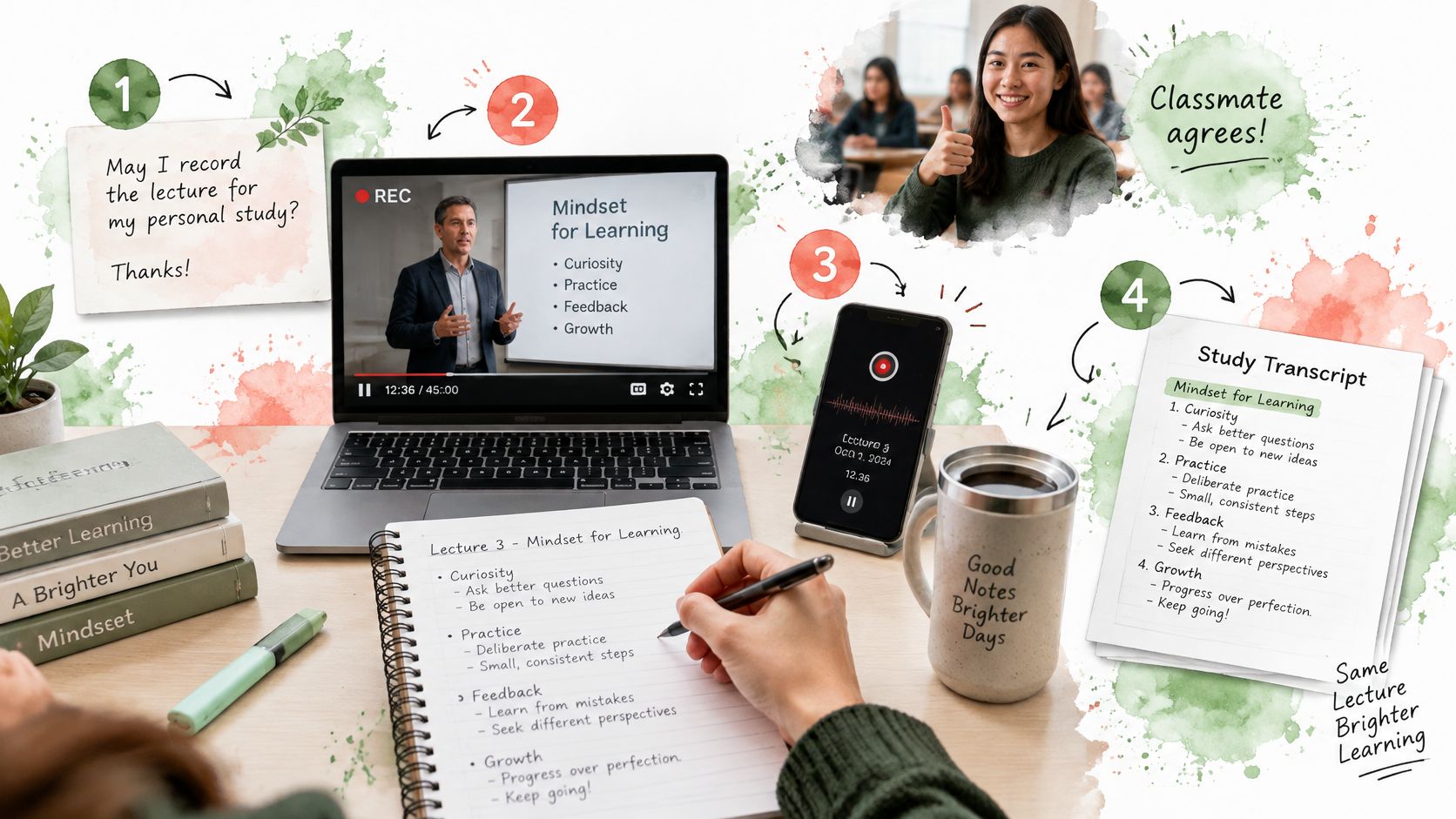
- Get permission first. Confirm that the instructor allows recording, tell classmates before you start, and decide who can see the file. In the United States, university guidance on classroom recordings and FERPA notes that a recording identifying students may be an education record, and that sharing it beyond the class can require written permission.
- Set up the capture. Use a headset or clip-on microphone if you have one, sit near the front, and watch the level meter move when the instructor speaks. A steady signal is worth more than a clever editing trick.
- Write down the key terms before class. Put formulas, drug names, abbreviations and visiting speakers' names on one page. You'll use that page as a glossary when you check the transcript.
- Record or upload. Capture the lecture in a browser or upload an audio or video file afterward. The file becomes the source you return to when a line looks wrong.
- Open the transcript while the lecture is fresh. Read for structure first, not perfection. Mark the sections that match the lecture's main argument.
- Check the high-stakes lines against the audio. Names, numbers, formulas and technical terms get a timestamp check. If a line says "70%" and you remember "17%," replay the moment.
- Flag what you couldn't follow. A bracket like [unclear 00:18:40] is more useful than a confident guess. It tells future you where to spend review time.
- Turn confirmed points into notes, then limit access. Build your summary or flashcards only from lines you've checked. Keep the recording in one course folder, don't post it in a group chat, and delete it when the course or your institution's retention rule says to.
A study assistant such as ClassLecture.ai fits the middle of that loop: record in the browser or upload a file, get a timestamped searchable transcript, then ask questions tied to exact lecture moments. For a fuller note-taking pass, this guide to lecture recording to notes shows how to turn checked lines into a review sheet.
The short walkthrough below shows the capture-to-review loop in motion.
Verification rule: AI transcripts, summaries and answers can be inaccurate or incomplete. Compare any high-stakes point with the original recording before you rely on it, especially in medicine, safety, accounting or law.
If you review better by ear, listen to textbooks instead of rereading covers a related habit. Use it after the transcript is checked, not as a substitute for checking.
Run the workflow on one real lecture this week. Record a class you already have permission to record, transcribe it, and spot-check five claims against the audio. The gaps you find will tell you more about your study habits than any generic accuracy claim.
ClassLecture.ai turns a recorded or uploaded lecture into a timestamped, searchable transcript, then lets you ask questions, generate summaries and build flashcards from that same material. You can record in your browser or bring an existing audio or video file, then jump back to the exact moment behind any answer. Visit ClassLecture.ai to try the workflow on your next class.
The ClassLecture.ai Team
We build ClassLecture.ai, the AI study assistant that turns your recorded lectures into transcripts, summaries, flashcards, and answers cited to the exact timestamp — so you learn faster from your own professor's words.
Keep reading
The 10 Best Audio to Text Converter Tools for 2026
Find the best audio to text converter for your needs. We compare 10 top tools on accuracy, speed, pricing, and privacy for lectures, meetings, and more.
ReadFree Audio Transcription: 10 Tools Compared
Compare 10 free audio transcription tools for accuracy, limits, languages, privacy, and study workflows, including ClassLecture.ai.
ReadHow to Chat With Your Lectures Using AI (With Timestamps)
Turn any recorded lecture into a tutor you can ask questions. How AI lecture chat works, why timestamp citations matter, and how to avoid hallucinations.
Read