Timestamp or Time Stamp: Spelling and How to Use One
Timestamp or time stamp? Learn which spelling is correct, what a timestamp records, and how to use timestamps to find moments in lecture recordings.
Use timestamp as one word for the noun, and reserve time stamp or time-stamp for the verb or for the physical clock that prints a date onto paper. That one sentence settles most of the spelling confusion you'll meet in notes, style guides and software menus.
Now the harder question, the one that costs students marks. If a classmate messages you asking which part of the lecture explained negative feedback, and you reply with 00:24:10, have you told them anything they can use? You've given them a coordinate with no map, no label and no version. They'll scrub to that second, hear four words of a sentence they can't place, and message back. A timestamp is a citation, and a citation with only half its parts is a guess dressed up as precision. The spelling takes ten seconds to fix. The usage takes a little longer, and it's where the damage happens.
Table of Contents
- Which Spelling to Use and When
- Position Time, Event Time and Why Time Zones Matter
- Timestamp Formats You Will Meet in Lectures and Software
- How to Find and Cite a Moment in a Lecture Recording
- Why Labelled Timestamps Beat Dense Time Codes
- Start Timestamping Your Next Lecture Review
Which Spelling to Use and When
Write timestamp as one word for the noun, and for the adjective built from it. That's the form dictionaries and style guides list, and it's the form readers expect in academic writing. A timestamp marks a point in time, and in a recording it's the position where a sentence is spoken: "the timestamp at 00:18:42," "a Unix timestamp in the server log," "the timestamp column in the dataset." All one word, all correct.
The verb is the unsettled case. Many editors write time-stamp with a hyphen, as in "time-stamp each draft when you save it," and plenty of house styles use two words instead. The physical device, the clock that prints the time onto a card or a document, is traditionally two words: "the time stamp on the old clock card." Older documents mix all three forms freely, and readers understand every one of them. Consistency matters more than the choice.
| Use | Spelling | Example |
|---|---|---|
| Noun for a point in time or a recorded moment | timestamp | "the timestamp at 00:18:42" |
| Noun or adjective in computing and data | timestamp | "a Unix timestamp in the server log" |
| Verb, to mark something with the time | time-stamp or time stamp | "time-stamp each transcript edit" |
| Physical stamp that prints the time | time stamp | "the time stamp on the old clock card" |
The three rules that cover every case
- Noun, one word: if the word names a thing, close the gap. This is the form that appears in your references, your headings and your search terms.
- One verb form per document: pick time-stamp or time stamp and don't drift between them mid-essay.
- Match your citation style: if your department's referencing guide spells it one way, follow the guide in headings, notes and citations so readers and search engines see a single consistent term.
The practical upshot is that timestamp or time stamp is rarely a matter of right and wrong. It's a matter of noun versus verb, and of holding one form steady long enough for a reader to stop noticing it.
Position Time, Event Time and Why Time Zones Matter
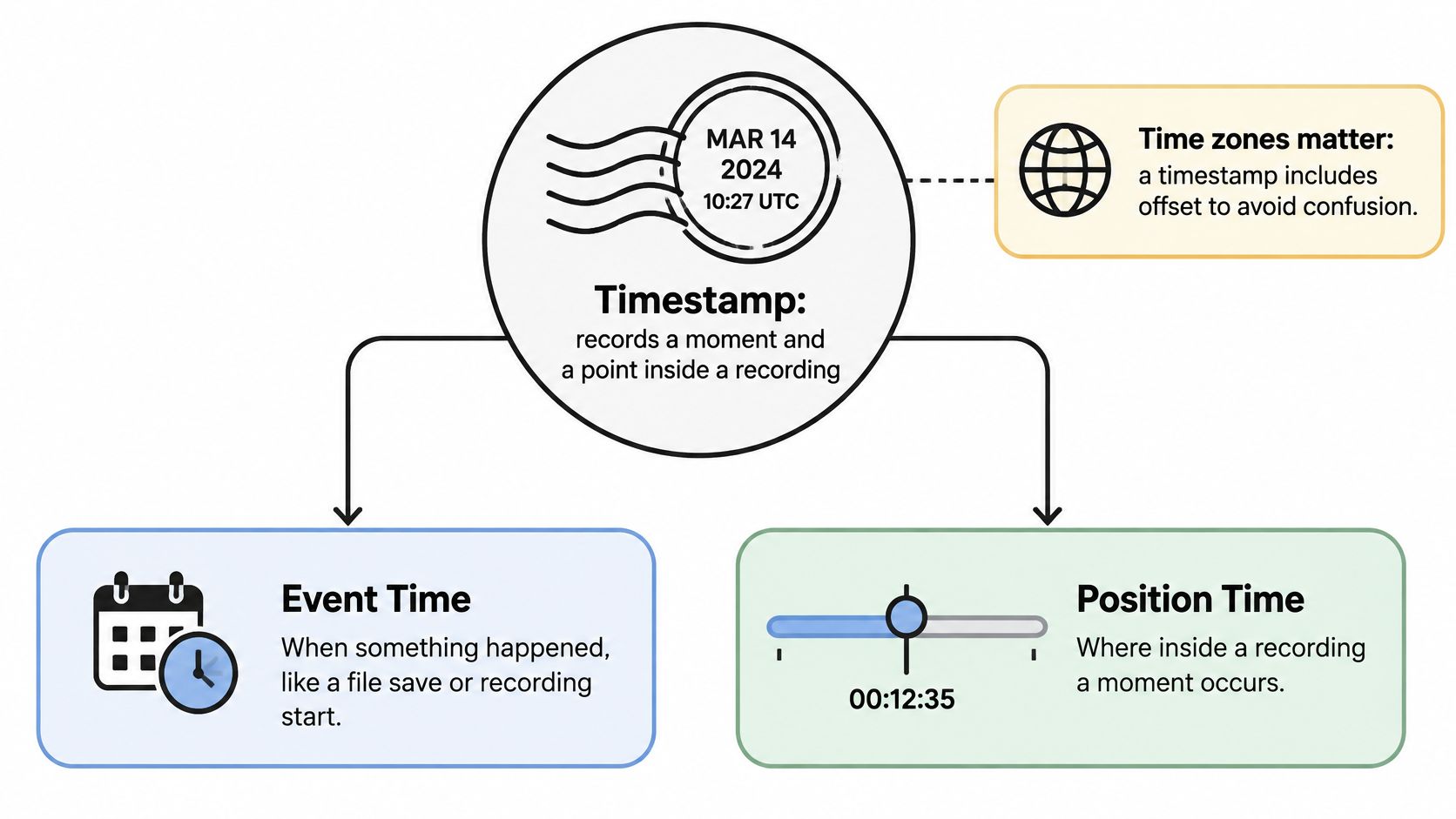
Think about a postmark. It does two jobs at once: it tells you when the letter was handled, and it sits at a fixed spot on the envelope. A timestamp does the same double duty, and confusing the two jobs is where most citation errors begin.
Event time records when something happened. A lecture recorded at 14 March 2026, 09:30 UTC has an event time. So does a transcript corrected on 2 April 2026. Position time records where a point sits inside a recording, such as 18:42 into a lecture. You need position time to find a sentence. You need event time to know which file you're quoting.
One shared reference for a world of devices
Coordinated Universal Time is the anchor that makes event times comparable across countries, networks and devices. The present UTC system was adopted on 1 January 1972, and it's generated by the International Bureau of Weights and Measures using measurements contributed by timing laboratories worldwide, with leap seconds holding the gap between UTC and Earth-rotation time below 0.9 seconds in absolute value, as described in BIPM's UTC documentation.
That matters to a student in a small way that becomes a big way. Say your lecturer announces a session for 2pm. You're in Dublin, your study partner is in New York, and you both write "2pm" in your notes. You're describing two different moments. Add the zone and the ambiguity disappears in four characters.
Why the zone belongs in the citation
The W3C's guidance on time zones distinguishes incremental timestamps from local wall-clock times and recommends UTC for serializing, storing and exchanging event times when events aren't tied to a specific local time. It also notes that public-sector design guidance recommends showing saved-work timestamps in the user's own time zone. Both are true at once: store in UTC, display in local time.
The W3C page names the risk that catches students. A playback position identifies a point inside a recording; a calendar timestamp records when a recording, upload, edit or comment occurred. Confusing them produces misleading citations after a file is trimmed, re-encoded or replaced.
| Timestamp type | What it marks | Example | Use it to confirm |
|---|---|---|---|
| Media position | a point inside the recording | 18:42 into the lecture | the exact words spoken at that point |
| Recording creation time | when the recording was made | 14 March 2026, 09:30 UTC | which lecture session the recording belongs to |
| Upload or edit time | when the file last changed | 22 March 2026, 16:05 UTC | whether your notes match the current file |
| Transcript revision date | when the text was last corrected | 2 April 2026 | that the wording still matches the audio you cite |
Working rule: a useful timestamp carries a reference point, a format and a zone. A position time also needs a recording version before anyone can trust it.
Timestamp Formats You Will Meet in Lectures and Software
The same digits can mark a place in a recording or a time on a clock. That distinction matters: choose a format that tells readers what the numbers measure, and label the topic and recording version when citing a lecture moment.
| Format | Example | Where you meet it | Best use |
|---|---|---|---|
| HH:MM:SS | 01:12:35 | video players and lecture tools | citing a moment in a lecture |
| MM:SS | 12:35 | short clips and podcasts | recordings under one hour |
| SRT subtitle time | 00:12:35,480 | SRT caption files | exact subtitle timing |
| ISO 8601 in UTC | 2026-03-14T09:30:00Z | file metadata, logs and databases | comparing events across time zones |
| Unix epoch seconds | 1735689600 (1 January 2025, 00:00 UTC) | programming, databases and APIs | sorting and storing exact times |
HH:MM:SS is useful for citing a point in a lecture. A reader can interpret 01:12:35 as one hour, twelve minutes and thirty-five seconds into the recording. MM:SS works for a short clip, but in a longer lecture 12:35 could mean twelve minutes and thirty-five seconds or one hour, twelve minutes and thirty-five seconds. Include hours when they matter.
SRT caption timing uses a comma before fractions of a second, as in 00:12:35,480. When quoting a caption file, retain its exact time notation. A changed time code can point readers to a different subtitle or moment. For help converting a recording into captions, see this guide to converting MP4 files to SRT subtitles.
ISO 8601 in UTC looks like 2026-03-14T09:30:00Z. The trailing Z marks UTC. This form records an event time, such as when a file was created, rather than a position within a lecture. Keep that distinction clear when using metadata to identify a recording.
Where Unix time comes from
Unix time, also called POSIX time, counts elapsed seconds from the epoch defined as 00:00:00 UTC on 1 January 1970, as explained in BIPM's presentation on UTC and time scales. The result sorts and compares cleanly in software, but takes work to read in study notes. A historical 32-bit signed counter has a maximum value of 2,147,483,647 seconds. Treat that limit as a technical property of the counter, not as a reliable prediction about what a particular system will do.
For a lecture citation, use the playback format your reader can follow, then add a short topic label and identify the recording version. A bare time code may point to the wrong moment if the file has been trimmed or replaced. A clear label helps readers check the intended passage.
How to Find and Cite a Moment in a Lecture Recording
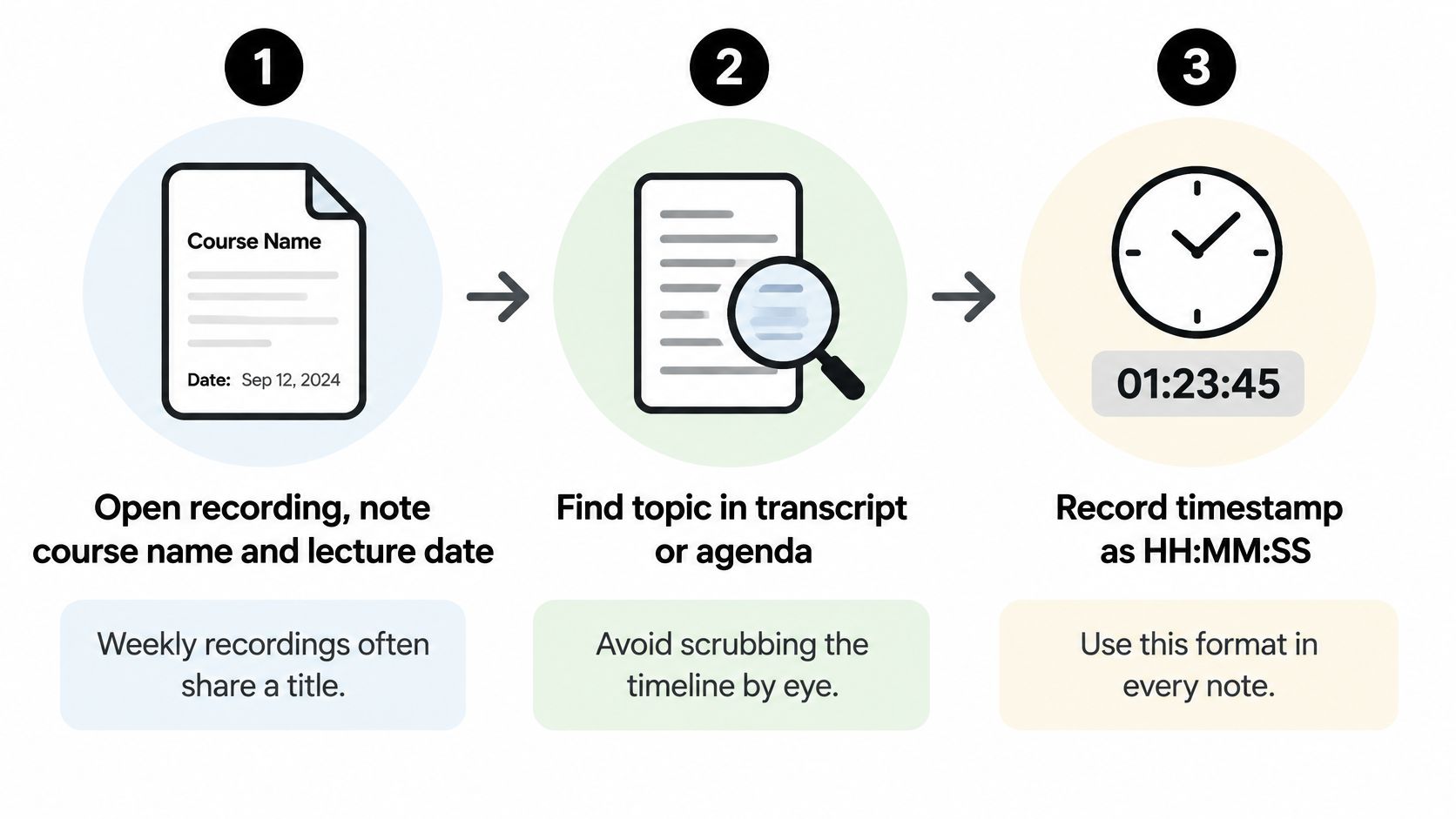
Seven steps turn a vague memory of "somewhere in week four" into a citation a stranger can follow.
- Note the course name and the lecture date first. Weekly recordings often share a title, so "Lecture 6" identifies nothing on its own. Write "BIO 101, 14 March 2026" before you touch the timeline.
- Find the topic in the transcript or the agenda rather than scrubbing by eye. Scrubbing burns ten minutes to locate something a keyword search finds in five seconds. If your course material arrives as documents rather than recordings and you need to locate a passage, this guide to how to search across many PDFs covers the equivalent skill.
- Read the timestamp at the start of the sentence, then back up 10 to 15 seconds. The common slip is starting exactly on the number, which cuts the lead-in and makes the citation sound like it begins mid-thought.
- Play at 1.25x to confirm the speaker stays on the topic. A timestamp that lands on a tangent is worse than no timestamp, because it looks verified.
- Write the citation as course, date, HH:MM:SS and a five-word label, for example "BIO 101, 14 March, 00:24:10, definition of negative feedback."
- Check the moment against a slide or page reference where one exists. Two independent pointers to the same explanation give you something to fall back on if the audio shifts.
- If the moment doesn't match, search the transcript for a keyword and repeat steps 3 to 6. Don't adjust the number by guesswork.
A cold reader should be able to open the file, jump to 00:24:10, and hear the definition begin within two seconds. If they can't, the citation isn't finished.
For live sessions the same logic applies to your notes. If your study group meets on Zoom, see this walkthrough of a Zoom meeting transcript to see how a spoken session becomes searchable text you can point at.

Why Labelled Timestamps Beat Dense Time Codes
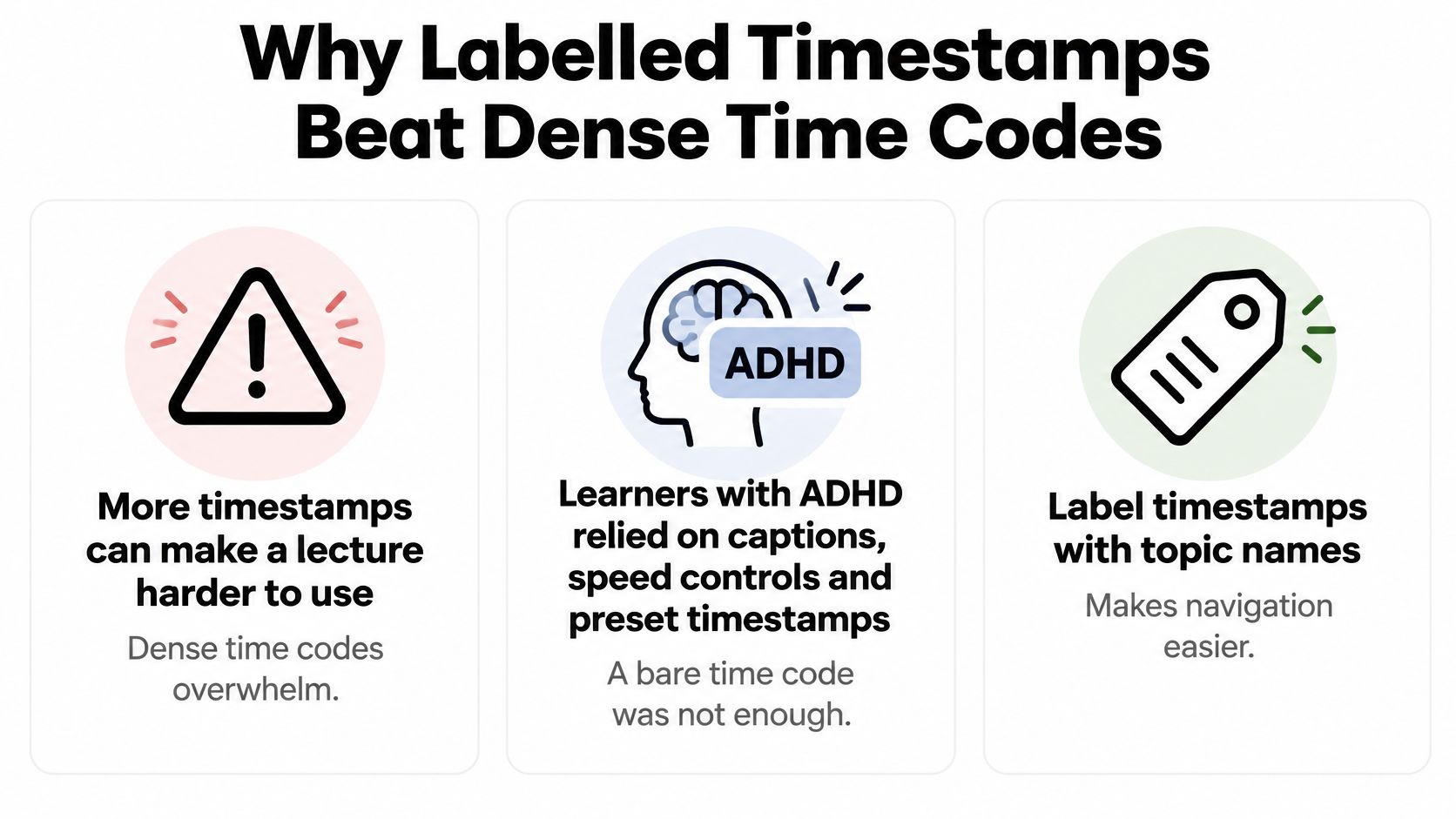
More timestamps can make a lecture harder to use. That runs against the instinct to chapter everything at five-minute intervals, but dense time codes shift the navigation work back onto the reader, who now has forty entries and no way to tell which four matter.
Research reported in ACM's study of timestamped learning interfaces found that learners with ADHD used closed captions, playback-speed controls and preset timestamps to maintain engagement. The finding that matters for anyone building a set of markers is that a timestamp alone was insufficient unless it identified a meaningful topic boundary and sat alongside searchable text or visual context. The same work found questions clustered most heavily 2 to 3 minutes after a new topic was introduced, which is exactly where a good marker should sit.
What a label actually buys you
"00:24:10, definition of negative feedback" tells a biology student what they're about to hear and whether they need it today. "00:41:03, worked dosage example" tells a nursing student which calculation to rehearse before a placement shift. A bare 00:24:10 tells them nothing until they've already spent the time.
- Mark each concept once. Resisting the urge to flag every sentence keeps the list scannable.
- Borrow the lecturer's own words. Labels that match the phrase used in the recording are easier to find again.
- Attach the slide or page reference so the marker isn't the only route back.
- Keep only what you'll revisit. Three to five markers per lecture beats thirty you'll never open.
Treat every marker as approximate. Speech-recognition errors, overlapping topics and markers that land a few seconds early or late are normal, so play fifteen seconds either side before you rely on one in an exam answer.
Start Timestamping Your Next Lecture Review
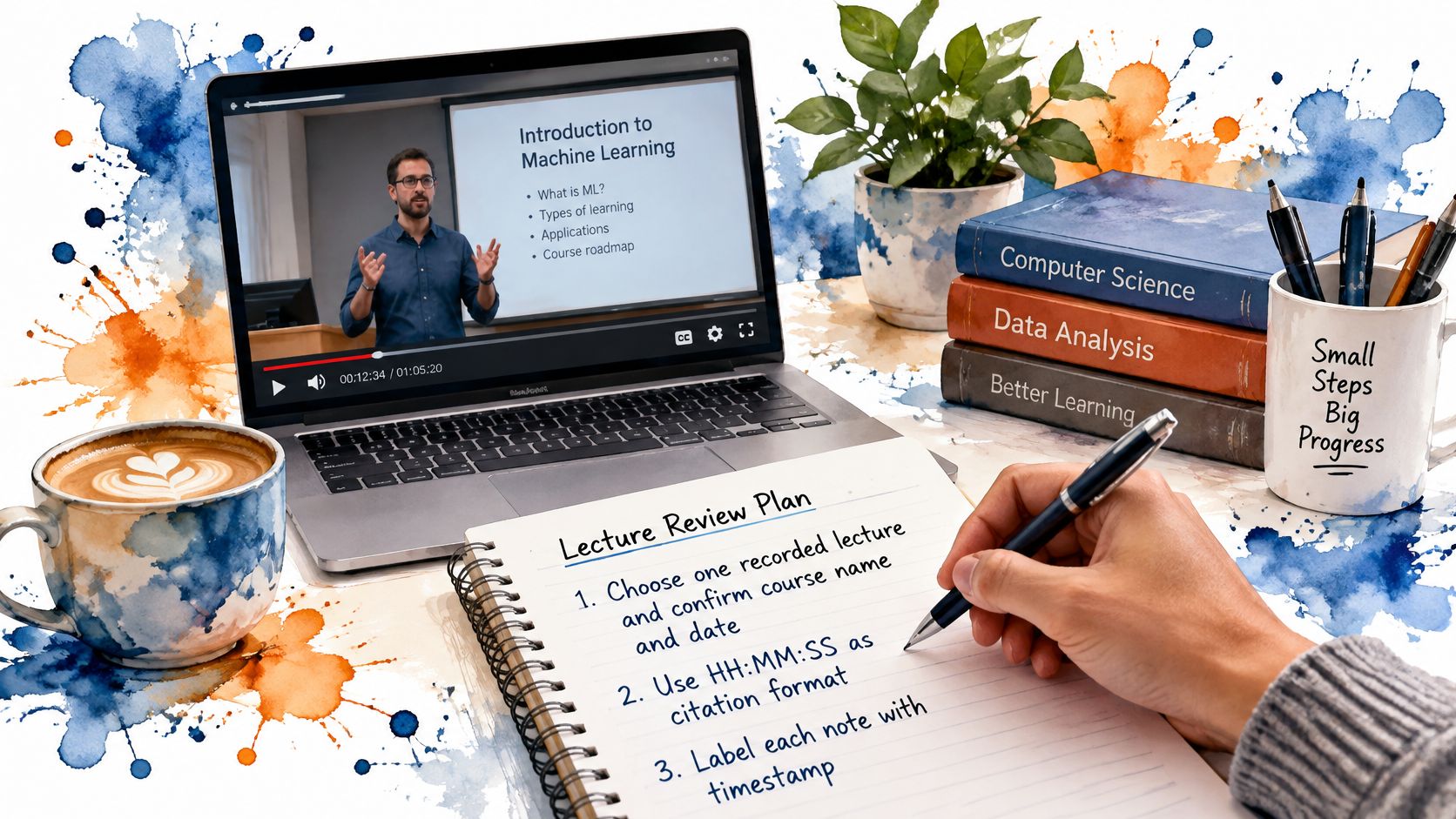
Pick one recorded lecture, not your whole semester, and run this plan before your next review session.
- Confirm the course name and date and write both at the top of the page.
- Choose HH:MM:SS and use it in every note from that recording, so your own notes don't need translating later.
- Label three to five moments that map to exam topics, in the lecturer's words: "definition of negative feedback" at 00:24:10.
- Verify each label against a slide or page reference and play fifteen seconds either side.
- Record the recording version beside each citation so a re-upload doesn't invalidate your notes.
If your lectures arrive as Zoom sessions, this piece on a Google Meet AI note taker covers the equivalent workflow for meetings you attend rather than watch back.
The workflow that supports this is simple to describe: record or upload a lecture, get a searchable timestamped transcript, then study with the class materials, including answers tied to exact lecture moments. That saves the scrubbing. It doesn't save you from checking. An AI-generated time code is a claim about where a sentence lives, and claims about recordings deserve the same suspicion as any other citation you inherit from someone else. Play the fifteen seconds. Confirm the label. Then write it down.
Timestamp one lecture today, and before your next session, check three of its markers against the audio.
ClassLecture.ai turns a recorded lecture into a searchable transcript where every answer points back to the moment in the audio that supports it, so the timestamps you cite in your notes start from something verifiable rather than from memory. Upload a recording or bring in an existing file, then ask questions about your own material and follow the citation to the exact second. Visit ClassLecture.ai to try it on your next lecture.
The ClassLecture.ai Team
We build ClassLecture.ai, the AI study assistant that turns your recorded lectures into transcripts, summaries, flashcards, and answers cited to the exact timestamp — so you learn faster from your own professor's words.
Keep reading
How to Chat With Your Lectures Using AI (With Timestamps)
Turn any recorded lecture into a tutor you can ask questions. How AI lecture chat works, why timestamp citations matter, and how to avoid hallucinations.
ReadWhat Is an Audio Transcription? How It Works for Lectures
What is an audio transcription? Learn how speech becomes searchable text, why accuracy varies, and how to turn lectures into study-ready transcripts.
ReadSpaced Repetition Schedule: How to Build One That Works
Build a spaced repetition schedule for any exam date or course load, with sample plans, FSRS basics and fixes for missed reviews.
Read